Todoist Vs Tasks: Ultimate Showdown for Productivity Masters
When it comes to managing your daily tasks, choosing the right app can make all the difference. You want something that fits your style, keeps you organized, and actually helps you get things done without causing frustration.
That’s why comparing Todoist and Google Tasks is so important. Are you looking for powerful features to handle complex projects, or do you prefer a simple, no-fuss tool that works smoothly with your Gmail and Calendar? This article breaks down everything you need to know about Todoist and Google Tasks, so you can pick the perfect planner for your needs. Ready to take control of your tasks like never before? Let’s dive in and find out which one suits your workflow best. Discover why millions trust Todoist to bring clarity and simplicity to their busy lives.
Credit: thesweetsetup.com
Introduction To Todoist And Google Tasks
Task management apps help organize daily work and personal goals. Two popular choices are Todoist and Google Tasks. Each app serves different needs and user types. Understanding their features and target users guides the right choice for productivity.
Overview Of Todoist: Advanced Task Management For Productivity Masters
Todoist offers advanced features to manage tasks efficiently. It supports:
- Projects: Group related tasks together.
- Subtasks: Break complex tasks into smaller steps.
- Filters and Labels: Customize views and organize tasks by context.
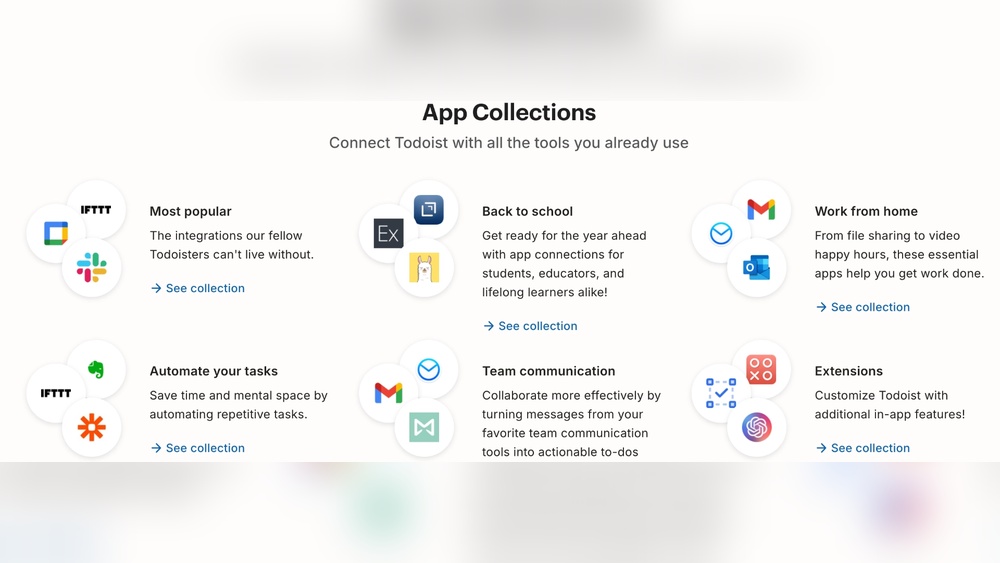
- Strong Integrations: Connect with many third-party apps.
- Team Collaboration: Share projects and assign tasks to others.
This app fits users with complex personal or professional task needs. It suits those who want detailed control over their work and life planning.
Overview Of Google Tasks: Simple, Seamless Integration Within Google Ecosystem
Google Tasks focuses on simplicity and ease of use. Key points include:
- Free and straightforward task management.
- Close integration with Gmail and Google Calendar.
- Easy to add and complete tasks without extra setup.
- Minimal learning curve for new users.
This app works best for users already using Google Workspace. It fits those who want basic task tracking without extra features.
Purpose And Target Audience Of Both Apps
| App | Purpose | Target Audience |
|---|---|---|
| Todoist | Advanced task management with detailed organization and collaboration. | Professionals and individuals needing complex task structures and teamwork. |
| Google Tasks | Simple, quick task tracking with deep Google app integration. | Google Workspace users wanting easy, no-fuss task lists. |
Credit: 2sync.com
Key Features That Set Todoist Apart
Todoist stands out with its rich set of features designed for detailed task management and team collaboration. It suits users who need more than just a simple to-do list. These features help organize tasks clearly and boost productivity in both personal and professional life.
Natural Language Input: Speeding Up Task Entry
Todoist lets users add tasks using natural language. For example, typing “Meeting tomorrow at 10am” automatically sets the task and its due date. This feature saves time and reduces errors when entering tasks.
The smart input understands dates, times, priorities, and labels instantly, making task entry fast and easy.
Custom Filters And Labels: Mastering Detailed Organization
Todoist offers custom filters and labels to organize tasks beyond basic categories.
- Labels tag tasks by context, like
@workor@home. - Filters create personalized views, such as tasks due today or high priority tasks.
This system helps users focus on what matters most and find tasks quickly.
Subtasks And Recurring Tasks: Managing Complex Workflows
Todoist supports subtasks, allowing users to break big tasks into smaller steps. This creates a clear task hierarchy.
Recurring tasks automate repeating activities like weekly reports or monthly bills. Users set the frequency once, and Todoist repeats the task automatically.
Project Templates And Karma System: Enhancing Productivity And Motivation
| Feature | Description |
|---|---|
| Project Templates | Pre-built project outlines that speed up task setup for common workflows. |
| Karma System | A points system tracks task completion and rewards consistent productivity with visual charts. |
These features help maintain motivation and reduce setup time for new projects.
Advanced Reminders Including Location-based Alerts
Todoist supports advanced reminders beyond simple time alerts.
- Location-based reminders notify users when arriving or leaving a place.
- Custom reminders can be set for deadlines, task start times, or follow-ups.
This ensures important tasks are never forgotten, even on the go.
Collaboration Tools And Extensive Integrations For Team Efficiency
Todoist offers powerful collaboration features for teams:
- Shared projects with task assignments and comments.
- Activity logs to track changes and progress.
It integrates with popular tools like Google Calendar, Slack, and Dropbox, creating a connected workflow for teams.
These integrations and collaboration options make team task management smooth and efficient.
Unique Benefits Of Google Tasks’ Features
Google Tasks stands out with its straightforward design and tight integration with Google apps. It serves users who want simple task management without extra complexity. The features focus on ease of use and staying inside the Google environment. This keeps your workflow smooth and organized without needing to switch apps.
Seamless Gmail And Google Calendar Integration: Staying Within Your Workflow
Google Tasks links directly to Gmail and Google Calendar. You can create tasks from emails with a single click. This saves time and keeps your to-do list connected to your inbox.
Tasks also appear on your Google Calendar. This lets you see deadlines alongside events. You can plan your day without jumping between apps.
- Create tasks from emails
- View tasks in Google Calendar
- Receive reminders within your calendar
- Keep all work in one place
Simple List Creation And Basic Due Dates: Effortless Task Management
Creating task lists in Google Tasks is quick and easy. You just add a task, set a due date, and you are done. The interface is clean and free of distractions.
The due date feature helps keep you on track. Set a deadline and get reminders. This basic setup is perfect for people who want to manage tasks without extra steps or options.
| Feature | Description |
|---|---|
| Task Creation | Quick entry with a simple interface |
| Due Dates | Basic date and time settings for deadlines |
| Reminders | Notifications based on due dates |
Subtasks Via Separate Lists: Basic Hierarchical Organization
Google Tasks allows subtasks but manages them as separate lists. This keeps the hierarchy simple without complex nesting.
You can break down big tasks into smaller steps. Each subtask lives in its own list, making it easy to view and complete one step at a time.
- Subtasks organized as separate lists
- Basic task hierarchy without clutter
- Easy to track progress on smaller tasks
Entirely Free And Lightweight: Accessibility For All Users
Google Tasks is free for everyone with a Google account. It does not require any paid upgrades or hidden fees.
The app is lightweight and runs smoothly on all devices. It uses little storage and loads quickly.
- No cost for all features
- Fast loading and simple design
- Works well on mobile and desktop
- Great for basic task management needs
Pricing And Affordability Breakdown
Choosing the right task management app depends heavily on pricing and value. This section compares Todoist and Google Tasks on cost and features. Understanding what each offers for free and paid tiers helps decide which suits your needs and budget.
Todoist Pricing Tiers: Unlocking Advanced Features With Paid Plans
Todoist provides a free plan with basic task management tools. To access advanced options, users must upgrade to paid plans. These plans include:
| Plan | Cost (Monthly) | Key Features |
|---|---|---|
| Free | $0 | Up to 80 active projects, basic task creation, 5 collaborators per project |
| Pro | About $4/month | Reminders, labels, filters, comments, file uploads, 300 active projects, 25 collaborators |
| Business | About $6/user/month | Team collaboration, admin controls, priority support, up to 500 active projects |
Paid plans add powerful tools like filters and reminders. They suit users with complex workflows or teams. Users get better task organization and collaboration abilities.
Google Tasks: Completely Free With No Hidden Costs
Google Tasks is 100% free for all users. It integrates directly with Gmail and Google Calendar without extra charges. The app covers basic task needs:
- Create, edit, and delete tasks and subtasks
- Set due dates with simple reminders
- Sync across devices via Google account
No paid upgrades exist. This simplicity and zero cost make Google Tasks ideal for users seeking straightforward task tracking within Google’s ecosystem.
Value Analysis: When Paying For Todoist Makes Sense
Paying for Todoist fits those who need more than simple task lists. Consider these points:
- Advanced task organization with labels and filters
- Custom reminders to never miss deadlines
- Collaboration tools for teams and projects
- File attachments within tasks
If tasks are basic and you use Google apps daily, Google Tasks suffices. For complex projects or team work, Todoist’s paid plans offer strong value.
Pros And Cons Based On Real-world Usage
Choosing between Todoist and Google Tasks depends on your needs and work style. Each app offers distinct advantages and some drawbacks. Understanding these pros and cons helps pick the right tool for personal or professional task management.
Todoist Pros: Robust Features, Scalability, Cross-platform Support
- Robust Features: Todoist provides advanced task organization with projects, subtasks, filters, and labels.
- Scalability: Suitable for simple daily tasks or complex workflows, ideal for individuals and teams.
- Cross-Platform Support: Works seamlessly on Windows, macOS, Android, iOS, and web browsers.
Users appreciate Todoist’s ability to handle detailed task management with strong integrations and collaboration options. It adapts well as workload and team size grow.
Todoist Cons: Learning Curve And Cost For Premium Features
- Learning Curve: Beginners may find the many features overwhelming at first.
- Cost for Premium Features: Access to filters, reminders, and team collaboration requires a paid subscription.
Some users feel the initial setup takes time. Free version is limited, pushing users toward the premium plan for full benefits.
Google Tasks Pros: Simplicity, Integration, No Cost
- Simplicity: Easy to create and manage basic tasks without distractions.
- Integration: Works smoothly with Gmail, Google Calendar, and other Google Workspace apps.
- No Cost: Free to use with no premium tiers.
Google Tasks suits those wanting quick task entry linked to emails and calendar events. It’s perfect for straightforward task lists without extra features.
Google Tasks Cons: Limited Features, Lack Of Advanced Organization And Collaboration
- Limited Features: No support for labels, filters, or task dependencies.
- Lack of Advanced Organization: Cannot create complex projects or detailed subtask hierarchies.
- Collaboration: No built-in team collaboration or sharing features.
The app stays basic, which limits productivity for users needing more control or teamwork functions.
Credit: www.usemotion.com
Who Should Choose Todoist?
Todoist suits users who need more than simple task lists. It fits those who want detailed task organization, team collaboration, and motivation tools. This app handles complex projects and integrates with many platforms. Its features help users stay productive and organized beyond basic task tracking.
Power Users And Project Managers Requiring Complex Task Structures
Todoist is perfect for power users and project managers. It supports:
- Multiple projects with nested subtasks
- Custom labels and filters for task sorting
- Priority levels to focus on urgent tasks
- Comments and file attachments for clear communication
These features create a clear, manageable workflow for complex projects. Users can break down large tasks into smaller steps. This boosts productivity and reduces overwhelm.
Teams Needing Collaboration And Integration Beyond Google Apps
Todoist helps teams that need strong collaboration tools and wide integration options. It offers:
| Feature | Benefit |
|---|---|
| Shared projects | Team members can view and edit tasks together |
| Real-time notifications | Stay updated on task changes instantly |
| Integrations | Connects with tools like Slack, Zapier, and Outlook |
This makes Todoist useful beyond just Google Workspace. Teams can streamline communication and task tracking in one place.
Individuals Seeking Motivation Through Gamification And Advanced Scheduling
Todoist motivates users with features like:
- Karma points to reward task completion
- Streaks that track daily productivity
- Smart scheduling using natural language input
- Recurring tasks to build habits easily
These tools keep individuals engaged and organized. Scheduling tasks is quick and adapts to changing routines.
Who Should Choose Google Tasks?
Google Tasks suits users who want a simple and free task manager tightly linked with Google apps. It offers a straightforward way to keep track of daily tasks without extra complexity. This tool fits well for people who rely heavily on Google Workspace and need basic task tracking without distractions.
Users Deeply Embedded In Google Workspace Seeking Simplicity
Google Tasks works perfectly for users who spend most of their time in Google Workspace apps like Gmail and Google Calendar. It integrates smoothly, allowing task creation directly from emails or calendar events.
- Seamless integration with Gmail and Calendar
- Quick task adding from emails
- Simple interface with no learning curve
This integration saves time and keeps everything in one place. Users do not need to switch apps or sync data manually.
Individuals Managing Basic Personal To-do Lists
Google Tasks fits users managing simple, everyday to-do lists. It lacks advanced features but covers essentials well.
- Create and edit tasks with due dates
- Organize tasks into lists
- Add subtasks for better clarity
People who want a clear and minimal task list find Google Tasks easy to use. It avoids overwhelming options, focusing on what matters.
Those Wanting A Free, No-fuss Task Manager Integrated With Gmail And Calendar
Google Tasks offers a free and lightweight solution. It is ideal for users who want a task manager that works within their existing Google setup.
| Feature | Benefit |
|---|---|
| Cost | Completely free with no premium tiers |
| Integration | Tasks appear in Gmail and Google Calendar |
| Ease of Use | Minimal setup, fast task entry |
| Accessibility | Available on web, Android, and iOS |
This tool suits anyone wanting a straightforward planner without extra bells and whistles. It keeps daily tasks visible alongside emails and events.
Conclusion: Making The Right Productivity App Choice
Choosing the right productivity app shapes how tasks get done daily. Both Todoist and Google Tasks serve different user needs. Understanding their strengths helps pick the best tool for your workflow.
Summary Of Key Differences And Use Cases
| Feature | Todoist | Google Tasks |
|---|---|---|
| Task Organization | Projects, subtasks, labels, filters | Simple task lists without labels or filters |
| Integrations | Strong integration with many apps and team collaboration | Seamless integration within Google Workspace (Gmail, Calendar) |
| Complexity | Ideal for complex personal and professional workflows | Best for straightforward, basic task management |
| Cost | Free tier with premium paid options | Free with Google account |
Todoist suits users needing detailed task management and team features. Google Tasks fits users wanting quick, easy lists within the Google ecosystem.
Final Recommendations Based On User Needs And Workflow Complexity
- Choose Todoist if you manage many projects or need advanced organization tools.
- Pick Google Tasks for simple task tracking linked to your Gmail and Calendar.
- Teams benefit more from Todoist’s collaboration features.
- Individuals with basic task lists find Google Tasks less distracting and easier.
Encouragement To Experiment And Find The Best Fit
Try both apps for a few days to see what fits your style. Testing helps discover which app boosts your productivity.
Notice how each app handles your daily tasks and deadlines. Adjust based on ease and features that matter most.
Remember, the best app is the one you use consistently. Focus on what keeps your tasks clear and manageable.
Frequently Asked Questions
Should I Use Todoist Or Google Tasks?
Choose Todoist for advanced task management, project organization, and team collaboration. Pick Google Tasks for simple, free task tracking within Google apps.
What Is The 1/3/5 Rule In Todoist?
The 1/3/5 rule in Todoist suggests planning one big task, three medium tasks, and five small tasks daily to boost productivity and focus.
Which Is Better, Todoist Or Any Do?
Todoist suits power users needing detailed organization, advanced features, and team collaboration. Google Tasks offers simple, free task management with seamless Google integration. Choose Todoist for complex workflows; choose Google Tasks for straightforward, basic task lists within Google Workspace.
What Are The Pros And Cons Of Todoist?
Todoist offers powerful organization, advanced features, and team collaboration but requires a paid plan for full access. It suits complex workflows. Google Tasks is free, simple, and integrates well with Google apps but lacks advanced tools and robust collaboration. Choose based on your task complexity and ecosystem preference.
Conclusion
Choosing between Todoist and Google Tasks depends on your needs. Todoist fits users who want detailed organization and teamwork options. Google Tasks works well for those who prefer simple lists inside Google apps. Both help manage tasks but serve different styles. For stronger features and project management, explore Todoist. It offers tools that grow with your needs. Try it to see if it matches your workflow. Keep your tasks clear and your day productive.