Does Clickup Have a Chat Feature? Discover Its Powerful Benefits!
Are you tired of juggling multiple apps just to keep your team connected and projects on track? What if you could chat, manage tasks, and boost productivity—all in one place?
That’s exactly what ClickUp offers with its powerful chat feature. Whether you want to send quick messages, create tasks from conversations, or even bring your Slack history along, ClickUp Chat makes teamwork smoother and smarter. Ready to see how this all-in-one platform can transform your workflow? Keep reading to discover everything you need to know about ClickUp’s chat feature—and how it can save you time and money. Don’t wait—check out ClickUp here to get started: ClickUp
Introduction To Clickup Chat Feature
ClickUp Chat is a built-in messaging tool within the ClickUp platform. It blends team communication with task management. This feature helps teams stay connected and organized in one place. It boosts productivity by reducing the need for multiple apps.
With ClickUp Chat, teams can chat, create tasks, and manage projects easily. It also includes AI-powered tools to improve messaging and automate workflows. This makes ClickUp Chat a valuable tool for smooth collaboration and project success.
What Is Clickup Chat And Its Purpose
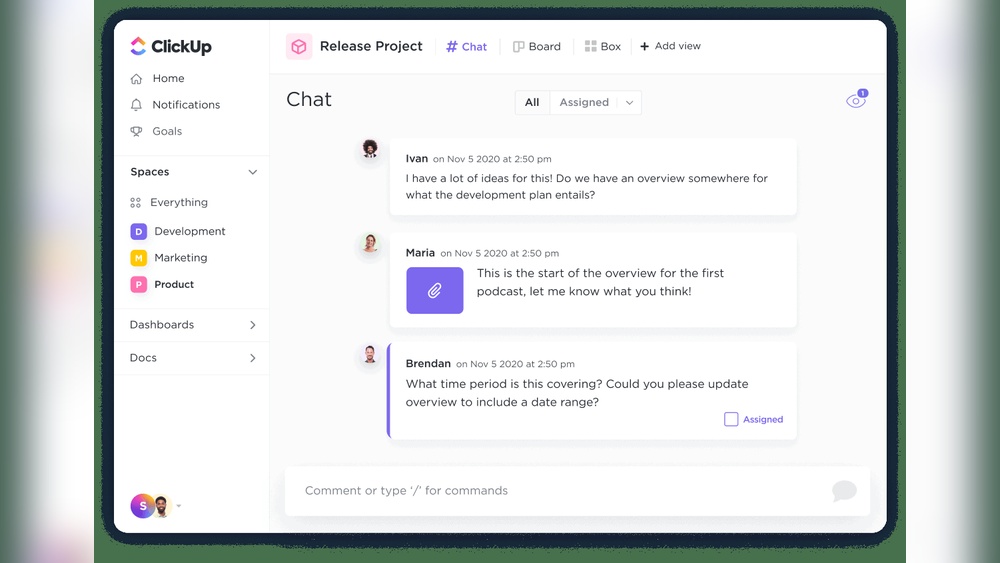
ClickUp Chat is a messaging system embedded in ClickUp. It allows team members to send direct messages and create channels for group chats. Its main goal is to combine communication with task management.
- Send messages and share files instantly
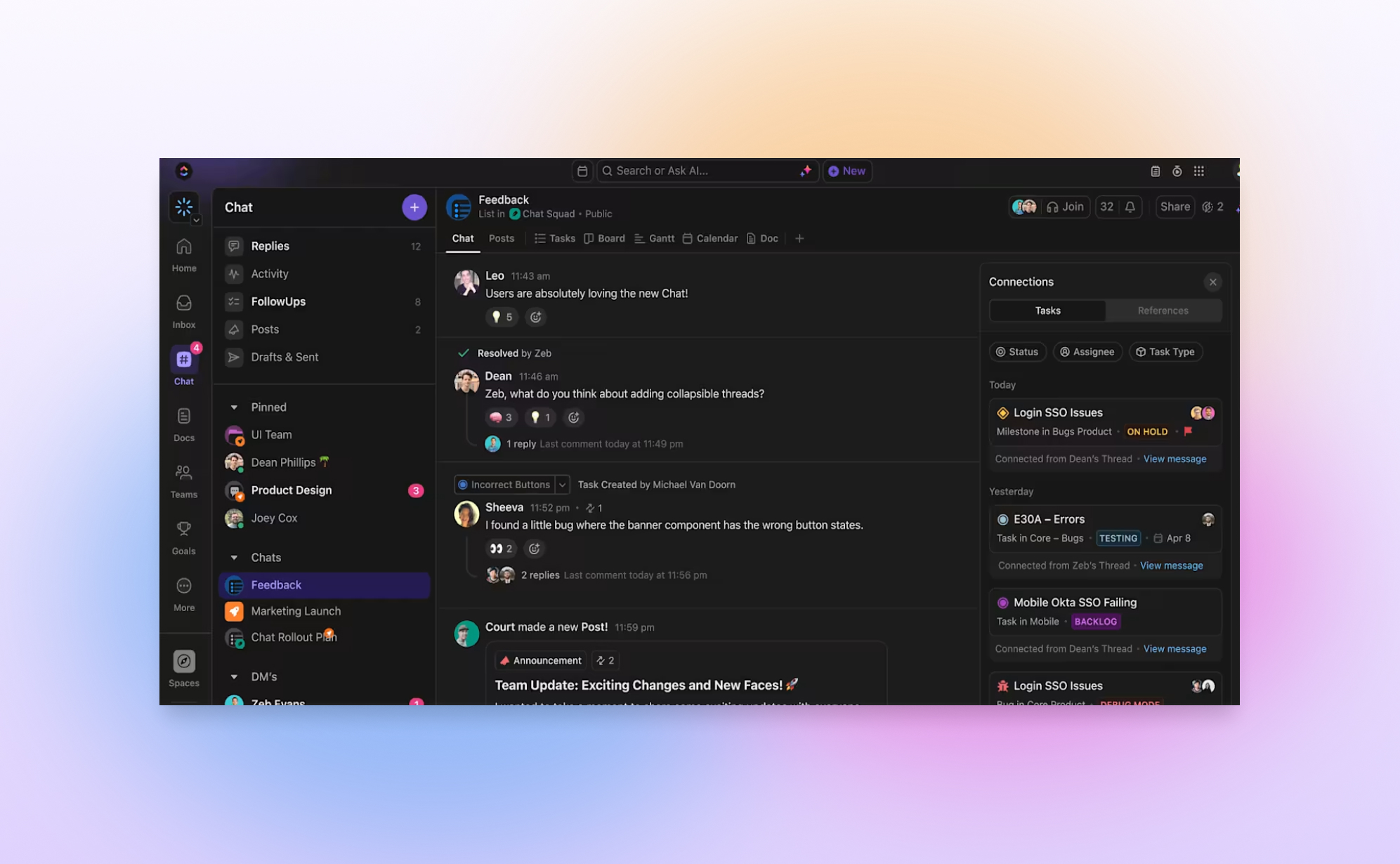
- Create tasks directly from chat messages with one click
- Import Slack channels, users, and chat history to keep all data
- Use AI suggestions and slash commands to speed up conversations
- Manage notifications and follow up on important messages
This feature replaces other chat tools like Slack or MS Teams. It keeps all conversations and tasks in one workspace, saving time and reducing confusion.
How Clickup Chat Integrates With Project Management
ClickUp Chat works closely with project management features inside ClickUp. Conversations link directly to tasks and projects. This integration keeps work organized and easy to track.
| Integration Aspect | Benefit |
|---|---|
| Convert messages into tasks | Quickly turn chat ideas into actionable work items |
| Chat channels for teams and projects | Keep discussions focused on specific topics or groups |
| AI-powered automation | Receive smart suggestions to improve messaging and task creation |
| External app integration (e.g., Twilio) | Send automated SMS notifications for project updates |
| Unlimited chat history | Access all past conversations for full project context |
Teams stay informed and aligned with less effort. The chat feature acts as a hub for both communication and task tracking. It ensures no details get lost between messages and work items.
Credit: help.clickup.com
Key Features Of Clickup Chat
ClickUp Chat combines messaging and task management in one platform. It helps teams communicate clearly and manage tasks without switching apps. The chat feature is built for easy collaboration and increased productivity. It works well for all team sizes and integrates smart tools to support your workflow.
Seamless Communication With Chat Views For All Plans
ClickUp Chat offers chat views accessible on every plan, with no limits on message history. Users can open chat windows easily from the Home Sidebar or Chat Sidebar. This setup lets team members stay connected and access conversations anytime.
Even guests can join chat views, making external collaboration simple and secure.
Direct Messaging And Group Channels For Team Collaboration
Users can send direct messages or create group channels to organize conversations by topic or team. This helps keep communication focused and clear. Group channels support multiple members and foster teamwork.
- Private one-on-one chats
- Channels for projects or departments
- Easy switching between chats
Task Creation And Management From Chat Messages
Messages can be turned into tasks with a single click. This feature links conversations directly to work items, reducing delays and missed actions.
Tasks created from chat retain context, making it simple to track and manage work without leaving the conversation.
Ai-powered Suggestions And Slash Commands
ClickUp Chat uses AI to offer smart suggestions that improve messaging speed and clarity. Slash commands let users quickly perform actions like creating tasks, setting reminders, or searching chats.
- Type “/” to see command options
- Use AI suggestions to write messages faster
- Automate routine chat tasks
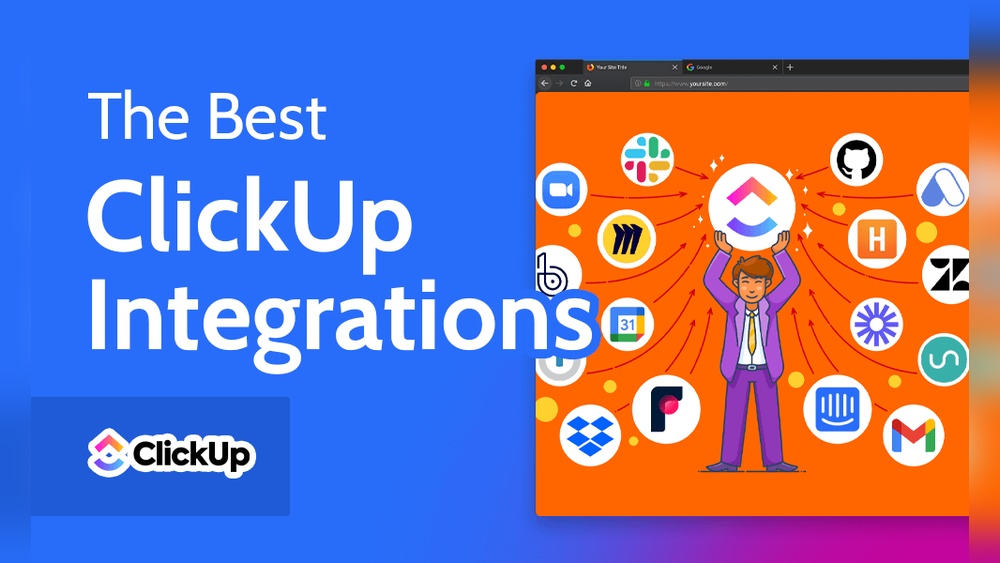
Integration With External Tools Like Slack And Twilio
ClickUp supports importing Slack channels, users, and message history to keep all data in one place. It also connects with Twilio for automated SMS notifications, expanding communication beyond the app.
| Integration | Purpose |
|---|---|
| Slack | Import channels, users, history |
| Twilio | Send automated SMS alerts |
Notification Management And Syncup Functionality
Users control notifications to stay updated without distractions. ClickUp Chat offers follow-up tools that help track unread messages and important updates.
SyncUp adds meeting notifications and sync reminders, improving team coordination and timing.
- Custom notification settings
- Automatic follow-ups on messages
- Meeting alerts with SyncUp
Pricing And Affordability Of Clickup Chat
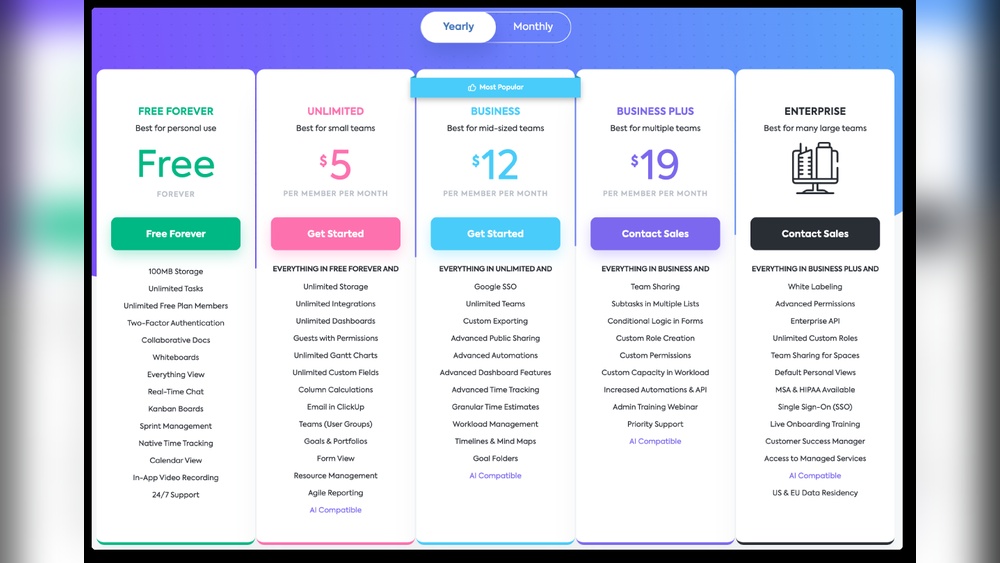
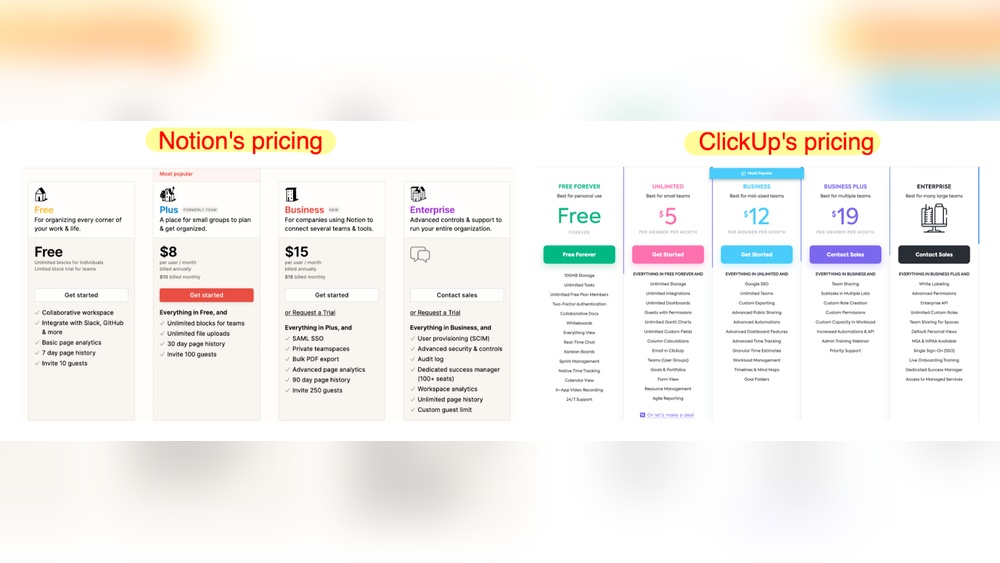
ClickUp Chat offers a communication solution integrated into the ClickUp workspace. It merges messaging with task management, helping teams stay organized without extra tools. The pricing is simple and accessible, allowing users to access chat features across all plans. This makes it a cost-effective choice for businesses wanting a unified platform.
Availability Of Chat Feature Across Different Plans
The chat feature is available on every ClickUp plan, including the free version. Users can send direct messages, create channels, and manage tasks from chats regardless of their subscription.
- Free Plan: Full chat access without message history limits.
- Paid Plans: Additional advanced features like AI suggestions and integrations.
This approach ensures teams of all sizes can use ClickUp Chat without extra cost barriers.
Cost Benefits Compared To Alternative Communication Tools
ClickUp Chat replaces multiple apps like Slack and Microsoft Teams. This reduces subscription fees and simplifies billing. Teams pay once for ClickUp and get messaging, task management, and AI tools.
| Feature | ClickUp Chat | Alternative Tools |
|---|---|---|
| Messaging & Task Management | Included | Separate apps, extra cost |
| Unlimited Chat History | Yes | Often limited |
| AI-Powered Assistance | Included | Rare or extra cost |
| Guest Access | Allowed | Varies |
Switching to ClickUp Chat saves money by combining many functions in one place.
Importing Slack Data Without Additional Charges
ClickUp allows importing Slack data including channels, users, and message history at no extra cost. This makes migration smooth and affordable. Teams keep their conversations and work context without paying for new tools.
- Import Slack channels and users easily.
- Preserve communication history fully.
- No fees or hidden charges for import.
This feature helps businesses transition to ClickUp Chat without losing important data or spending more money.
Pros And Cons Based On Real-world Usage
ClickUp Chat blends messaging with task management inside one platform. This integration affects team communication in many ways.
Users report both benefits and drawbacks after daily use. These insights help understand how ClickUp Chat fits different team needs.
Advantages Of Using Clickup Chat For Team Communication
- Seamless Task Creation: Convert messages into tasks with one click, reducing context switching.
- Unlimited Chat History: Access full conversation records without limits, useful for tracking decisions.
- AI-Powered Assistance: Slash commands and smart suggestions speed up communication and task management.
- Integrated Workspace: Combines chat, project management, and AI tools in one place, saving time.
- Easy Slack Migration: Import Slack channels and history smoothly, avoiding data loss.
- Guest Access: Add external collaborators to chat views, enhancing teamwork with clients or freelancers.
- Notifications and SyncUp: Automated alerts for meetings and updates keep everyone informed.
Challenges And Limitations Experienced By Users
- Chat Features Less Advanced: Lacks some rich media and customization options found in dedicated chat apps.
- Learning Curve: Users need time to get used to combined task-chat interface.
- Notification Overload: Some teams find managing notifications complex without fine-tuning.
- Limited Integrations: Fewer third-party app integrations compared to standalone chat platforms.
- Performance Issues: Occasional lag reported when handling very large chat volumes.
Comparison With Other Chat Tools Like Slack And Ms Teams
| Feature | ClickUp Chat | Slack | MS Teams |
|---|---|---|---|
| Integration with Task Management | Built-in task creation from chat | Separate task apps needed | Partial integration with Planner |
| Chat History Limits | No limits on chat history | Limited in free plan | Limited in free plan |
| AI Assistance | Smart suggestions and slash commands | Basic AI features | Some AI integration |
| Third-party Integrations | Limited | Extensive app ecosystem | Wide Microsoft 365 integration |
| Ease of Migration | Slack import available | N/A | N/A |
| Pricing | Included in all plans, free and paid | Free and paid tiers | Free and paid tiers |
Ideal Users And Use Case Recommendations
ClickUp Chat suits teams that want to combine messaging and task management. It works best for groups needing smooth communication and clear task tracking in one place. The chat feature fits a range of users, from small startups to large enterprises. It also helps teams planning to move away from multiple apps to a unified platform.
This section explores the best scenarios for using ClickUp Chat, who might replace Slack with it, and how different teams can benefit from its features.
Best Scenarios For Using Clickup Chat
- Teams managing projects: Chat directly turns messages into tasks, improving workflow.
- Remote or hybrid teams: Keeps everyone connected with instant messaging and notifications.
- Companies migrating from Slack: Import Slack channels and history smoothly.
- Users needing AI assistance: Slash commands and AI suggestions speed up conversations.
- Businesses wanting fewer apps: Combines chat, task, and meeting tools in one platform.
Who Should Consider Replacing Slack With Clickup Chat
Teams using many apps for communication and task tracking should consider ClickUp Chat. It reduces the need to switch between different tools. ClickUp Chat offers:
- Complete chat history: No limits on stored conversations.
- Task creation: Convert chats into actionable tasks instantly.
- Guest access: Include external collaborators in chats without extra tools.
- AI-powered features: Streamline messaging with smart commands and suggestions.
- Cost savings: Available on free and paid plans with no hidden fees.
Teams wanting a single hub for communication and work management find ClickUp Chat a strong Slack alternative.
How Different Teams Can Leverage Clickup Chat Features
| Team Type | Use Case | Key Features Used |
|---|---|---|
| Project Managers | Track task progress and chat with team in one place | Task creation from chat, AI suggestions, notifications |
| Sales Teams | Send automated SMS alerts and coordinate deals | Twilio integration, direct messages, chat channels |
| Customer Support | Manage client conversations and tasks quickly | Convert messages to tasks, guest access, follow-up tools |
| Developers | Discuss bugs and assign fixes without switching apps | Slash commands, channel chats, task linking |
| Remote Teams | Stay connected with real-time chat and meeting sync | SyncUp meeting notifications, chat history, AI tools |
ClickUp Chat adapts to different workflows. It fits any team needing both messaging and task tracking in one tool.

Credit: www.youtube.com
Credit: www.probackup.io
Frequently Asked Questions
Can We Chat In Clickup?
Yes, ClickUp offers a built-in chat feature for real-time messaging. Users can create channels, send direct messages, and turn chats into tasks easily. This chat integrates seamlessly with task management, enhancing team communication and productivity within the platform.
Can You Message People In Clickup?
Yes, you can message people directly in ClickUp using its integrated Chat feature. It supports one-on-one and group conversations. ClickUp Chat allows real-time communication, task creation from messages, and integrates seamlessly with your workspace to enhance team collaboration.
Can Clickup Chat Replace Slack?
ClickUp Chat can replace Slack by combining messaging with task management and AI features. It imports Slack data easily.
Can Clickup Send Text Messages?
ClickUp cannot send text messages natively. Use Twilio integration to automate and send SMS notifications from ClickUp workflows.
Conclusion
ClickUp includes a built-in chat feature for team communication. You can send messages, create channels, and turn chats into tasks. This tool helps keep all work and talks in one place. Teams save time by avoiding app switching. AI tools also improve messaging and task management. Chat history stays unlimited, so nothing gets lost. To learn more about ClickUp Chat, visit ClickUp and explore its features today.