Clickup Vs Zendesk: Ultimate Showdown for Productivity Masters
Are you struggling to choose between ClickUp and Zendesk for your business? Both tools promise to improve your team’s efficiency, but they serve different needs and come with unique features.
What if you could save money, streamline your projects, and keep all your communication in one place? ClickUp offers a powerful all-in-one platform designed to replace multiple apps and bring your entire team together with AI-driven context. On the other hand, Zendesk specializes in customer support with strong ticketing capabilities but often requires juggling several tools for project management and collaboration. Wondering which one fits your workflow better? Keep reading to discover the key differences, advantages, and drawbacks of ClickUp and Zendesk. By the end, you’ll know exactly which solution will save you time and boost your productivity. Ready to see how ClickUp can transform your work? Check it out here: ClickUp.
Introduction To Clickup And Zendesk
Choosing the right software matters for teams and businesses. ClickUp and Zendesk serve different needs but both improve work efficiency. Understanding each tool helps pick the best fit.
Overview Of Clickup As A Project Management Tool
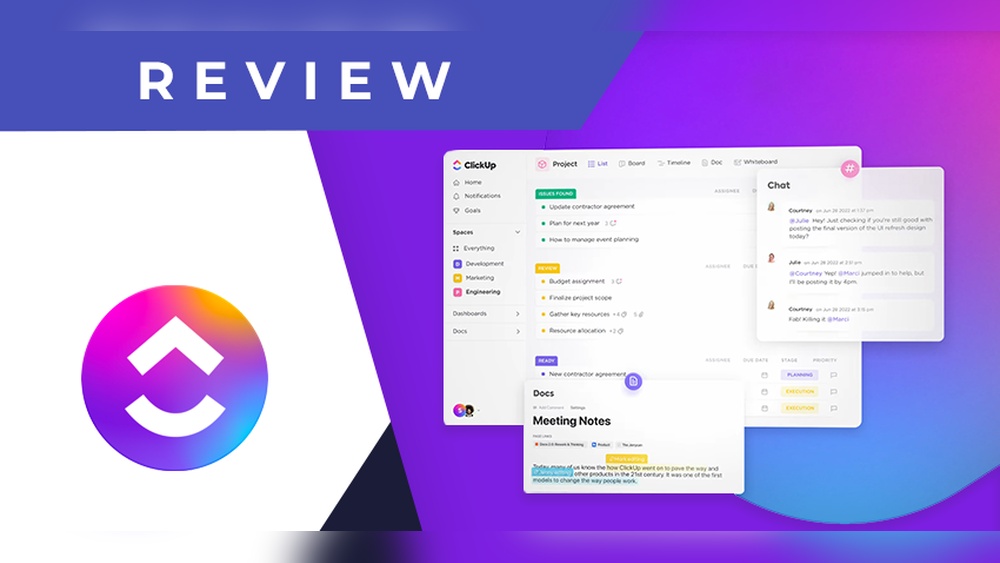
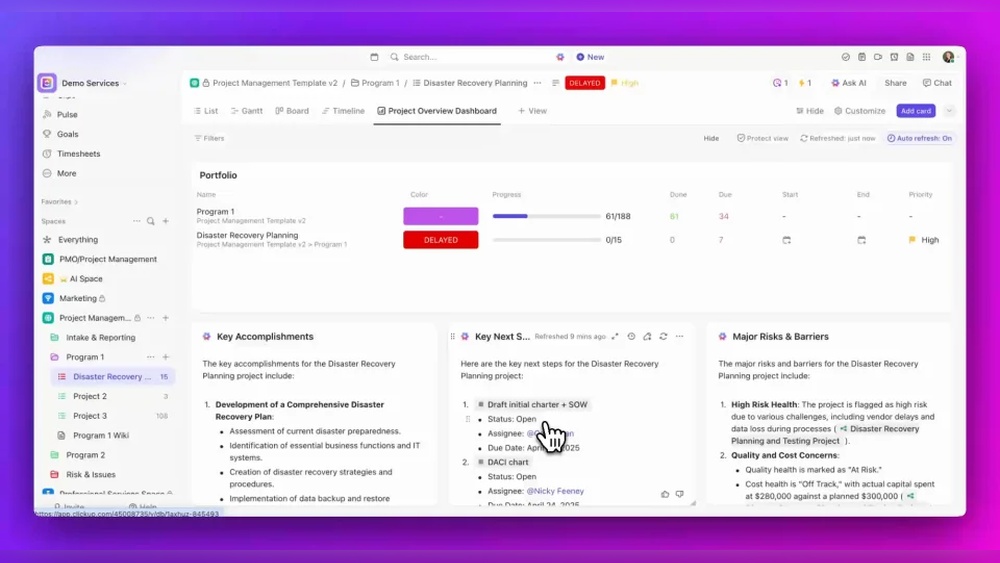
ClickUp is an all-in-one project management platform. It combines tasks, docs, chat, and AI features in one place. Teams use it to organize projects, track progress, and communicate clearly.
- Task management with multiple views (list, board, calendar)
- Built-in chat and collaboration tools
- AI-powered automation and suggestions
- Central hub for documents and workflows
This platform aims to save time by reducing app switching and keeping everyone aligned.
Overview Of Zendesk As A Customer Support Platform
Zendesk focuses on customer service and support. It helps businesses manage support tickets, live chats, and customer interactions efficiently.
- Ticket management system for tracking customer issues
- Multi-channel support: email, chat, phone
- Knowledge base and self-service portals
- Analytics to measure support performance
Zendesk improves response speed and customer satisfaction.
Purpose And Target Audience Of Each Tool
| Tool | Purpose | Target Audience |
|---|---|---|
| ClickUp | Manage projects, tasks, and team collaboration | Teams and businesses needing unified project management |
| Zendesk | Handle customer support and service requests | Customer support teams and businesses focused on client service |
ClickUp suits teams managing internal workflows. Zendesk fits companies focused on external customer care.

Credit: www.zendesk.com
Unique Features And Their Benefits
ClickUp and Zendesk offer distinct features that serve different business needs. Understanding these unique aspects helps in choosing the right tool. Both platforms improve efficiency, but they focus on different areas of work.
Clickup’s All-in-one Workspace: Streamlining Projects And Collaboration
ClickUp combines tasks, docs, chat, and goals in one place. This reduces the need to switch between apps.
- Centralized workspace: Manage projects, communicate, and track progress seamlessly.
- Real-time collaboration: Team members can comment, edit, and update instantly.
- Multiple views: Use lists, boards, or calendars to fit your workflow.
This unified approach saves time and keeps everyone on the same page.
Zendesk’s Robust Ticketing System: Enhancing Customer Support Efficiency
Zendesk focuses on customer support with a powerful ticketing system. It organizes, tracks, and resolves customer queries efficiently.
- Multi-channel support: Tickets come from email, chat, phone, or social media.
- Prioritization and routing: Smart rules assign tickets to the right agents fast.
- Detailed reporting: Monitor team performance and customer satisfaction easily.
This system ensures fast and organized support, improving customer experience.
Integration Capabilities: How Zendesk And Clickup Work Together
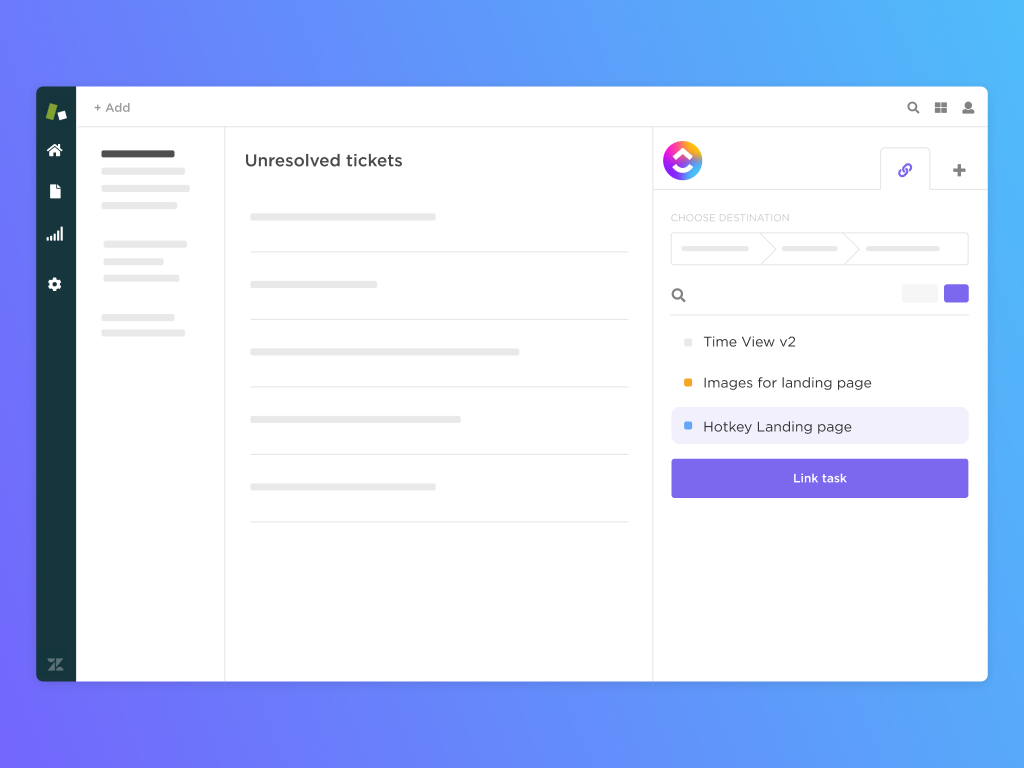
ClickUp and Zendesk integrate smoothly to link project management with customer support.
- Convert Zendesk tickets into ClickUp tasks automatically.
- Sync updates between platforms to avoid duplicated work.
- Keep support and project teams aligned on priorities.
This integration bridges gaps between customer service and internal workflows.
Automation Features: Zendesk’s Advantage In Workflow Automation
Zendesk offers strong automation tools to reduce manual work in support processes.
- Automatic ticket routing: Assign tickets based on rules like topic or urgency.
- Predefined responses: Use templates for common questions to save time.
- Workflow triggers: Automate follow-ups and reminders without manual input.
These features speed up customer service and lower agent workload.
Customization And Scalability: Catering To Different Business Needs
Both platforms support customization and can grow with business demands.
| Feature | ClickUp | Zendesk |
|---|---|---|
| Custom Fields | Available for tasks and docs, adaptable to any project type. | Used in tickets to capture specific customer details. |
| Scalability | Supports teams from small startups to large enterprises. | Built to handle growing support teams and complex workflows. |
| User Interface | Highly customizable dashboards and views. | Configurable ticket views and agent interfaces. |
These options allow businesses to tailor the tools to their unique needs.
Pricing And Affordability Breakdown
Choosing between ClickUp and Zendesk requires understanding their pricing models. Both tools serve different needs but pricing plays a key role for businesses. This section breaks down costs and value offered by each platform.
Clickup’s Pricing Tiers And Value For Money
ClickUp offers a simple pricing structure with multiple tiers. It combines project management, AI tools, chat, and more in one platform.
| Plan | Price (per user/month) | Key Features |
|---|---|---|
| Free | $0 | Unlimited tasks, 100MB storage, 24/7 support |
| Unlimited | $5 | Unlimited storage, integrations, dashboards |
| Business | $12 | Advanced automations, goals, workload management |
| Enterprise | Custom pricing | Tailored solutions, advanced security, dedicated support |
ClickUp offers strong value by combining many apps into one. This reduces the need to pay for multiple tools. Small teams benefit from the free and low-cost plans.
Zendesk’s Pricing Structure And Cost Considerations
Zendesk focuses on customer support and service solutions. Its pricing can be higher, reflecting specialized features.
| Plan | Price (per agent/month) | Key Features |
|---|---|---|
| Suite Team | $49 | Multi-channel support, ticketing, basic automation |
| Suite Growth | $79 | Advanced workflows, analytics, AI-powered bots |
| Suite Professional | $99 | Custom roles, performance dashboards, advanced AI |
| Enterprise | Custom pricing | Advanced security, enterprise integrations, priority support |
Zendesk’s pricing targets businesses needing robust customer service tools. The cost per agent adds up quickly for growing teams.
Which Tool Offers Better Roi For Small To Medium Businesses?
Small to medium businesses often face tight budgets. ClickUp offers multiple tools in one platform at a low cost.
- Lower starting price per user
- Free plan with essential features
- Combines project management, chat, AI, and more
Zendesk excels in customer support features but at a higher price. Its value suits companies prioritizing advanced helpdesk functions.
- ClickUp fits teams needing versatile tools with budget limits.
- Zendesk fits businesses focusing on customer service excellence.
For most small to medium businesses, ClickUp offers a better return on investment. It lowers costs while covering multiple business needs.
Credit: clickup.com
Pros And Cons Based On Real-world Usage
Understanding the strengths and limitations of ClickUp and Zendesk helps users choose the right tool. Both platforms serve different purposes but overlap in managing workflows and communication. Real-world feedback reveals how each performs across various scenarios.
Strengths Of Clickup In Task And Project Management
ClickUp excels in organizing tasks and projects within one platform. It offers:
- All-in-one workspace combining docs, chat, and task boards.
- Customizable workflows that adapt to different teams.
- Multiple views including lists, boards, and calendars.
- Built-in AI tools to automate routine tasks.
- Collaboration features that keep teams aligned with clear context.
Users appreciate how ClickUp saves time by reducing the need for switching apps. It supports complex projects with detailed tracking and prioritization.
Limitations Of Clickup: Performance And Support Challenges
Some users report performance issues such as slow loading times on large projects. This can disrupt workflow efficiency. Other concerns include:
- A steep learning curve due to many features.
- Occasional bugs affecting notifications and syncing.
- Customer support response times that vary in quality.
- The interface can feel overwhelming for new users.
These challenges may require patience and adaptation, especially for smaller teams or less tech-savvy users.
Strengths Of Zendesk In Customer Service And Ticket Handling
Zendesk specializes in managing customer support tickets efficiently. Key benefits include:
- Robust ticketing system that tracks all customer interactions.
- Easy-to-use interface focused on quick response times.
- Automation features like triggers and macros to speed up replies.
- Integration with multiple communication channels (email, chat, phone).
- Strong reporting tools for analyzing support team performance.
Zendesk helps support teams stay organized and resolve issues faster, improving customer satisfaction.
Limitations Of Zendesk: Need For Multiple Tools For Full Collaboration
Zendesk’s focus on ticketing means it lacks some project management features. Users often need additional tools for full team collaboration. Common drawbacks include:
- Limited task and project tracking within the platform.
- Dependence on third-party apps to manage workflows beyond tickets.
- Higher costs when integrating multiple tools.
- Some users find customization options restrictive for complex needs.
Teams that require all-in-one solutions may find Zendesk less flexible without added software.
Ideal Users And Use Case Recommendations
Choosing the right tool depends on business needs and team structure. ClickUp and Zendesk serve different purposes but may overlap in some areas. Understanding who benefits most from each platform helps make a smart choice.
Best Scenarios For Choosing Clickup
ClickUp suits teams needing a versatile project management system. It combines task tracking, chat, and AI features in one app. Ideal for:
- Businesses wanting to replace many apps with a single platform
- Teams managing projects, documents, and communication together
- Users who need customizable workflows and automation
- Organizations aiming to save time and reduce software costs
ClickUp works well for creative teams, product development, marketing, and remote collaboration.
Best Scenarios For Choosing Zendesk
Zendesk fits companies focused on customer support and service management. It offers powerful ticketing, help desk, and customer communication tools. Recommended for:
- Businesses with high customer support volume
- Support teams needing multi-channel communication (email, chat, phone)
- Organizations requiring detailed reporting on customer interactions
- Companies looking for scalable support solutions
Zendesk is popular among e-commerce, SaaS, and service-based businesses.
Who Should Consider Using Both Tools In Tandem?
Some teams benefit from using ClickUp and Zendesk together. This works for:
- Organizations managing projects internally and handling customer support externally
- Companies that want project management and customer service to share context
- Teams requiring seamless communication between support agents and product teams
Integrations between both platforms can improve workflow and reduce task duplication.
Alternative Tools To Consider For Simplicity Or Specialized Needs
Alternatives offer simpler interfaces or focus on specific features. Consider these options:
| Tool | Best For | Key Features |
|---|---|---|
| Trello | Simple visual task boards | Drag-and-drop cards, easy to use, lightweight |
| Basecamp | All-in-one project simplicity | Messaging, to-do lists, scheduling |
| Teamwork | Client services with billing and time tracking | Project management, budgets, resource management |
| Freshdesk | Affordable, comprehensive support software | Ticketing, multi-channel support, automation |
| Help Scout | Email-focused support teams | Email management, collaboration, simplicity |
Select tools based on ease of use or specific business needs.
Conclusion: Making The Right Choice For Productivity Masters
Choosing between ClickUp and Zendesk depends on specific needs and goals. Both tools boost productivity but serve different purposes. Understanding their strengths helps businesses pick the best fit.
Summary Of Key Differences And Benefits
| Feature | ClickUp | Zendesk |
|---|---|---|
| Primary Use | All-in-one project management and collaboration | Customer support and help desk software |
| Core Strength | Task tracking, AI tools, chat, and project management | Ticketing, customer service, and support workflows |
| Best For | Teams needing integrated apps and project collaboration | Businesses focusing on customer service and support |
| Pricing | Flexible plans with many features included | Pricing varies by support features and scale |
| Limitations | Occasional slowness, complex for some users | Less suited for full project management |
Final Recommendations Based On Business Size And Goals
- Small Businesses: ClickUp offers an affordable way to manage projects and tasks in one place.
- Medium to Large Teams: Zendesk works well for companies needing strong customer support systems.
- Goal-Oriented Choice:
- For project collaboration and AI-driven productivity, choose ClickUp.
- For customer service and support ticket management, pick Zendesk.
- Cost Efficiency: ClickUp can save money by replacing multiple apps with one platform.
- User Experience: Zendesk is simpler for support teams; ClickUp may require training for full use.
Credit: www.zendesk.com
Frequently Asked Questions
Is There Anything Better Than Clickup?
Some prefer simpler tools like Trello or Asana for ease, while others choose Teamwork for client services. ClickUp suits those needing all-in-one features.
Who Is Zendesk’s Biggest Competitor?
Zendesk’s biggest competitor is Freshdesk, known for affordable, comprehensive support software for small to medium businesses. Other strong rivals include Help Scout, Zoho Desk, Intercom, Salesforce Service Cloud, Kustomer, and Gorgias. These platforms offer diverse features catering to various customer service needs.
What Are The Cons Of Clickup?
ClickUp can be slow at times and its mobile app may have bugs. Customer support often receives mixed reviews. Some users find its interface complex and automation features limited compared to competitors. These issues might affect productivity and user experience.
Does Zendesk Integrate With Clickup?
Yes, Zendesk integrates with ClickUp via the Zendesk Marketplace. Workspace owners and admins manage this integration.
Conclusion
Choosing between ClickUp and Zendesk depends on your business needs. ClickUp offers a broad range of tools for projects, AI, and team chats. Zendesk focuses more on customer support and service features. Both have pros and cons to consider. ClickUp’s integration with Zendesk can also enhance your workflow. For a versatile all-in-one platform, ClickUp is worth exploring. It helps save time and money by combining many apps into one place. Decide based on what fits your team’s daily tasks best.