Todoist Vs Keep: Ultimate Battle of Productivity Apps 2026
Are you struggling to choose between Todoist and Google Keep for managing your tasks and notes? You’re not alone.
Both apps promise to boost your productivity, but they serve very different needs. If you want a simple, quick way to jot down ideas and create checklists, Google Keep might feel like a natural fit. But if you’re looking for a powerful tool to organize complex projects, set reminders, and plan your work and life efficiently, Todoist could be the game-changer you need. Ready to discover which one truly fits your style? Dive into this comparison and find out why millions trust Todoist to bring clarity and control to their busy lives.
Introduction To Todoist And Google Keep
Choosing the right app can improve how you organize tasks and notes. Todoist and Google Keep serve different needs but share a common goal: helping users stay productive. Understanding their features and target users helps in picking the best fit for daily tasks or quick notes.
Overview Of Todoist: A Comprehensive Task Management Tool
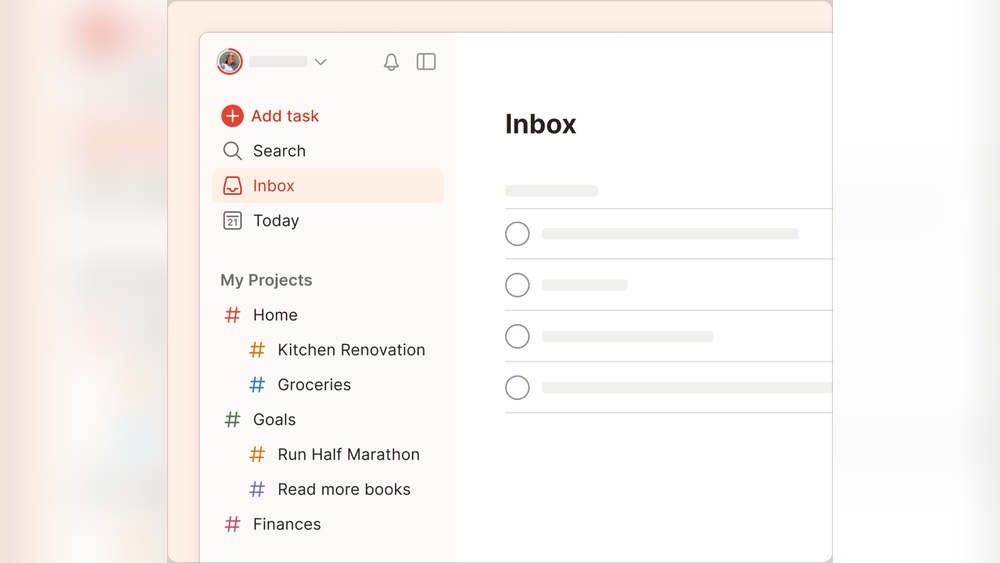
Todoist is a powerful task management app designed for organizing both work and personal projects. It offers a variety of tools that go beyond simple to-do lists.
- Calendar view to visualize tasks by date
- Set reminders and task durations
- Multiple themes and automatic backups
- Advanced task organization with sub-tasks and priorities
- Balances note-taking with task management features
This app suits users who want a detailed planner to handle complex schedules and deadlines. It supports efficient workflow and productivity for millions worldwide.
Overview Of Google Keep: Simplified Note-taking And Reminders
Google Keep focuses on quick note capture and simple checklist creation. Its basic design makes it easy to use without a steep learning curve.
- Fast note-taking and checklist creation
- Simple formatting options
- Organizes notes with labels and colors
- Integrates well with Google services like Drive and Calendar
- Accessible across multiple devices
Google Keep works well for users needing a lightweight app for reminders and simple note storage. It lacks advanced task management but shines in simplicity.
Purpose And Target Audience Of Each App
| App | Purpose | Target Audience |
|---|---|---|
| Todoist | Manage complex tasks and projects with detailed planning tools | Professionals, project managers, and users needing advanced task tracking |
| Google Keep | Quick note-taking and basic reminders with simple organization | Users seeking lightweight, fast note capture and checklist creation |
Todoist fits those needing a robust solution for task management. Google Keep suits people wanting fast, easy note-taking without extra features.
Credit: www.beforesunset.ai
Key Features Of Todoist And Their Benefits
Todoist offers a rich set of features that help users manage their tasks efficiently. It suits both simple daily lists and complex projects. The app blends task organization, reminders, collaboration, and customization in one platform. These features improve productivity and keep users on track.
Advanced Task Management: Organizing Complex Projects With Ease
Todoist allows users to break down large projects into smaller tasks. You can create subtasks, set priorities, and add labels or filters. This makes managing multiple tasks simple and clear.
- Subtasks: Divide big goals into actionable steps.
- Priority Levels: Highlight urgent tasks.
- Labels & Filters: Sort and view tasks by categories.
These tools help users stay focused and complete projects on time.
Calendar Integration And Reminders: Never Miss A Deadline
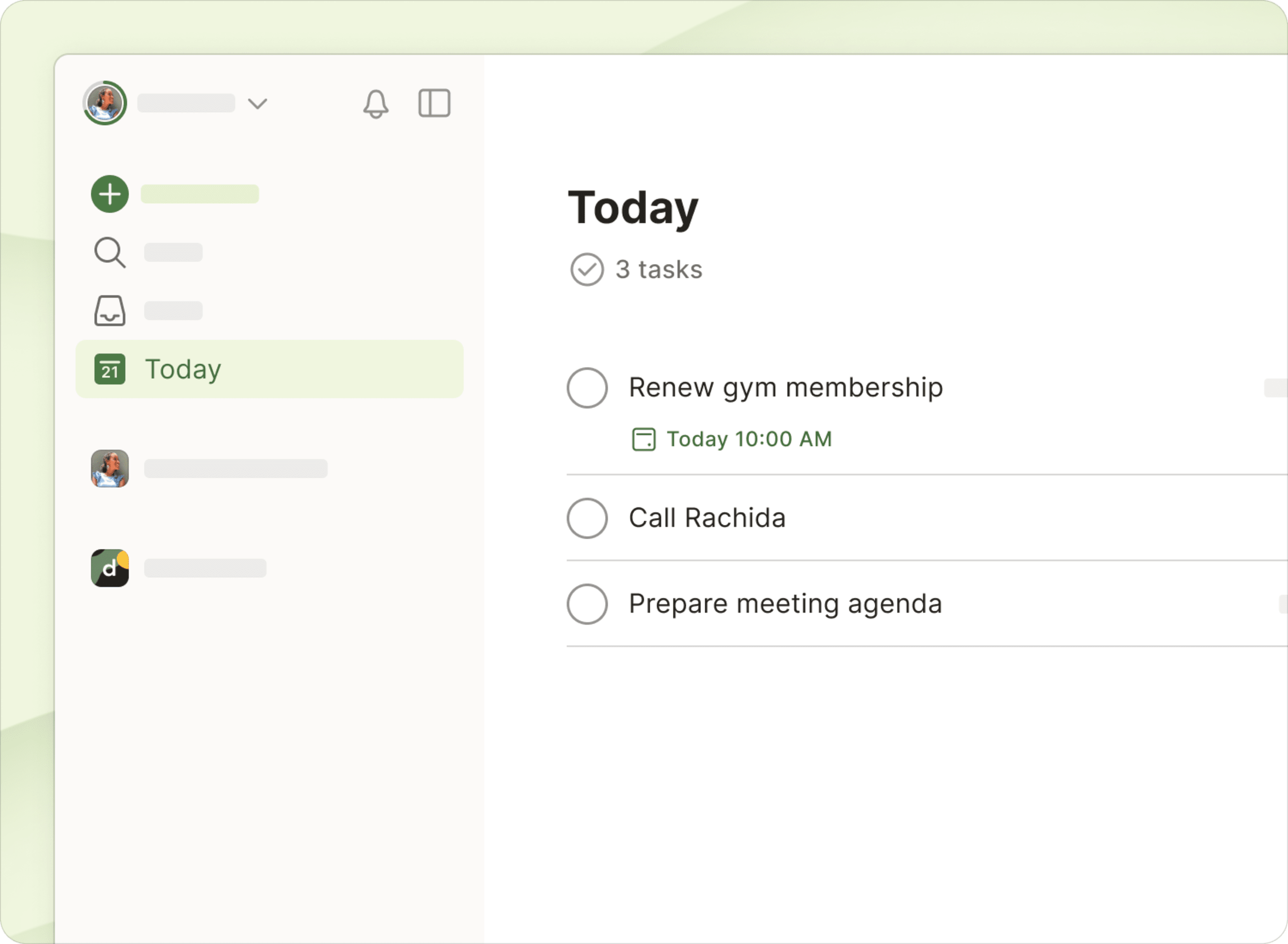
Todoist syncs with popular calendar apps like Google Calendar. This integration shows tasks alongside events. Users get automatic reminders for due dates and times.
| Feature | Benefit |
|---|---|
| Calendar View | Visualize tasks by date and plan your day. |
| Task Reminders | Get alerts to avoid missing deadlines. |
| Task Durations | Estimate how long tasks will take. |
This system ensures tasks are completed on schedule.
Collaboration And Sharing: Enhancing Team Productivity
Todoist supports task sharing and team collaboration. Users can assign tasks to others and leave comments. This feature makes group projects smoother.
- Task Assignment: Delegate work clearly.
- Comments: Discuss tasks within the app.
- Shared Projects: Keep everyone updated in real time.
Teams stay aligned and finish tasks faster together.
Customizable Themes And Automatic Backups: Personalization And Security
Todoist offers multiple themes to match user preferences. It also performs automatic backups to protect data. These features provide comfort and peace of mind.
- Themes: Choose colors that suit your style.
- Automatic Backups: Save your work without effort.
- Data Security: Keep tasks safe from loss.
Users enjoy a personalized app experience that also safeguards their information.
Key Features Of Google Keep And Their Benefits
Google Keep offers a user-friendly way to capture thoughts and tasks quickly. Its features focus on simplicity and speed, making it ideal for fast note-taking and easy organization. The app supports various media types and works well within the Google ecosystem, improving accessibility and productivity.
Simple Note-taking With Multimedia Support: Quick And Versatile Capture
Google Keep allows users to create notes in different formats:
- Text notes for quick ideas and reminders
- Checklists to track tasks step-by-step
- Image and photo attachments for visual context
- Drawing and handwriting support
This flexibility helps capture information in the most natural way. Notes sync instantly across devices, so ideas stay updated and accessible.
Labeling And Color Coding: Easy Organization And Visual Clarity
Organizing notes is simple with labels and colors. Users can:
- Add labels to group related notes
- Use color codes to highlight priority or categories
This visual system makes scanning notes faster and reduces clutter. It helps find important items without scrolling through long lists.
Voice Notes And Ocr Capabilities: Hands-free And Text Recognition
Google Keep supports voice note creation. Speak your ideas instead of typing. This feature speeds up note-taking, especially on the go.
The OCR (Optical Character Recognition) feature extracts text from images. Snap a photo of a document or sign, and Keep converts it into editable text. This saves time and avoids manual typing.
Seamless Google Ecosystem Integration: Enhanced Accessibility
Keep works smoothly with other Google apps:
- Syncs with Google Drive for backup
- Integrates with Google Docs to convert notes into documents
- Works alongside Google Calendar for reminders
This integration ensures users access notes anywhere, on any device, without extra steps.
Credit: www.usemotion.com
Pricing And Affordability Comparison
Choosing the right productivity app depends heavily on pricing and features offered. Both Todoist and Google Keep cater to different user needs through their pricing models. This section breaks down their cost structures and value to help you decide which suits your budget and task management style.
Todoist Pricing Tiers: Free Vs Pro Features And Value
Todoist offers a free plan with basic task management tools, perfect for casual users. The Pro plan unlocks advanced features designed for power users who need more control and customization.
| Feature | Free Plan | Pro Plan |
|---|---|---|
| Task Creation and Management | Unlimited tasks and projects | Unlimited with labels, filters, and reminders |
| Reminders | None | Custom reminders and notifications |
| Calendar View | Not available | Available |
| Themes and Backups | Basic | Multiple themes and automatic backups |
| Price | Free | Approx. $4/month (billed annually) |
Todoist Pro adds strong task organization and reminder tools. This plan fits users needing more than basic to-do lists.
Google Keep’s Free Model: What You Get Without Cost
Google Keep is completely free with no paid tiers. It provides essential features for note-taking and simple checklist creation.
- Unlimited notes and checklists
- Basic text formatting
- Easy label and color coding
- Seamless integration with Google services
- Access across all devices with Google account
Google Keep suits users who want a lightweight and accessible tool without extra costs or complex features.
Cost-benefit Analysis Based On User Needs
Todoist justifies its cost by offering advanced task management. Users with multiple projects or deadlines benefit from features like reminders, labels, and calendar views.
For users focused only on quick notes or simple lists, Google Keep provides all necessary tools at zero cost.
| User Type | Best Choice | Reason |
|---|---|---|
| Casual Note Taker | Google Keep | Free, simple, fast note capture |
| Task Organizer | Todoist Pro | Advanced task features, reminders, calendar |
| Budget-Conscious Users | Google Keep | Full features with no cost |
| Professional Users | Todoist Pro | Efficiency tools for work and life management |
Choosing between Todoist and Google Keep depends on your task complexity and budget. Todoist’s paid plan fits those who need robust features. Google Keep works well for quick, simple tasks without spending.
Pros And Cons Based On Real-world Usage
Both Todoist and Google Keep serve different user needs. Real users find distinct advantages and drawbacks in each app. This section highlights key strengths and limitations based on everyday experience. It helps to choose the right tool for your task management style.
Strengths Of Todoist: Robustness, Flexibility, And Scalability
- Robust Task Management: Todoist offers advanced features like task reminders, due dates, and calendar views.
- Flexible Organization: Users can create projects, sub-tasks, and labels for clear task grouping.
- Scalable for Work and Life: Suitable for managing both personal errands and complex work projects.
- Automatic Backups: Ensures data safety without extra effort.
- Multiple Themes: Personalizes the user interface for better focus and comfort.
Limitations Of Todoist: Complexity And Learning Curve
Todoist’s many features require time to learn. Beginners may find it complex at first. Setting up projects and filters can feel overwhelming. Some users report needing practice to use it efficiently. This app suits users willing to invest time for better control over tasks.
Strengths Of Google Keep: Simplicity, Speed, And Integration
- Simple Interface: Clean and easy to use for quick note-taking and lists.
- Fast Capture: Lets users jot down ideas or tasks in seconds.
- Google Ecosystem Integration: Syncs smoothly with Google Drive, Docs, and Calendar.
- Accessible on Multiple Devices: Syncs notes across phones, tablets, and desktops.
Limitations Of Google Keep: Limited Task Management And Organization
Google Keep lacks advanced tools for task management. It offers only basic checklists without options for deadlines or reminders. Organizing notes is minimal, relying on color codes and simple labels. Users cannot create sub-tasks or manage complex projects. Export options and offline desktop access are also missing.
Ideal Users And Use Case Scenarios
Choosing the right productivity app shapes how efficiently tasks get done. Todoist and Google Keep serve different purposes. Todoist offers a deep, structured task management system. Google Keep focuses on quick, simple note-taking and checklists. Deciding which app fits best depends on your work style and needs. Below is a detailed look at their differences, recommendations, and future trends.
Summary Of Key Differences And Strengths
| Feature | Todoist | Google Keep |
|---|---|---|
| Primary Use | Advanced task and project management | Quick note-taking and simple checklists |
| Task Management | Reminders, calendar view, task durations | Basic checklists, no reminders |
| Organization | Multiple themes, labels, priorities, backups | Simple labels, limited formatting |
| Integration | Works across devices, syncs tasks | Deep Google ecosystem integration |
| Collaboration | Supports shared projects and advanced features | Limited collaboration; no advanced sharing |
| Offline Access | Available offline with desktop support | No offline desktop access |
| Best For | Users needing full task management and planning | Users wanting fast note capture and simple lists |
Final Recommendations Based On Productivity Goals
- For Structured Planning: Todoist fits users managing multiple projects and deadlines.
- For Quick Notes: Google Keep suits those capturing ideas or making short checklists.
- For Integration: Choose Google Keep if you rely heavily on Google services.
- For Task Reminders: Todoist’s reminder and calendar features support detailed scheduling.
- For Collaboration: Todoist offers better tools for teamwork and shared tasks.
Future Outlook: Updates And Trends In Productivity Apps
Productivity apps continue evolving with user needs and technology advances. Expect improvements in AI-powered task suggestions and automation. Both Todoist and Google Keep may add smarter reminders and deeper integrations.
Todoist plans to enhance its project management tools and user interface. Google Keep might improve formatting and offline access. Cloud syncing and cross-device support will remain priorities for both.
Trends show a growing demand for apps that combine simplicity with powerful features. Apps offering balance between fast note capture and detailed task tracking will gain popularity. Staying updated on these changes helps users pick apps that grow with their productivity goals.
Credit: www.todoist.com
Frequently Asked Questions
Is Google Keep Obsolete?
Google Keep is not obsolete; it remains available and supported by Google. However, some users prefer apps with advanced features or better organization options.
What Are The Disadvantages Of Google Keep?
Google Keep has limited formatting and organization options. It lacks advanced task management, collaboration on shared lists, offline desktop access, export features, and rich media support.
Is Todoist Still Worth It?
Todoist remains worth it for users needing robust task management, reminders, and calendar views. It balances simplicity with powerful productivity features, boosting work and life organization efficiently.
What Has Replaced Google Keep?
Google Keep has been replaced by alternatives like Notion, Microsoft OneNote, Evernote, and Todoist. Each offers unique note-taking and task management features. Choose based on your need for collaboration, simplicity, privacy, or advanced organization.
Conclusion
Choosing between Todoist and Google Keep depends on your needs. Todoist offers strong task management and reminders. Google Keep works well for quick notes and simple lists. Both apps are free to start, but Todoist adds more features with its Pro plan. Consider how much organization you want in one app. Try Todoist for better control over tasks and projects. You can explore it here: Todoist. Make your daily planning easier and more effective with the right tool.