Todoist Vs Planner: Ultimate Showdown for Productivity Masters
Trying to decide between Todoist and Microsoft Planner to manage your tasks? You’re not alone.
Both tools promise to help you stay organized, but they approach productivity in very different ways. Whether you want a simple, clear to-do list that keeps your day on track or a robust planner that brings your team’s projects together, your choice matters. You’ll discover which app fits your style and needs better—so you can finally get the clarity and control you’re after. Ready to simplify your work and life? Check out Todoist and see why over 50 million professionals trust it as the world’s 1 to-do list app. Keep reading to find out which one will transform your productivity.

Credit: www.todoist.com
Introduction To Todoist And Microsoft Planner
Todoist and Microsoft Planner serve as popular tools for task management and productivity. Both help users organize tasks, projects, and team collaboration. Understanding their features and target users aids in choosing the right tool.
Overview Of Todoist: Purpose And User Base
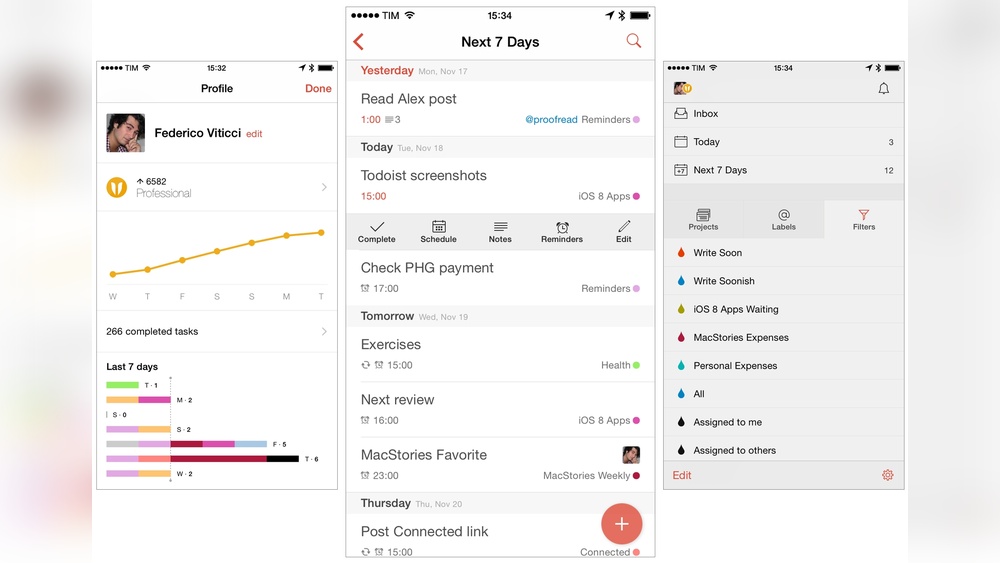
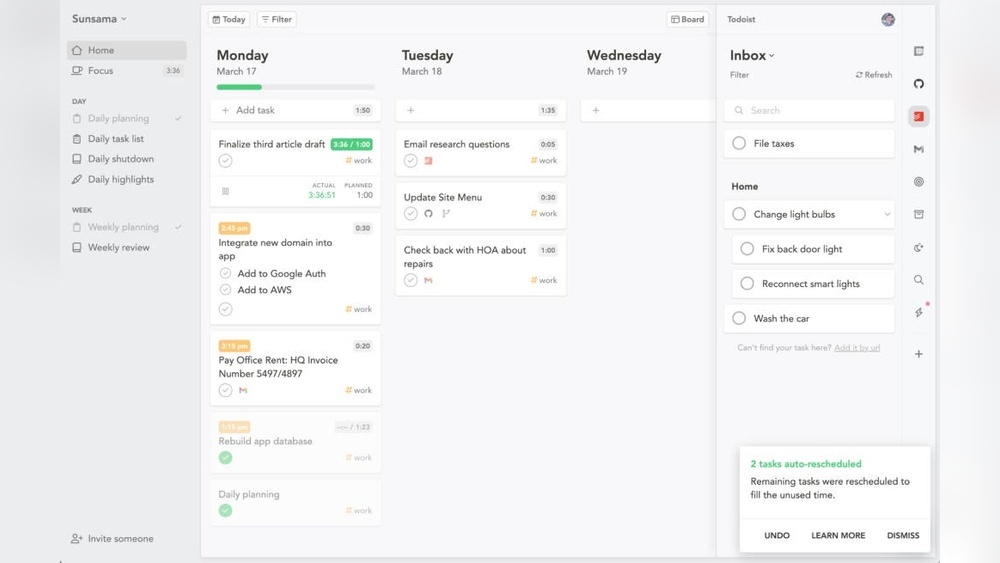
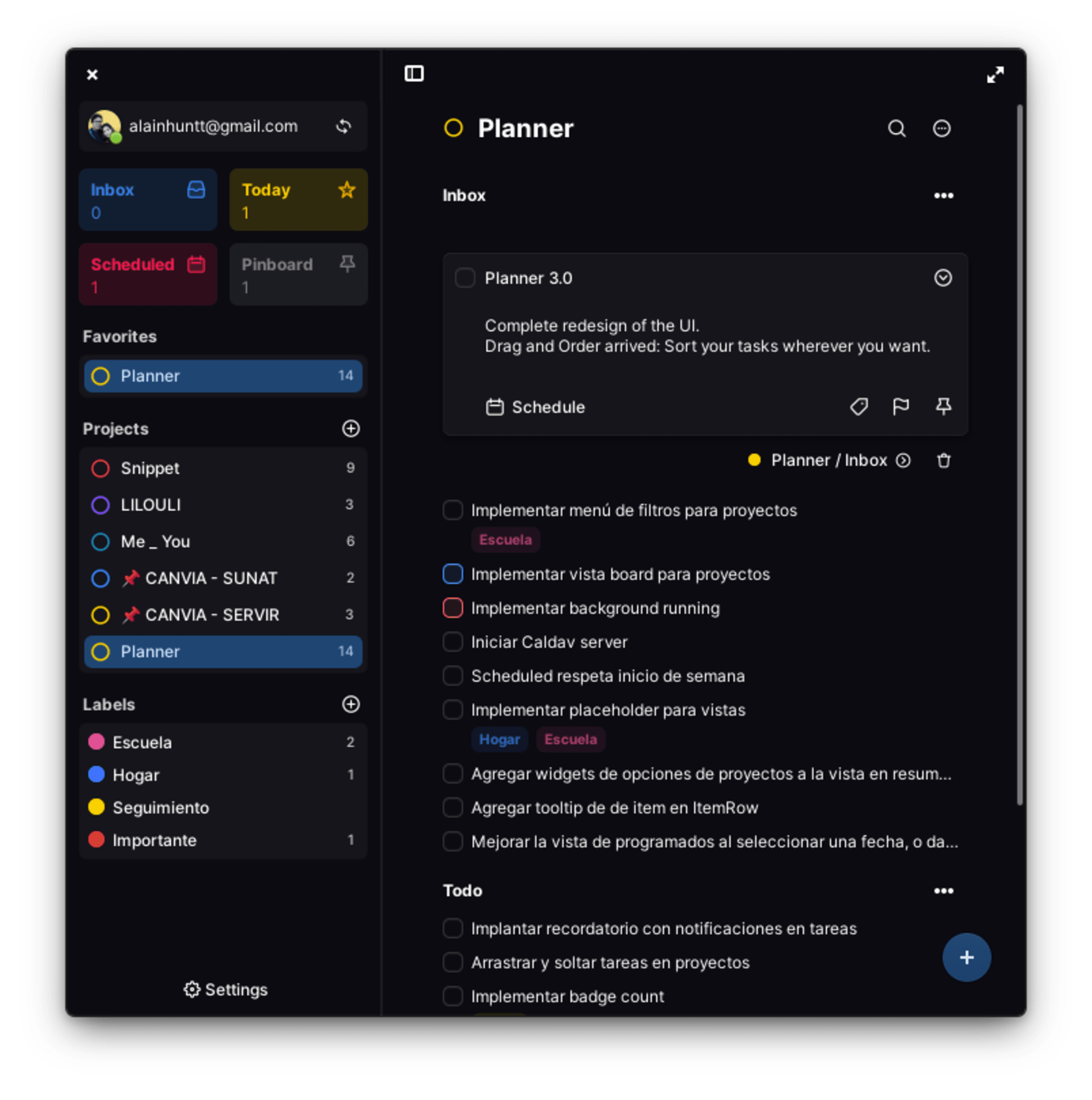
Todoist is a simple, yet powerful to-do list app. It focuses on clarity and ease of use for individuals and teams.
- Helps manage tasks with projects, subtasks, and labels.
- Supports over 50 million users worldwide.
- Ideal for professionals needing quick task entry and tracking.
- Offers basic features for free; advanced ones like reminders and file uploads require a subscription.
Its clean interface suits users who want to stay organized without complexity.
Introduction To Microsoft Planner: Evolution And Integration
Microsoft Planner evolved as a team-focused task management tool within Microsoft 365.
- Designed for group projects and collaboration.
- Integrates deeply with Microsoft apps like Teams, Outlook, and SharePoint.
- Allows task assignment, progress tracking, and visual boards.
- Best for businesses already using Microsoft 365 ecosystem.
Planner emphasizes teamwork and seamless integration with business tools.
Why Compare Todoist And Planner? Understanding The Need
Both tools aim to improve productivity but serve different needs.
- Todoist suits users wanting a simple, personal task manager.
- Planner fits teams needing integrated collaboration features.
- Comparing helps users pick a tool matching their workflow and platform preferences.
Choosing the right app boosts efficiency and reduces task overload.
Key Features Of Todoist And Their Benefits
Microsoft Planner offers a well-rounded toolset designed to handle both individual and team tasks. Its features enhance organization, collaboration, and project visibility. The platform fits seamlessly into the Microsoft 365 ecosystem, giving users a unified experience. These distinctive features provide practical advantages for managing tasks and projects efficiently.
Unified Task Management: Integration Of To Do, Planner, And Project
Microsoft Planner integrates deeply with Microsoft To Do and Microsoft Project. This integration creates a single hub for task management across different scales and needs.
- Microsoft To Do handles personal task lists and daily priorities.
- Microsoft Planner focuses on team-based tasks and collaboration.
- Microsoft Project manages complex, large-scale projects with advanced scheduling.
This combination allows users to switch smoothly between personal tasks and team projects. Tasks created in To Do can appear in Planner, maintaining consistency. Project managers can track overall progress using Project, without losing sight of individual task details.
Collaborative Team Features: Simplifying Team Project Management
Planner simplifies teamwork with clear task assignments and communication tools.
- Assign tasks to team members with deadlines and priority levels.
- Use comments within tasks to share updates and feedback.
- Attach files directly to tasks to keep resources organized.
- Track task progress through visual boards, showing status like “Not Started,” “In Progress,” or “Completed.”
These features reduce email overload and keep conversations focused on the work. Teams can collaborate in real-time, making project management more transparent and efficient.
Visual Scheduling And Portfolio Views: Managing Complex Projects
Planner offers multiple views to handle project complexity easily.
| View Type | Purpose | Benefits |
|---|---|---|
| Board View | Displays tasks as cards organized by bucket or status. | Easy drag-and-drop task management and quick status updates. |
| Schedule View | Shows tasks on a calendar timeline. | Visualizes deadlines and workload across days or weeks. |
| Portfolio View (via Project integration) | Aggregates multiple projects for overview and resource allocation. | Helps managers monitor progress and balance team capacity. |
These views help users plan, prioritize, and adjust work dynamically. Visual cues make it easier to spot bottlenecks and meet deadlines.
Ai Integration And Enhanced Functionality: Boosting Productivity
Microsoft Planner benefits from AI-powered features embedded in Microsoft 365.
- Smart suggestions for task assignments and due dates based on patterns.
- Automated notifications and reminders to keep teams on track.
- Integration with Microsoft Power Automate enables custom workflows and automation.
- Natural language processing in Outlook and Teams helps create tasks quickly.
These AI-driven enhancements reduce manual work and improve focus. Users spend less time managing tasks and more time completing them.
Distinctive Features Of Microsoft Planner And Their Advantages
Choosing the right task management tool depends heavily on its pricing and value. This section compares Todoist and Microsoft Planner based on their cost structures and what users get for their money. Understanding these differences helps individuals and teams find the best fit for their budget and needs.
Todoist Pricing Tiers And Value Proposition
Todoist offers a clear pricing model with multiple tiers designed for different users:
| Plan | Price (Monthly) | Key Features |
|---|---|---|
| Free | $0 | Basic task management, 5 active projects, simple task labels |
| Pro | $4 | Reminders, up to 300 active projects, labels, filters, comments, file uploads |
| Business | $6 per user | Team collaboration, admin controls, team inbox, priority support |
Todoist’s Pro and Business plans unlock features that improve task organization and team workflows. The free tier suits basic needs but limits advanced tools like reminders and file attachments.
Microsoft Planner’s Inclusion In Microsoft 365 Suite
Microsoft Planner does not have a standalone price. It comes as part of the Microsoft 365 subscription. This means users pay for the entire suite, which includes Outlook, Word, Excel, and Teams.
- Microsoft 365 Business Basic: $6 per user/month
- Microsoft 365 Business Standard: $12.50 per user/month
- Microsoft 365 Business Premium: $22 per user/month
Planner’s cost is bundled, so users get multiple apps for one price. It works best for users already invested in the Microsoft ecosystem.
Cost-benefit Analysis For Individual And Team Users
Individuals with simple task needs may find Todoist’s free plan sufficient. Upgrading to Pro adds value with reminders and advanced filters at a low cost.
Teams benefit from Todoist Business for focused collaboration features. It has a straightforward per-user price.
Microsoft Planner is ideal for teams already paying for Microsoft 365. It integrates well with other Microsoft tools and offers seamless collaboration. The cost spreads across multiple apps, adding value beyond just task management.
| User Type | Todoist | Microsoft Planner |
|---|---|---|
| Individual (Basic) | Free plan with limited features | Requires Microsoft 365 subscription |
| Individual (Advanced) | $4/month for Pro plan | Part of Microsoft 365 plan, starting at $6/month |
| Team | $6/user/month with Business plan | Included in Microsoft 365 Business plans ($6 to $22/user/month) |
In summary, Todoist offers clear, standalone pricing with flexible tiers. Microsoft Planner’s cost depends on Microsoft 365 subscription choices, which include multiple productivity tools.
Credit: www.todoist.com
Credit: www.youtube.com
Frequently Asked Questions
What Is The 1/3/5 Rule In Todoist?
The 1/3/5 rule in Todoist means planning 1 big task, 3 medium tasks, and 5 small tasks daily. It boosts focus and productivity.
What Are The Pros And Cons Of Todoist?
Todoist offers a clean, user-friendly interface and powerful task organization. Paid plans unlock reminders, labels, and file uploads. Limited free features and some essential tools require subscription.
What Is The Difference Between Todoist And Structured Daily Planner?
Todoist is a task manager with projects, subtasks, and filters for focus. Structured daily Planner visually schedules tasks by hour, showing clear timing and flow throughout the day.
Is Planner Replacing Todo?
Microsoft Planner is replacing Microsoft To Do by unifying personal and team tasks into one powerful app. It combines Planner, To Do, and Project features for better task and project management. Users manage personal tasks and team projects seamlessly within the new Planner app.
Conclusion
Choosing between Todoist and Planner depends on your task style and needs. Todoist offers simple, clear task management with projects and subtasks. Planner integrates personal and team tasks into one app for broader project control. Both tools help you stay organized but in different ways. For those seeking ease and focus, Todoist stands out. Try Todoist today and see how it can simplify your work and life: todoist.