Todoist Vs Reminders: Ultimate Showdown for Task Mastery
Trying to decide between Todoist and Apple Reminders for managing your tasks? You’re not alone.
Both tools promise to keep your to-do list under control, but which one truly fits your needs? Whether you want a simple app that syncs effortlessly with your Apple devices or a powerful, cross-platform task manager packed with advanced features, this comparison will help you choose the right one. If you’re looking for clarity and a tool trusted by over 50 million professionals worldwide, check out Todoist—the world’s 1 to-do list app designed to simplify your work and life. Keep reading to discover which app matches your style and how you can boost your productivity starting today.
Credit: www.todoist.com
Introduction To Todoist And Apple Reminders
Managing tasks efficiently shapes daily productivity. Two popular tools, Todoist and Apple Reminders, help users stay organized. Each offers unique features suited for different needs. Understanding these apps helps choose the right one for your workflow. This section introduces both, highlighting their core functions and benefits.
Overview Of Todoist: Features And Purpose
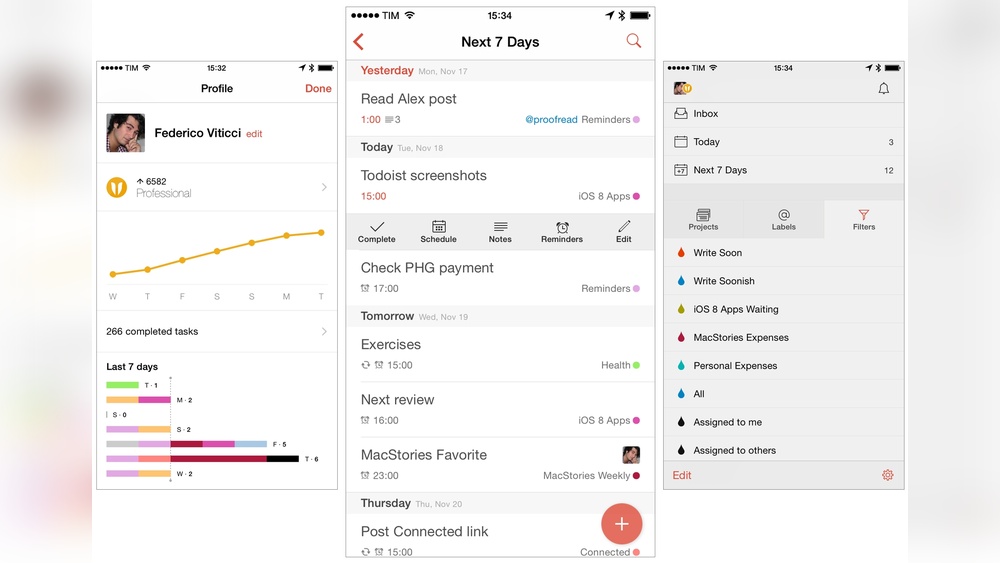
Todoist is a powerful task management app designed for clarity and simplicity. It serves over 50 million users worldwide. Todoist helps users capture, organize, and prioritize tasks quickly.
- Cross-platform support: Available on iOS, Android, Windows, Mac, and web.
- Task organization: Use projects, labels, filters, and priority levels.
- Collaboration: Share projects and assign tasks to team members.
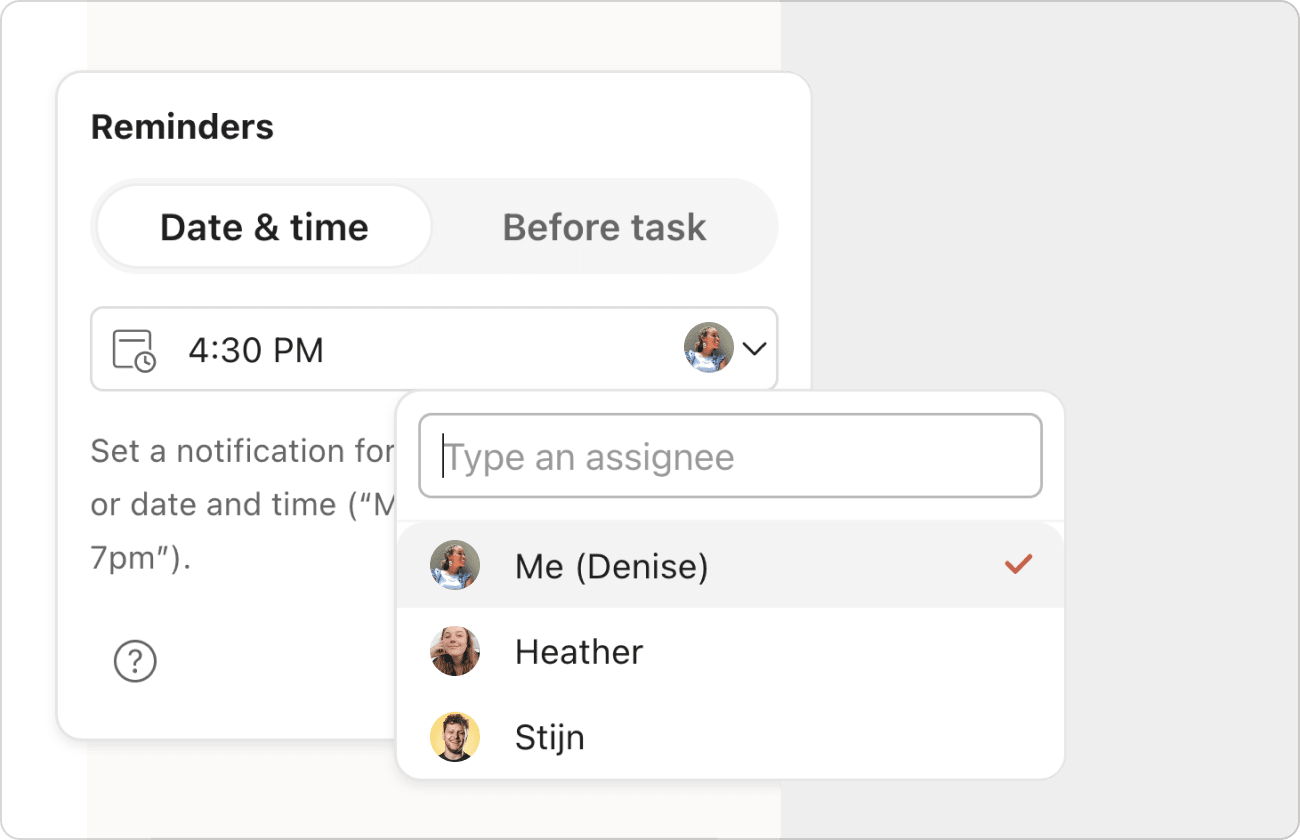
- Reminders and notifications: Set due dates, recurring tasks, and alerts.
- Integrations: Works with calendars, email, and other productivity tools.
- Visual themes: Customize appearance for better focus.
Todoist suits users needing a structured, detailed task system. It fits personal use and professional team environments.
Overview Of Apple Reminders: Features And Purpose
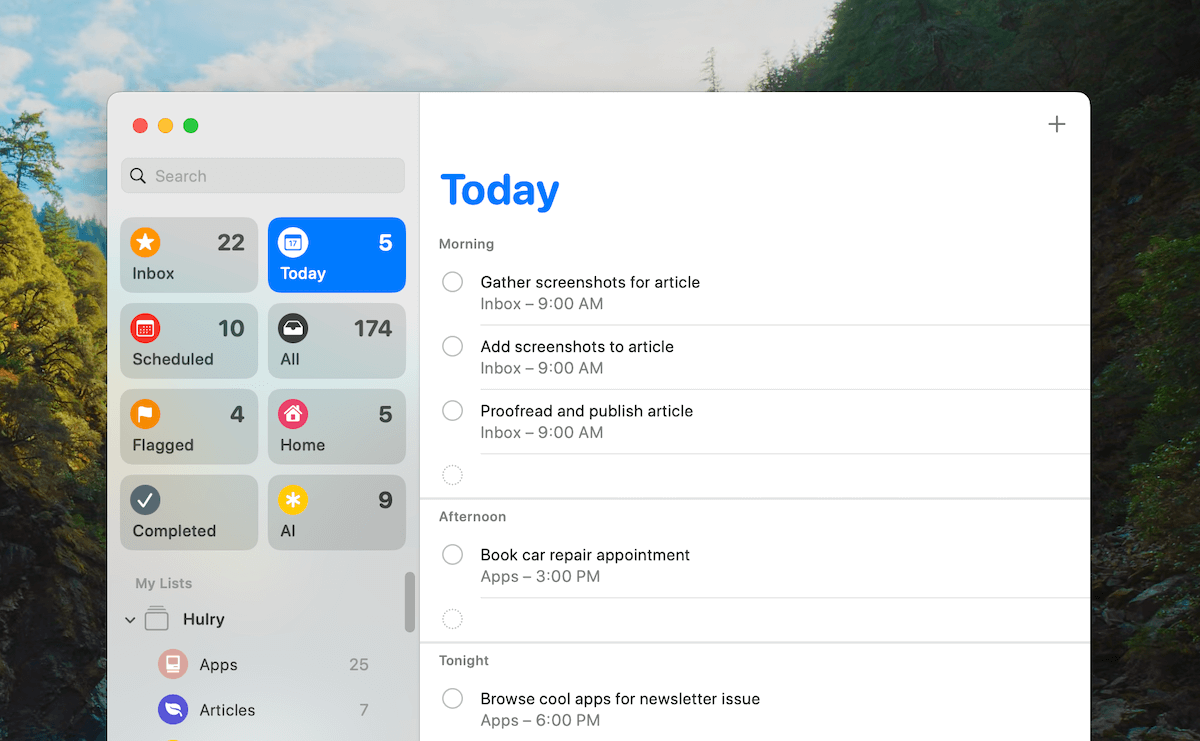
Apple Reminders is a native app on Apple devices. It offers a simple way to create and track tasks and to-dos.
- Device integration: Seamlessly works across iPhone, iPad, Mac, and Apple Watch.
- Basic task management: Create tasks with due dates, locations, and priorities.
- Siri support: Add reminders using voice commands.
- Lists and subtasks: Organize tasks into lists and add nested items.
- Notifications: Receive alerts for upcoming tasks.
- Free and pre-installed: No additional cost or setup needed.
Apple Reminders suits users seeking a straightforward tool. Ideal for those embedded in the Apple ecosystem needing basic task tracking.
Why Comparing Todoist And Reminders Matters For Task Mastery
Choosing the right task app affects productivity and stress levels. Both Todoist and Apple Reminders have strengths and limits.
- Feature depth: Todoist offers advanced features; Reminders stays simple.
- User experience: Interface design impacts ease of use and adoption.
- Platform needs: Cross-device syncing varies between apps.
- Task complexity: Some users need detailed organization, others prefer minimalism.
- Cost considerations: Apple Reminders is free; Todoist has free and paid plans.
Understanding these points guides users to the best app for their task management style. This comparison helps improve daily focus and goal completion.
Key Features That Set Todoist Apart
Apple Reminders stands out with features designed for effortless task management. Its deep connection with Apple devices creates a smooth, user-friendly experience. Ideal for simple and quick reminders, it fits well for users embedded in the Apple ecosystem. The app offers unique tools that enhance daily productivity without complexity.
Seamless Integration With Apple Ecosystem And Siri
Apple Reminders works perfectly across all Apple devices like iPhone, iPad, Mac, and Apple Watch. Tasks sync instantly, so your reminders appear everywhere. This tight integration saves time and keeps your to-do list updated automatically.
Siri, Apple’s voice assistant, allows adding or checking reminders by voice. Just ask Siri to remind you, and it does it fast. This hands-free approach makes managing tasks easy and natural.
Location-based Alerts For Contextual Reminders
Reminders can trigger alerts based on your location. For example, it can remind you to buy groceries when you reach the store. This feature helps you act exactly when needed, avoiding missed tasks.
- Set alerts for arriving or leaving a place
- Customize locations for specific tasks
- Useful for errands and on-the-go reminders
Shared Lists For Family And Collaborative Use
Apple Reminders supports shared lists, making group task management simple. Family members or team members can add, edit, and check off tasks together. It promotes collaboration and keeps everyone informed.
| Feature | Benefit |
|---|---|
| Shared Lists | Work together on grocery lists, chores, or projects |
| Real-time Updates | See changes instantly across devices |
| Easy Invitations | Invite anyone with an Apple ID to collaborate |
Voice Entry Via Siri For Hands-free Task Capture
Using Siri for voice entry allows quick task capture without typing. This is helpful when your hands are busy or during driving. You just say the reminder, and Siri saves it immediately.
- Activate Siri by voice or button
- Speak the task and time or location
- Siri confirms and adds the reminder
Free Access And Native App Convenience
Apple Reminders is free and pre-installed on all Apple devices. No need to download or pay for extra apps. Being a native app ensures smooth performance and low battery use.
This convenience suits users wanting basic task management without extra steps or cost. It keeps task tracking simple and accessible right out of the box.
Unique Advantages Of Apple Reminders
Choosing the right task manager depends greatly on cost and value. This section compares Todoist and Apple Reminders based on their pricing and what users get for their money. Understanding these details helps pick the best tool for your needs and budget.
Todoist Subscription Plans And Value Offered
Todoist offers several subscription plans, designed to fit different user demands. The main plans include:
- Free Plan: Basic task management with limited features.
- Pro Plan: Costs $4 per month (billed annually). Adds reminders, labels, filters, and productivity tracking.
- Business Plan: $6 per user per month (billed annually). Designed for teams with collaborative tools and admin controls.
The Pro Plan is popular for individuals needing more than basic task lists. Features like automatic backups and calendar views add productivity. The Business Plan suits teams requiring shared projects and user management.
Apple Reminders As A Free Solution
Apple Reminders is completely free and pre-installed on iOS and macOS devices. Key points include:
- Basic to-do list functions with reminders and notifications.
- Integration with Siri for voice task entry.
- Syncs across Apple devices via iCloud.
While it lacks advanced features like labels or filters, Apple Reminders offers a simple, no-cost option for users within the Apple ecosystem.
Cost-benefit Analysis Based On User Needs
| Feature | Todoist Pro ($4/mo) | Apple Reminders (Free) |
|---|---|---|
| Task organization (labels, filters) | Available | Not available |
| Reminders and notifications | Advanced options | Basic options |
| Cross-platform support | iOS, Android, Web, Desktop | Only Apple devices |
| Collaboration tools | Included in Business Plan | Limited sharing |
| Voice input via Siri | Indirect (via Shortcuts) | Direct integration |
Summary:
- Users needing simple task lists on Apple devices find Apple Reminders cost-effective.
- Users wanting detailed task control and multi-device support benefit from Todoist Pro.
- Teams requiring collaboration gain value from Todoist Business despite higher cost.
Cost aligns with the depth of features and device flexibility.
Pricing And Affordability Breakdown
Choosing the right task management app depends on your needs and environment. Todoist and Apple Reminders serve different types of users with unique features. This section helps identify who benefits most from each app and where they excel.
Who Should Choose Todoist: Power Users, Teams, And Cross-platform Users
Todoist suits users needing advanced task management tools. Its strengths include:
- Power Users: People managing complex projects or many tasks appreciate Todoist’s detailed labels, filters, and priorities.
- Teams: Collaboration features allow sharing tasks, assigning responsibilities, and tracking progress together.
- Cross-Platform Users: Available on iOS, Android, Windows, macOS, and web, Todoist syncs seamlessly across devices.
Todoist also supports integrations with calendars, email, and other productivity tools. It works well for professionals who need clarity and structure in work and life.
Who Should Choose Apple Reminders: Apple-centric, Simple Task Management Seekers
Apple Reminders works best for users deeply embedded in the Apple ecosystem. Key points include:
- Apple-Centric Users: Fully integrated with iOS, macOS, and watchOS, offering smooth syncing via iCloud.
- Simple Task Management Seekers: Ideal for quick task entry, basic reminders, and straightforward lists.
- Siri Integration: Hands-free task addition using voice commands.
This app fits those who want minimal setup and easy access without complex features.
Scenarios Where Each App Excels
| Scenario | Todoist | Apple Reminders |
|---|---|---|
| Managing Multiple Projects | Supports nested projects, labels, and task priorities for detailed organization. | Limited to simple lists; less suited for complex projects. |
| Team Collaboration | Task sharing, comments, and notifications enhance teamwork. | No built-in team collaboration features. |
| Cross-Device Usage | Available on many platforms with real-time sync. | Works best within Apple devices using iCloud sync. |
| Quick Task Input | Supports natural language input and integrations for fast entry. | Excellent with Siri voice commands for instant reminders. |
| Visual Task Management | Customizable views and filters help visualize workload. | Basic list and grouped reminders view. |
Choosing depends on task complexity, collaboration needs, and device preferences.
Pros And Cons Based On Real-world Usage
Integrations and automation play a key role in boosting productivity for task management apps. Both Todoist and Apple Reminders offer ways to connect with other tools and automate workflows. These features help users save time and keep tasks organized seamlessly.
Automation reduces manual work, while integrations allow syncing across platforms. Together, they create a smooth, efficient task management experience.
Syncing Apple Reminders With Todoist Via Shortcuts And Automation
Syncing Apple Reminders with Todoist involves using the Shortcuts app on iOS. This process captures tasks added by Siri or Apple Reminders and sends them to Todoist automatically.
Steps to set up syncing:
- Create a Shortcut that triggers when a new Reminder is added.
- Use the Shortcut to send the task details to Todoist via its API.
- Automate the Shortcut to run without manual input.
This setup allows users to use Siri for quick task entry while managing everything inside Todoist’s powerful system.
Third-party Integrations For Todoist And Reminders
| App | Supported Integrations | Use Cases |
|---|---|---|
| Todoist |
|
|
| Apple Reminders |
|
|
Leveraging Automation For Streamlined Task Management
Automation streamlines task handling by connecting apps and reducing repetitive steps. Todoist’s support for platforms like Zapier and IFTTT lets users create custom workflows.
Examples of automation workflows:
- Automatically create tasks from emails or messages
- Sync completed tasks with project management tools
- Receive daily task summaries via notifications
Apple Reminders uses Shortcuts to automate simple actions like adding tasks or setting reminders based on location or time.
Both apps help users focus on work by automating routine task updates and reminders.

Credit: www.youtube.com
Credit: hulry.com
Frequently Asked Questions
Does Todoist Sync With Reminders?
Todoist does not directly sync with Apple Reminders. Use iOS Shortcuts to automate task syncing between them.
Is Todoist Still Worth It?
Todoist remains worth it for users needing advanced task management, multi-platform support, and productivity features. It excels in handling complex projects and syncing across devices. For simple, free Apple-only use, Reminders may suffice, but Todoist offers superior organization and automation for power users.
Is Todoist Adhd Friendly?
Todoist suits ADHD users with its intuitive, visual system and quick task capture. It helps manage daily responsibilities effectively.
Is Reminders A Good To Do List App?
Apple Reminders is a good to-do list app for simple task management within the Apple ecosystem. It offers free, easy syncing and Siri integration. However, it lacks advanced features and cross-platform support compared to apps like Todoist. It suits users with basic needs and Apple devices.
Conclusion
Both Todoist and Reminders help you manage tasks efficiently. Todoist suits users needing advanced features and cross-device support. Reminders works well for simple lists within Apple devices. Choosing depends on your task complexity and device use. Explore how Todoist can simplify your workflow by visiting https://lifetimedeallab.com/todoist. Try to pick the app that fits your daily habits best. Stay organized, stay productive.