How to Use Todoist: Ultimate Guide to Boost Productivity Fast
Struggling to keep your tasks organized and your day on track? You’re not alone.
That’s where Todoist comes in—a simple yet powerful tool designed to bring clarity to your busy life. Whether you’re juggling work projects, personal errands, or long-term goals, Todoist helps you capture every task quickly and stay focused on what matters most. Imagine having a to-do list that not only reminds you what to do but also breaks down big tasks into manageable steps, so overwhelm becomes a thing of the past. Ready to take control and boost your productivity? Let’s dive into how you can use Todoist to simplify your work and life like millions of professionals worldwide.
Introduction To Todoist And Its Productivity Benefits
Todoist is a popular tool designed to help users manage tasks clearly and efficiently. It offers a simple way to organize daily work and personal activities. Using Todoist can improve your focus and keep you on track with your goals.
This section explains what Todoist is, its main benefits for productivity, and how it suits different work styles.
What Is Todoist? An Overview Of The Task Management Tool
Todoist is a task management app used by over 50 million people worldwide. It helps users create, organize, and complete tasks in one place. The app is available on multiple devices, including computers, phones, and tablets.
Users can add tasks quickly, set due dates, and break big tasks into smaller steps. The interface is clean and easy to use, which reduces confusion and saves time.
Why Use Todoist? Key Benefits For Boosting Productivity Quickly
- Clear organization: Tasks can be grouped into projects, prioritized, and labeled.
- Easy scheduling: Set deadlines and recurring tasks to stay on schedule.
- Focus support: Check off tasks as you finish them to see progress.
- Cross-device syncing: Access your lists anywhere, anytime.
- Simple interface: Quickly add or modify tasks without hassle.
These features help users reduce stress and increase daily productivity by keeping everything visible and manageable.
How Todoist Fits Different Productivity Styles And Needs
Todoist works well for many types of users and work habits. It fits both simple and complex task systems.
- For planners: Use projects and labels to organize detailed plans.
- For quick task-doers: Add tasks quickly and use reminders to stay on track.
- For ADHD users: Its structured yet flexible setup helps manage focus and distractions.
- For teams: Share projects and assign tasks to collaborate smoothly.
The app adjusts to your style, helping you find clarity in your work and life.
Getting Started With Todoist: Basic Setup And Navigation
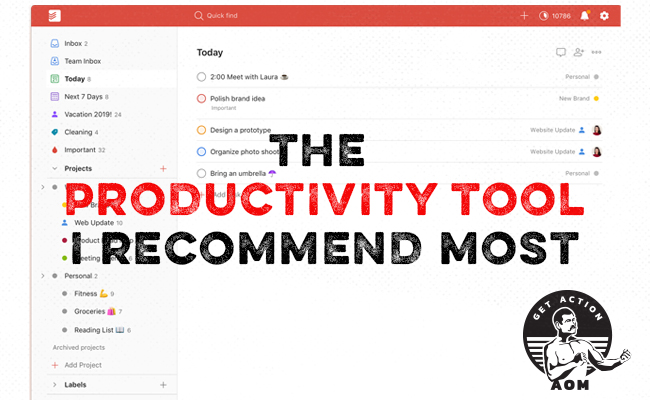
Todoist helps you organize tasks simply and clearly. Its clean design lets you focus on what matters. Setting up your account takes minutes. Once done, you can add tasks, group them, and set deadlines. Navigation is easy with a sidebar showing your projects, labels, and filters. This section guides you through the first steps to use Todoist effectively.
Creating Your First Tasks: Quick Capture And Natural Language Input
Adding tasks in Todoist is fast and flexible. Use the Quick Add button to type tasks instantly. Todoist understands natural language. For example, typing Meeting tomorrow at 3pm sets the correct date and time automatically.
- Click the plus (+) icon or press
Qto open Quick Add. - Type your task description using natural phrases.
- Todoist detects dates, times, and priorities.
- Press Enter to save the task.
This method helps capture ideas quickly, so nothing is lost.
Organizing Tasks Into Projects And Sections For Clear Structure
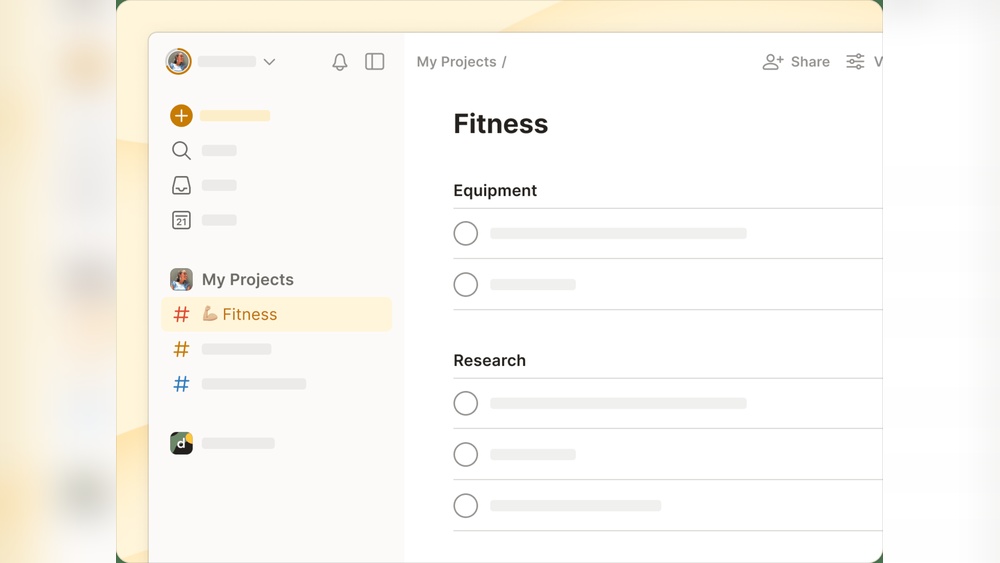
Projects keep tasks grouped by topic or goal. Create a new project from the sidebar by clicking + Add Project. Name it clearly to match your focus, like Work or Home.
Inside projects, use Sections to split work into smaller parts. For example, in a Work project, sections might be Emails, Reports, and Meetings. This division keeps your list neat and easy to scan.
| Feature | Use |
|---|---|
| Project | Group related tasks |
| Section | Divide projects into parts |
Drag and drop tasks to reorder or move them between sections.
Setting Up Due Dates, Recurring Tasks, And Priorities To Stay On Track
Due dates keep your tasks timely. When adding a task, type the date like next Monday or in 3 days. Todoist sets the reminder automatically.
For repeated tasks, add recurring dates. For example, type every Friday to repeat weekly. This is useful for habits or routine work.
Priorities highlight important tasks. Todoist uses four priority levels:
- P1 – Highest priority, marked red
- P2 – High priority, marked orange
- P3 – Medium priority, marked yellow
- P4 – No priority, default
Set priority by typing p1, p2, etc., in the task or by clicking the flag icon.
Using dates, recurring tasks, and priorities together keeps your day clear and manageable.
Unique Features Of Todoist That Enhance Productivity
Todoist offers several unique features that help users manage tasks efficiently. These features simplify task management, improve focus, and ensure deadlines are met. The app’s design balances simplicity and powerful tools, making it easier to stay organized.
Each feature targets a specific productivity need. Together, they create a smooth workflow for individuals and teams. Below are key features that make Todoist stand out.
Task Breakdown With Subtasks: Simplifying Complex Projects
Breaking large projects into smaller steps improves focus and progress tracking. Todoist allows users to create subtasks inside main tasks. This method divides complex tasks into manageable pieces.
- Organize tasks into clear steps
- Track progress on each subtask
- Reduce overwhelm by focusing on one step at a time
Subtasks nest under main tasks, keeping the project structured and easy to follow.
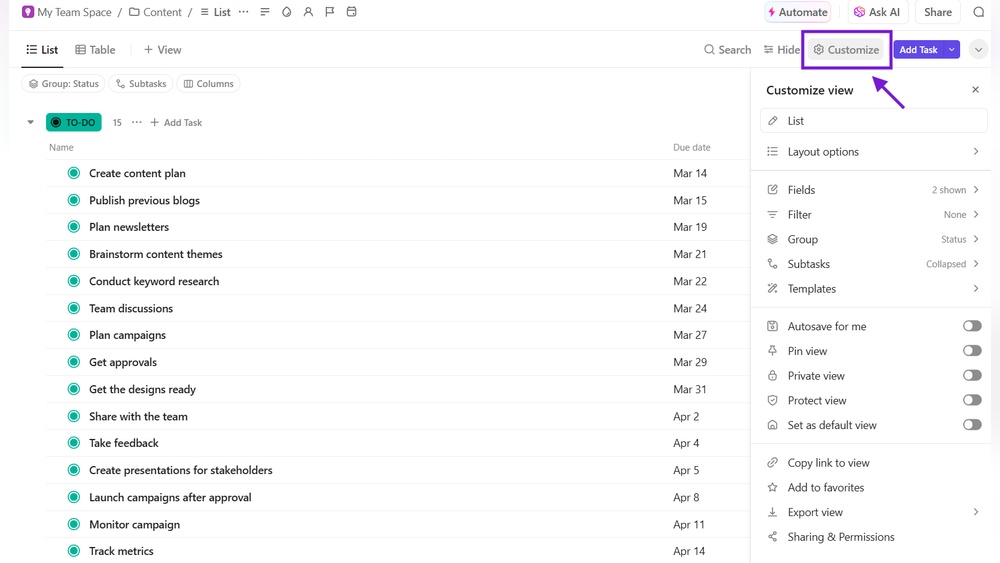
Visual Clarity Through Custom Filters, Labels, And Calendar Views
Todoist offers tools to organize tasks visually. Custom filters help sort tasks by priority, due dates, or projects. Labels add context like “urgent” or “email.”
| Feature | Purpose | Benefit |
|---|---|---|
| Custom Filters | Sort tasks by criteria | Find important tasks quickly |
| Labels | Add descriptive tags | Group related tasks easily |
| Calendar Views | Visualize tasks by date | Plan your schedule clearly |
These tools reduce clutter and highlight what matters most.
Reminders And Notifications: Never Miss Important Deadlines
Todoist sends reminders and notifications to keep deadlines visible. Set reminders by time or location for each task.
- Get alerts on desktop and mobile
- Receive notifications before due dates
- Customize reminders for recurring tasks
This feature helps avoid missed deadlines and last-minute rushes.
Collaboration Tools: Sharing Projects And Assigning Tasks
Todoist supports teamwork through project sharing and task assignment. Users can invite others to projects and assign specific tasks.
- Work together in real-time
- Track who is responsible for each task
- Comment on tasks to share updates
Collaboration keeps teams aligned and accountable.
Integrations With Other Apps: Streamlining Your Workflow
Todoist connects with many apps to simplify work. Integrations include tools like Google Calendar, Slack, and Dropbox.
- Sync tasks with calendar events
- Receive task updates in communication apps
- Attach files from cloud storage
These connections reduce switching between apps and save time.

Credit: www.youtube.com
Pricing And Affordability Of Todoist Plans
Todoist offers multiple plans to fit various needs and budgets. Each plan provides different levels of features and flexibility. Understanding the pricing helps you choose the right option for managing tasks efficiently. Here is a detailed look at each plan’s pricing and features.
Free Version: Core Features And Limitations
The Free Version of Todoist includes essential tools to get started with task management.
- Create up to 80 active projects
- Add tasks with due dates and priorities
- Access on multiple devices
- Collaborate with up to 5 people per project
Limitations include:
- No reminders or notifications
- Limited to 5 collaborators per project
- No labels, filters, or comments
- Basic productivity tracking only
The free plan suits individuals needing a simple task list without advanced tools.
Premium Plan: Enhanced Functionality And Who Benefits Most
The Premium Plan adds advanced features for users who want more control and customization.
- Unlimited projects and collaborators
- Task reminders via push, email, or SMS
- Labels, filters, and comments for better organization
- Automatic backups and activity logs
- Productivity trends and goal tracking
This plan is ideal for freelancers, students, and busy professionals who need reminders and better task organization.
Cost: Approximately $4 per month billed annually.
Business Plan: Features Tailored For Teams And Organizations
The Business Plan focuses on teams needing collaboration and management tools.
- Team inbox for shared task management
- Admin and member roles with permissions
- Priority support and onboarding assistance
- Centralized billing and user management
- Project templates for fast team setup
This plan fits small to medium businesses wanting smooth teamwork and task transparency.
Cost: About $6 per user per month billed annually.
Comparing Cost Vs. Value: Is Todoist Worth The Investment?
| Plan | Monthly Cost (Annual Billing) | Main Benefits | Best For |
|---|---|---|---|
| Free | $0 | Basic task management, limited features | Casual users, beginners |
| Premium | $4 | Reminders, labels, filters, backups | Individuals needing advanced task control |
| Business | $6 per user | Team collaboration, admin controls, support | Teams and organizations |
Todoist offers strong value at each pricing level. The free plan covers basic needs well. Premium adds powerful tools for better productivity. Business meets the demands of team coordination and management.
Choosing the right plan depends on task complexity and collaboration needs. Investing in Todoist can save time and reduce stress by keeping tasks clear and organized.
Pros And Cons Of Using Todoist In Real-world Scenarios
Todoist is a popular task management app used by millions worldwide. It offers a clear interface and useful tools for managing tasks daily. Understanding its strengths and limitations helps decide if it fits your needs. Here, we explore its main advantages and drawbacks in practical use.
Strengths: Simplicity, Speed, And Flexibility In Task Management
Todoist stands out for its simple and clean design. Users can add tasks quickly without confusion. The app loads fast, ensuring smooth task entry and updates.
Flexibility is key. Tasks can have due dates, recurring schedules, and priorities. Sub-tasks allow breaking down large projects into smaller steps.
- Easy task creation and completion
- Custom labels and filters for organization
- Cross-device syncing keeps tasks updated
- Supports collaboration with task sharing
This simplicity helps users stay focused and efficient.
Drawbacks: Paywall Restrictions And Potential Feature Overload
Some essential features require a paid subscription. These include:
| Feature | Availability |
|---|---|
| Reminders | Premium only |
| Labels and filters | Limited in free plan |
| Comments and file uploads | Premium only |
| Automatic backups | Premium only |
For some, the paywall limits full use. New users might feel overwhelmed by many features at first.
User Experience Insights: Feedback From Productivity Enthusiasts
Many productivity fans praise Todoist for being fast and easy. They like how tasks sync across devices instantly.
Some users note the learning curve with advanced filters and labels. They suggest starting simple and exploring features gradually.
Overall, users appreciate the balance between basic and advanced tools. The community often shares tips and templates to improve workflows.
How Todoist Supports Users With Adhd And Executive Function Challenges
Todoist helps users with ADHD by reducing mental clutter. Adding tasks quickly clears the mind.
Features like recurring tasks and reminders (premium) aid in building routines and staying on track.
- Visual task prioritization improves focus
- Simple layout avoids distractions
- Sub-tasks break down overwhelming tasks
- Labels and filters help categorize and find tasks easily
Many users with executive function challenges find Todoist’s structure supportive. It offers a clear path from planning to action.
Credit: www.artofmanliness.com
Tips And Best Practices For Using Todoist Effectively
Todoist helps millions simplify work and life by organizing tasks clearly. Use it well by following simple methods to boost productivity and reduce stress. Focus on capturing ideas fast, prioritizing daily tasks, and managing big projects step-by-step. These tips improve task flow and keep distractions low.
Start Simple: Using The Inbox And Quick Add To Capture Ideas Instantly
Begin with the Inbox to gather all tasks and ideas as they come. Use the Quick Add feature to enter tasks fast without interrupting your work. This keeps your mind clear and your task list updated.
- Tap the “+” button or press “Q” to open Quick Add.
- Type the task and hit enter to save immediately.
- Sort tasks from Inbox later into projects or labels.
Start small. Capture everything first. Organize later.
Customizing Filters And Labels To Focus On What Matters Today
Filters and Labels help see only the tasks that need attention now. Customize filters to show tasks by priority, project, or due date.
| Feature | Purpose | Example |
|---|---|---|
| Labels | Tag tasks by context or type | @phone, @email, @home |
| Filters | Show tasks that match rules | Today & Priority 1 |
Use labels to mark task types. Set filters to view only urgent tasks. This keeps focus sharp.
Breaking Down Big Tasks To Avoid Overwhelm And Build Momentum
Large tasks can block progress. Break them into smaller sub-tasks to make them easier. Each sub-task feels like a step forward.
- Create a main task for the big goal.
- Add sub-tasks that are simple and clear.
- Complete sub-tasks one by one to build momentum.
Small wins boost confidence and reduce stress. Todoist lets you nest sub-tasks inside main tasks easily.
Establishing Routines With Recurring Tasks And Due Dates
Set recurring tasks for daily, weekly, or monthly routines. Use due dates to keep deadlines clear.
- Type “every day” or “every Monday” in Quick Add to set recurrence.
- Set due dates to plan when tasks must finish.
- Review recurring tasks regularly to stay on track.
Routines reduce decision fatigue. Due dates prevent tasks from slipping.
Avoiding Common Pitfalls: Managing Complexity Without Distraction
Keep Todoist simple to avoid overwhelm. Avoid too many projects, labels, or filters that confuse.
- Limit projects to main areas of your life.
- Use only essential labels for clear sorting.
- Review and archive old tasks regularly.
- Focus on one task list at a time.
Too much detail creates distraction. Keep your system clean and easy to use.
Who Should Use Todoist? Ideal Users And Use Cases
Todoist suits many people seeking better task management. Its simple design helps users track tasks clearly. Whether managing projects, studies, or daily chores, Todoist adapts well. Below are key users and how they can benefit.
Solo Professionals And Freelancers: Managing Multiple Projects
Solo professionals juggle many projects and deadlines. Todoist helps by:
- Creating separate projects for each client or task.
- Using labels and priorities to organize tasks.
- Setting due dates and reminders to meet deadlines.
- Breaking large tasks into smaller steps for clarity.
This keeps work clear and reduces stress from scattered notes.
Students And Learners: Organizing Study Tasks And Deadlines
Students face many assignments and exam dates. Todoist supports them by:
- Adding tasks for homework, projects, and revision.
- Setting recurring reminders for regular study sessions.
- Grouping tasks by subject or course.
- Tracking progress with simple checklists.
These features help students manage time and avoid last-minute rushes.
Teams And Small Businesses: Coordinating Collaboration Efficiently
Small teams need clear task sharing and updates. Todoist offers:
| Feature | Benefit |
|---|---|
| Shared projects | Team members see and update tasks in real time |
| Comments and attachments | Discuss tasks directly within Todoist |
| Task assignments | Clear responsibility for each task |
| Notifications | Stay informed about changes and deadlines |
This coordination reduces confusion and keeps work on track.
Individuals With Adhd: Leveraging Todoist’s Adhd-friendly Features
People with ADHD often need simple, clear task systems. Todoist helps by:
- Offering a clean, distraction-free interface.
- Allowing tasks to be broken into small, manageable steps.
- Using color-coded priorities for focus.
- Setting reminders and recurring tasks to build routines.
These features support better focus and task completion.
Anyone Looking To Improve Focus, Organization, And Task Completion
Todoist fits anyone wanting clearer daily planning. It:
- Helps list all tasks in one place.
- Uses due dates to avoid forgetting important work.
- Organizes tasks by priority and project.
- Allows quick task entry and easy updates.
Simple tools make finishing tasks easier for all users.
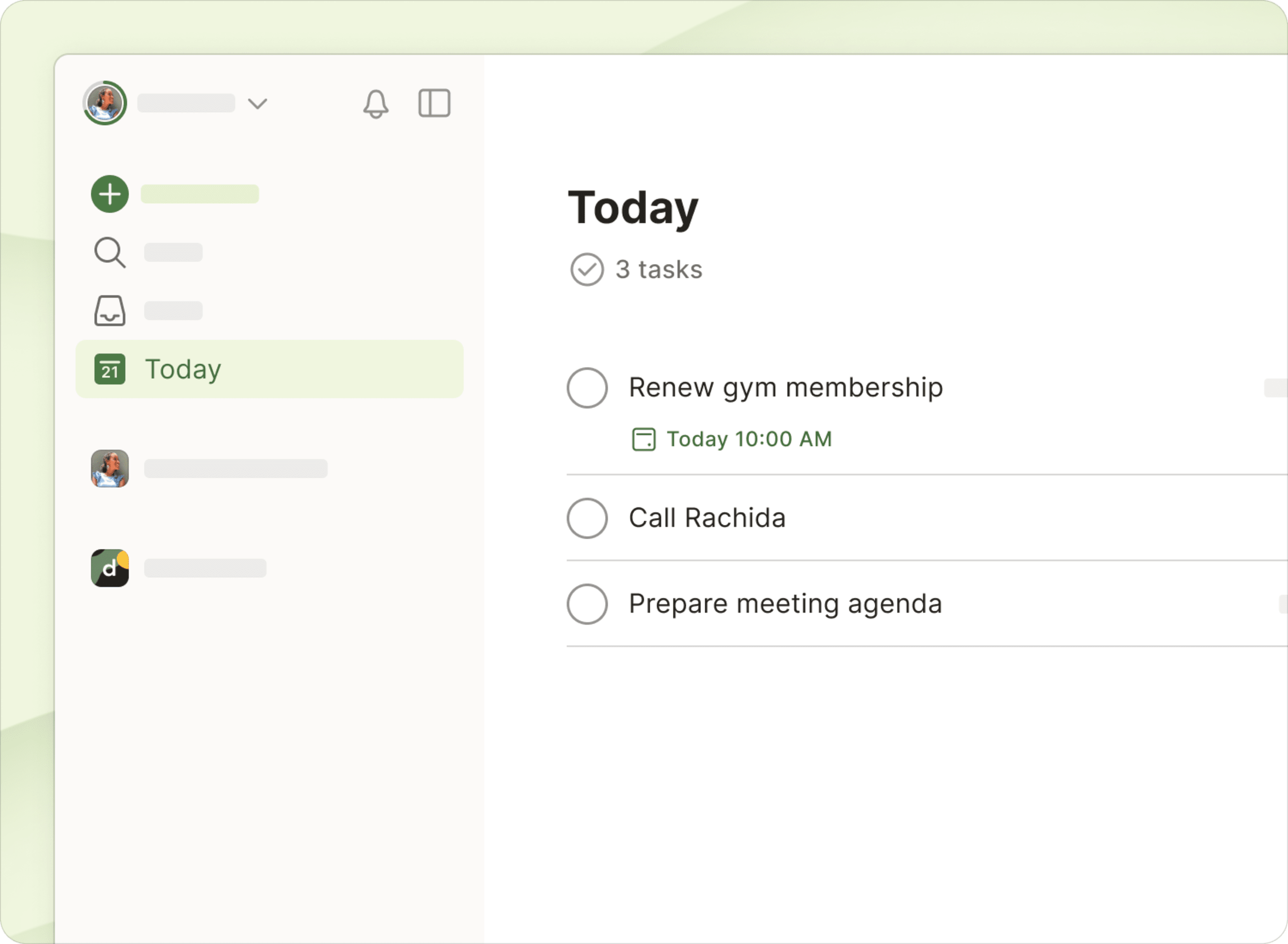
Credit: www.todoist.com
Conclusion: Mastering Todoist To Accelerate Your Productivity
Todoist offers a simple way to organize daily tasks and projects. Its clean design helps you focus on what matters most. Using Todoist regularly can reduce stress and keep your work on track. Learning how to use its features well saves time and improves efficiency.
Recap Of Key Features And Their Productivity Benefits
- Task Management: Quickly add tasks to clear your mind.
- Due Dates and Recurring Tasks: Stay on schedule with reminders and deadlines.
- Sub-tasks: Break big tasks into smaller, manageable steps.
- Labels and Filters: Organize tasks by priority, project, or context.
- Cross-Platform Sync: Access your tasks anytime on any device.
These features help maintain focus, reduce overload, and keep you organized.
Encouragement To Experiment And Customize For Personal Workflow
Todoist works best when it fits your style. Try different ways to organize tasks. Use projects, labels, and filters that match your needs. Adjust due dates and priorities based on daily demands.
Test new methods and see what improves your flow. Small changes can lead to big productivity gains. Personalizing Todoist makes task management easier and more natural.
Next Steps: Resources And Tutorials To Deepen Your Todoist Skills
Explore tutorials and guides for deeper learning. Visit the official Todoist website for tips and updates.
- Watch beginner videos on YouTube for step-by-step help.
- Read blog posts focused on advanced features.
- Join online communities to share ideas and ask questions.
These resources help you use Todoist confidently and efficiently.
Frequently Asked Questions
How Do You Use Todoist Effectively?
Use Todoist by quickly adding tasks with due dates, breaking big tasks into subtasks, and organizing with labels and filters. Check tasks daily to stay on track. Set recurring reminders to build routines and maintain productivity. Keep your inbox clear for better focus.
What Is The 1/3/5 Rule In Todoist?
The 1/3/5 rule in Todoist suggests prioritizing 1 big, 3 medium, and 5 small tasks daily. This balances workload and boosts productivity.
What Are The Pros And Cons Of Todoist?
Todoist offers a simple, intuitive interface for easy task management and organization. Paid features like reminders and labels are limited. It supports task breakdown and scheduling well but may overwhelm users who overuse features.
Is Todoist Adhd Friendly?
Yes, Todoist suits ADHD well. It offers quick task capture, clear visuals, reminders, and task breakdowns to reduce overwhelm and improve focus. Its simple design supports routines and flexibility, helping users manage tasks effectively without distractions.
Conclusion
Using Todoist helps you stay organized and focused every day. Add tasks quickly and set clear due dates. Break big tasks into smaller steps to avoid feeling overwhelmed. Its simple design makes task management easy for everyone. Start using Todoist to bring clarity to your work and life. Try it yourself here: Todoist.