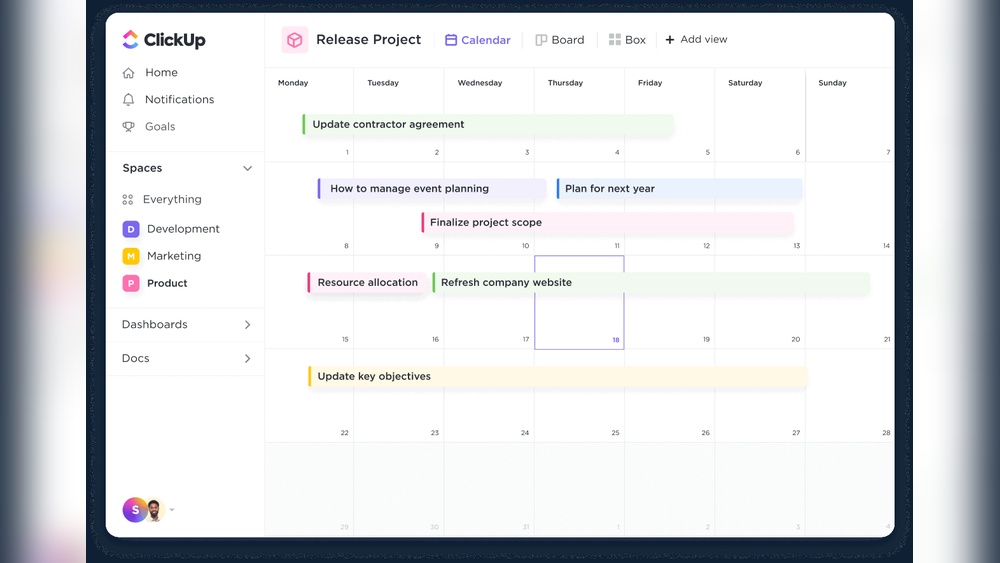
Clickup Online Scheduling Features: Boost Productivity Effortlessly
Are you tired of juggling multiple apps just to keep your schedule in check? Imagine having one powerful tool that not only organizes your tasks but also syncs your meetings, blocks your time, and even helps you avoid scheduling conflicts automatically.
That’s exactly what ClickUp’s online scheduling features bring to your fingertips. With AI-powered calendars, seamless integration with Google Calendar, and smart planning tools, ClickUp makes managing your day effortless and efficient. Ready to take control of your time and boost your productivity? Discover how ClickUp can transform your workflow by clicking here: ClickUp. Keep reading to explore the game-changing scheduling features that can save you both time and stress!
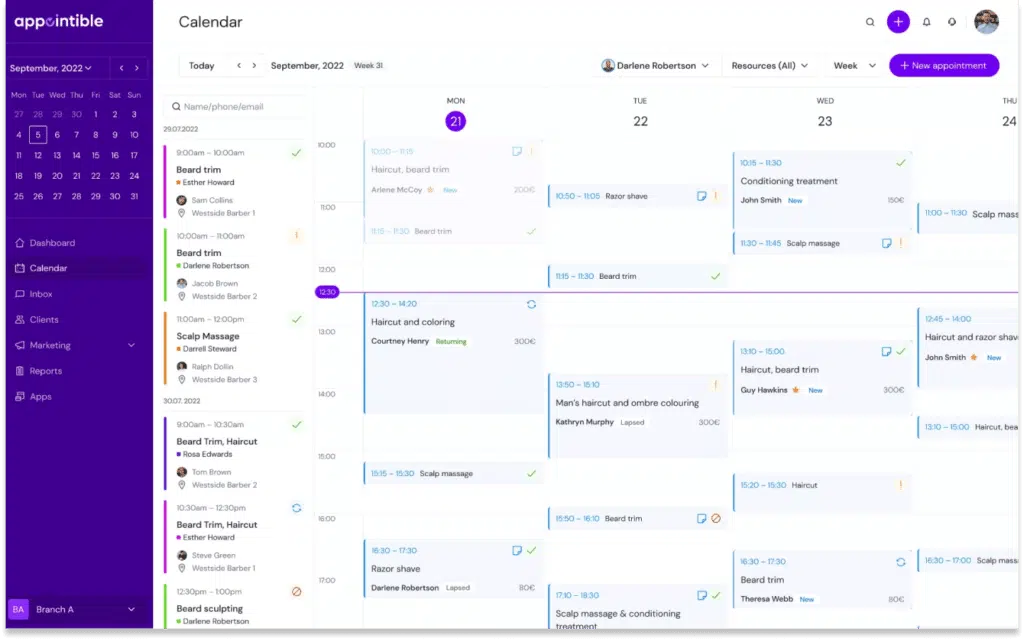
Credit: appointible.com
Introduction To Clickup Online Scheduling Features
ClickUp offers powerful scheduling tools designed to simplify planning and improve work flow. These features help teams manage time effectively and focus on what matters most. Each tool reduces manual effort, cutting down on errors and delays.
Ai-powered Calendar Adaptation To Priorities
The AI calendar in ClickUp adjusts your schedule based on task priority and deadlines. It learns which tasks need immediate attention and rearranges your day accordingly. This ensures your most important work stays front and center.
By automatically prioritizing tasks, the AI calendar helps users:
- Focus on urgent deadlines
- Avoid overbooking or conflicts
- Manage workload without stress
Automatic Calculation Of Task Start And Due Dates
ClickUp calculates task start and due dates automatically, saving time on manual entry. When you set a task duration, the system assigns dates based on dependencies and availability.
This feature helps teams by:
- Ensuring realistic deadlines
- Aligning tasks with project timelines
- Reducing scheduling errors
Two-way Calendar Sync With Google Calendar And Outlook
ClickUp syncs seamlessly with Google Calendar and Outlook. Changes in either calendar update automatically in the other. This two-way sync keeps your schedule consistent across platforms.
Benefits include:
- Centralized schedule management
- Less chance of missing meetings
- Real-time updates on all devices
Planner Sidebar For Meeting Scheduling And Time Blocking
The Planner sidebar offers an easy way to schedule meetings and block focused work time. You can add events, join meetings, and organize your day without leaving ClickUp.
Key advantages are:
- Quick access to calendar and tasks
- Ability to block time for deep work
- Streamlined meeting scheduling
Automatic Skipping Of Non-working Days To Reduce Conflicts
ClickUp automatically skips weekends and holidays when scheduling tasks. This reduces conflicts and prevents setting deadlines on non-working days.
This smart feature helps by:
- Aligning deadlines with actual workdays
- Improving task planning accuracy
- Minimizing scheduling confusion

Credit: www.etsy.com
Key Scheduling Features That Boost Productivity
ClickUp offers a range of pricing plans designed to fit different needs and budgets. Its online scheduling features come with varying availability depending on the chosen plan. Understanding the cost and value of these features helps users decide which plan suits their work style and financial limits.
Availability Of Scheduling Features Across Clickup Plans
The Planner tool, which allows scheduling meetings, blocking time for tasks, and joining events, is available on every ClickUp plan. This means users get basic scheduling capabilities even on the free or lower-tier plans.
More advanced scheduling features, such as AI-powered calendar adaptations and deep calendar syncing, become accessible in higher-tier plans. These plans offer:
- Customizable calendar views
- Google Calendar sync
- Automatic task start and due date calculations
| Plan | Planner Access | AI Calendar Features | Calendar Sync |
|---|---|---|---|
| Free | Yes | No | Limited |
| Unlimited | Yes | Basic | Full |
| Business | Yes | Advanced | Full |
Comparing Cost-effectiveness With Other Scheduling Tools
ClickUp bundles many features under one roof, reducing the need for multiple apps. This lowers total software expenses.
Unlike standalone scheduling tools, ClickUp includes project management, chat, and AI tools in its pricing. This creates strong value for teams.
- Single platform for scheduling and task tracking
- Competitive pricing compared to separate scheduling apps
- Free plan includes essential scheduling tools
The combination of features often means saving money and time managing different subscriptions.
Value Added By Integrated Ai And Calendar Sync Features
ClickUp’s AI-powered calendar adapts to priorities, helping users focus on important tasks. It reduces manual rescheduling.
Full calendar sync with Google Calendar ensures all events and deadlines stay updated in real time.
- AI adjusts task dates based on workload changes
- Calendar views are customizable for better visibility
- Syncing reduces missed appointments and overlaps
These integrations increase productivity and save hours every week.
How Clickup Scheduling Features Solve Common Productivity Problems
ClickUp’s online scheduling features bring both strong benefits and some challenges. Users find value in its integration and AI tools, but face a learning curve. This section breaks down the advantages, limitations, and real user feedback to help you understand its true performance.
Advantages: Comprehensive Integration And Ai Assistance
ClickUp offers a wide range of integrations that connect calendars, tasks, and projects in one place. It syncs smoothly with Google Calendar and other major apps. This helps users keep all their schedules aligned.
- AI-powered calendar adapts to user priorities and suggests task timings.
- Users can schedule meetings, block time for tasks, and track deadlines easily.
- The Planner sidebar allows quick access to scheduling tools on any plan.
- Automatic calculation of start and due dates saves time in project planning.
These features create a seamless scheduling experience that fits diverse workflows. The AI assistance reduces manual adjustments, helping teams stay on track.
Limitations: Learning Curve And Feature Complexity
The scheduling system in ClickUp can feel complex to new users. There are many features and options, which might overwhelm beginners. Learning to use the Planner and AI tools effectively takes time.
- Some users report initial confusion with setting up recurring tasks and dependencies.
- Feature depth leads to a steeper learning curve compared to simpler scheduling apps.
- Customization options, while powerful, can add to the setup time.
Users need patience to fully unlock the scheduling capabilities. The complexity can slow adoption in fast-paced environments.
User Feedback On Scheduling Efficiency And Usability
| Aspect | Positive Feedback | Negative Feedback |
|---|---|---|
| Scheduling Efficiency |
|
|
| Usability |
|
|
User reviews highlight the tool’s power but stress the need for practice. Once familiar, teams report improved coordination and fewer missed deadlines.

Credit: www.getcone.io
Pricing And Affordability Breakdown
ClickUp’s online scheduling features simplify task management and save time. Its intuitive tools help plan projects and organize daily work without hassle. This scheduling system adapts to your needs, making teamwork and deadlines easier to handle. Using ClickUp can improve focus and reduce stress by keeping everything in one place.
Summary Of Key Benefits And Features
- AI-powered calendar: Automatically adjusts to your priorities and deadlines.
- Task scheduling: Quickly set start and due dates for projects and tasks.
- Planner tool: Schedule meetings, block time for tasks, and join calls within ClickUp.
- Calendar sync: Connect with Google Calendar and other apps for seamless updates.
- Customizable views: Choose daily, weekly, or monthly views to fit your workflow.
- Real-time collaboration: Share schedules and updates instantly with your team.
- Available on all plans: No extra cost for accessing scheduling features.
| Feature | Benefit |
|---|---|
| AI-powered Calendar | Prioritizes tasks automatically |
| Planner | Blocks time, schedules meetings |
| Google Calendar Sync | Keeps all calendars updated |
| Custom Views | Fits personal and team needs |
Final Thoughts On Incorporating Clickup Into Daily Workflow
Integrating ClickUp scheduling into your daily routine brings clear benefits. It reduces the need to switch between apps. Tasks, meetings, and deadlines live in one place, saving effort. The AI helps focus on what matters most every day.
Teams gain better visibility of their work. Everyone knows what to do and when. This clarity prevents missed deadlines and confusion. The simple interface is easy to learn, even for beginners.
Start small by adding a few tasks and meetings. Gradually explore features like time blocking and calendar sync. This approach ensures smooth adoption without overwhelm. ClickUp scheduling grows with your needs, supporting productivity at every step.
Frequently Asked Questions
What Are Clickup’s Key Online Scheduling Features?
ClickUp offers task scheduling, two-way calendar sync, and AI-powered recommendations. It helps avoid conflicts by skipping non-working days and holidays automatically. Users can block time, plan projects, and join meetings—all from one centralized platform.
How Does Clickup’s Planner Improve Task Management?
The Planner allows scheduling meetings, blocking task time, and tracking deadlines. It integrates with all ClickUp plans and helps users visualize their day. This feature enhances productivity by keeping schedules organized and reducing overlaps.
Can Clickup Sync With External Calendars?
Yes, ClickUp supports two-way syncing with Google Calendar and other popular calendars. This ensures all events and tasks stay updated across platforms. Users can customize calendar views for better scheduling flexibility.
How Does Clickup Prevent Scheduling Conflicts?
ClickUp automatically skips weekends, holidays, and custom non-working days when scheduling tasks. This reduces conflicts and ensures realistic deadlines. The AI-powered scheduler also recommends optimal task times based on priorities.
Conclusion
ClickUp’s online scheduling features help you organize tasks clearly. You can plan projects with ease and avoid conflicts. The built-in calendar syncs with Google Calendar for smooth updates. It skips non-working days automatically to save time. Teams stay on track by blocking time and joining meetings. Everyone works better with clear deadlines and schedules. Try ClickUp to simplify your planning and improve teamwork. Learn more about ClickUp’s features here: ClickUp.