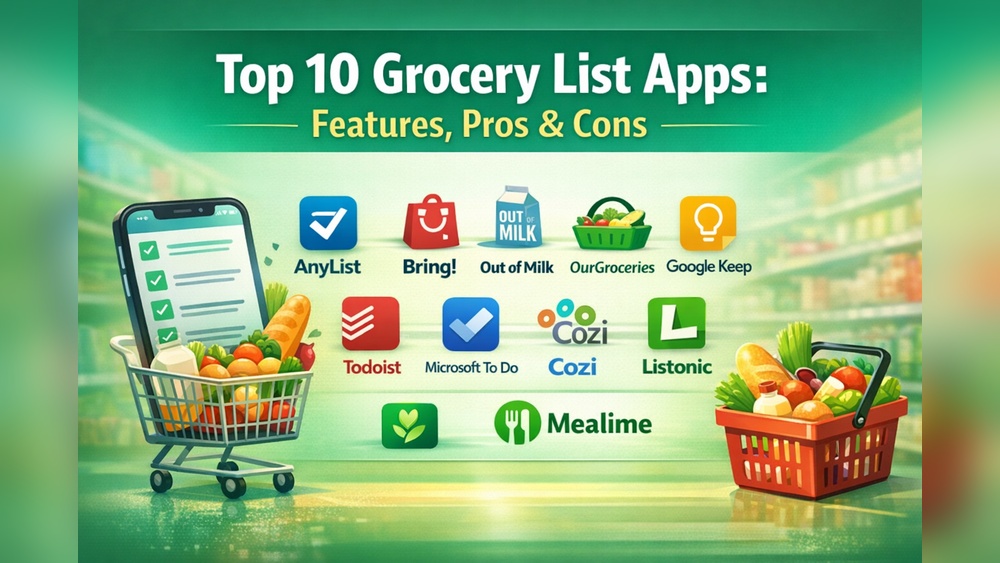
Anylist Vs Todoist: Ultimate Showdown for Task Management
Struggling to keep your tasks and meals organized without juggling multiple apps? You’re not alone.
Choosing the right tool to manage your daily to-dos and grocery lists can save you time and reduce stress. That’s why comparing AnyList and Todoist makes perfect sense. If meal planning and grocery shopping take up too much mental space, AnyList offers a focused approach with recipe organization and location-based reminders that help you never forget an item at the store. On the other hand, if you want a sleek, powerful to-do list app that brings clarity to all your tasks—work, personal projects, and more—Todoist might be exactly what you need. Ready to find out which app suits your lifestyle best? Dive into this detailed comparison to see how AnyList and Todoist stack up against each other. And if you’re leaning towards simplifying your life with a top-rated to-do list, check out Todoist here—the world’s 1 to-do list app trusted by over 50 million professionals. Your path to clarity starts now.
Introduction To Anylist And Todoist
Organizing tasks and managing daily activities demand effective tools. AnyList and Todoist offer unique solutions for different needs. Understanding their core functions helps users pick the right app for their lifestyle. This section introduces both apps and explains why comparing them benefits task management.
Overview Of Anylist: Purpose And Core Functionality
AnyList focuses on grocery shopping and meal planning. It helps users create and share grocery lists and recipes easily. The app syncs changes instantly across all devices, avoiding duplicated notes or lists.
- Cross-device Syncing: Keeps lists updated on phones, tablets, and computers.
- Grocery List Creation: Simple tools to add and organize shopping items.
- Recipe Collection: Stores and organizes favorite recipes in one place.
- Meal Planning Calendar: Plans weekly meals by adding recipes to a calendar.
- Location-based Reminders: Alerts users when near stores to avoid forgetting items.
- List Sharing: Allows easy sharing with family or friends.
- Recipe Parsing: Extracts ingredients from online recipes directly into lists.
AnyList combines shopping and meal prep in one app, making daily tasks simpler and more organized.
Overview Of Todoist: Purpose And Core Functionality
Todoist is a to-do list app designed to simplify work and life. It helps users organize tasks, set priorities, and track progress efficiently. With over 50 million users, it stands as a leading app in task management.
- Task Organization: Create tasks and organize them by projects or labels.
- Priority Levels: Mark tasks by importance to focus on what matters.
- Due Dates and Reminders: Set deadlines and get timely alerts.
- Collaboration: Share projects and assign tasks to team members.
- Cross-platform Sync: Access tasks on any device with real-time updates.
- Productivity Tracking: Visualize progress with charts and reports.
Todoist’s goal is to bring clarity to task management through a simple, powerful interface.
Why Comparing Anylist And Todoist Matters For Task Management
Both apps assist users in managing daily activities but serve different purposes. Comparing them helps users choose tools matching their specific needs.
- Focus Areas: AnyList targets shopping and meal planning, while Todoist handles broader task management.
- Features: Each app offers unique features suited to different workflows.
- User Experience: Understanding strengths guides better decision-making.
- Collaboration: Both support sharing, but in different contexts.
- Device Syncing: Ensures access to updated information anytime.
Choosing between AnyList and Todoist depends on personal or professional needs. This comparison helps users pick the best fit for their daily routines.
Key Features That Set Anylist Apart
AnyList stands out by focusing on grocery shopping and meal planning. It offers tools that help users manage lists, recipes, and reminders in one place. The app syncs smoothly across devices and supports collaboration with family or friends. These features create a more organized and stress-free shopping experience.
Smart Grocery List Management And Syncing Across Devices
AnyList makes grocery list creation simple and fast. Users can add items quickly and organize them by category. The app syncs all changes instantly across smartphones, tablets, and computers.
- Real-time syncing: Updates appear on all devices immediately.
- Easy editing: Add, remove, or rearrange items without hassle.
- Organized lists: Group items by store sections for faster shopping.
This smart syncing helps avoid confusion from multiple lists or forgotten updates.
Meal Planning And Recipe Integration Benefits
AnyList combines meal planning with recipe organization. Users can save recipes and add ingredients directly to their grocery lists. The app supports a meal calendar for weekly planning.
- Recipe collection: Store and organize favorite recipes in one place.
- Ingredient extraction: Automatically pull needed items from recipes.
- Meal calendar: Schedule meals to plan shopping and cooking efficiently.
This integration reduces guesswork and helps maintain a balanced meal plan.
Location-based Reminders For Efficient Errand Running
AnyList offers location-based reminders that alert users when near a store or specific place. This feature helps remember items while shopping or running errands.
- Custom reminders: Set alerts for specific stores or locations.
- Smart notifications: Get reminders only when nearby the chosen place.
- Improves efficiency: Avoids multiple trips by remembering all needed items.
Location reminders help users save time and reduce forgotten purchases.
Collaborative List Sharing: Enhancing Team And Family Coordination
Sharing lists with others is simple with AnyList. Families or teams can view and edit shared grocery lists in real time.
- Seamless sharing: Invite others to access and update lists.
- Real-time updates: Changes sync instantly for all members.
- Better coordination: Everyone stays informed about needed items.
This collaboration reduces duplicated efforts and improves group planning.
Key Features That Make Todoist Unique
Todoist stands out with its blend of simplicity and power. It helps users organize tasks clearly and manage priorities effectively. The app suits both personal and professional needs, offering features that make task management smooth and stress-free.
Minimalist Yet Powerful Task Organization
Todoist uses a clean, simple design that focuses on tasks. It avoids clutter, letting users concentrate on what matters.
- Projects and sub-projects: Organize tasks into nested projects for clarity.
- Labels and filters: Add labels to tasks and create custom filters to find tasks fast.
- Task comments and file attachments: Add details directly to tasks for better context.
This structure keeps task lists neat but packed with useful tools.
Intuitive Navigation And User Experience
The app’s interface is easy to use for beginners and pros alike.
- Simple task creation with natural language input (e.g., “Meet John tomorrow at 3pm”).
- Quick access to today’s and upcoming tasks through smart views.
- Keyboard shortcuts and drag-and-drop for fast task management.
Everything feels smooth and logical, reducing time spent figuring out the app.
Advanced Task Scheduling And Prioritization
Todoist offers smart scheduling tools to keep tasks on track.
| Feature | Benefit |
|---|---|
| Recurring Tasks | Set tasks to repeat daily, weekly, or custom intervals automatically. |
| Priority Levels | Mark tasks with four priority levels to focus on important work. |
| Reminders | Get notifications for due dates and times to avoid missing deadlines. |
| Due Dates with Natural Language | Quickly enter due dates using simple phrases for fast scheduling. |
These tools help users plan and execute tasks on time efficiently.
Cross-platform Synchronization And Integrations
Todoist works seamlessly across all devices and integrates with many apps.
- Sync: Changes update instantly on smartphones, tablets, and computers.
- App Integrations: Connects with Google Calendar, Dropbox, Slack, and more.
- Offline Access: Manage tasks without internet; syncs once online.
- API Access: For developers to build custom workflows and tools.
This ensures tasks stay current and fit into any workflow smoothly.

Credit: www.digitaltrends.com
Pricing And Affordability Breakdown
Understanding pricing and affordability helps choose the best app for your needs. Both AnyList and Todoist offer free and premium plans. Their pricing reflects the features and benefits they provide. This section breaks down their plans and compares value.
Anylist Pricing Plans: What You Get For Free And Premium
AnyList offers a solid free plan and a premium subscription called AnyList Complete. The free plan includes:
- Basic grocery list creation and sharing
- Recipe collection and organization
- Syncing across devices
The AnyList Complete premium plan adds valuable features like:
- Meal planning calendar
- Location-based reminders
- Recipe parsing from websites
- Advanced list sharing options
Pricing specifics for AnyList Complete are not publicly detailed, but it is a subscription service aimed at users needing full meal planning and shopping integration.
Todoist Pricing Tiers And Value Proposition
Todoist provides multiple pricing tiers:
| Plan | Price (Monthly) | Key Features |
|---|---|---|
| Free | $0 | Basic task management, up to 5 active projects |
| Pro | $4/month (billed annually) | Reminders, labels, filters, up to 300 projects |
| Business | $6/user/month (billed annually) | Team collaboration, admin controls, priority support |
Todoist targets productivity with features that help organize tasks clearly. The Pro plan unlocks powerful tools for individuals, while Business suits teams.
Comparing Cost Vs. Features: Which Offers Better Roi?
AnyList focuses on meal and grocery management. Its premium plan enhances meal planning and recipe handling. The free version suits casual users.
Todoist covers broad task and project management. Its free tier is limited but useful. Paid plans offer strong productivity tools.
| Aspect | AnyList | Todoist |
|---|---|---|
| Free Plan | Basic grocery lists and recipes | Basic task management, 5 projects |
| Premium Features | Meal calendar, location reminders, recipe parsing | Reminders, labels, filters, project limits raised |
| Price Transparency | Not clearly stated | Clear, starting at $4/month |
| Best For | Meal planning and grocery shoppers | Task management and productivity seekers |
Choosing the best value depends on your main needs. AnyList offers niche features for food planning. Todoist provides flexible, wide-ranging task tools. Both apps offer good return on investment in their areas.
Pros And Cons Based On Real-world Usage
Choosing between AnyList and Todoist depends on specific daily needs. Both apps serve different purposes yet overlap in task management. Understanding their strengths and weaknesses helps decide which fits better. Here, we explore real-world experiences with both apps.
Strengths And Limitations Of Anylist In Daily Task And Meal Management
AnyList excels in grocery and meal planning. Its main strength lies in seamless syncing across devices, keeping lists updated everywhere. The app’s ability to organize recipes and add them to a meal calendar simplifies meal prep. Location-based reminders notify users near stores, reducing forgotten items.
| Strengths | Limitations |
|---|---|
| Easy grocery list creation and management | Limited task management features outside groceries |
| Recipe parsing directly from websites | Meal calendar lacks advanced scheduling options |
| List sharing supports family collaboration | Not designed for professional or complex projects |
| Location-based reminders reduce missed shopping items | Premium features require subscription |
Strengths And Limitations Of Todoist For Personal And Professional Tasks
Todoist offers robust task management for both personal and work-related activities. Its strength is in clarity and simplicity, helping users prioritize tasks easily. The app supports project organization, deadlines, and reminders, suitable for complex workflows.
| Strengths | Limitations |
|---|---|
| Supports task prioritization and subtasks | Less focus on meal or grocery planning |
| Cross-platform syncing and offline access | Can feel overwhelming for simple task lists |
| Collaboration tools for team projects | Advanced features locked behind premium plan |
| Integrates with many third-party apps | Limited customization for reminders |
User Experience Insights And Common Pain Points
- AnyList users appreciate how it reduces meal prep stress. Some find the meal calendar too basic for detailed planning.
- Sharing lists is smooth but syncing can lag with slow internet.
- Todoist users enjoy clear task layouts and project views. New users may struggle with many features at first.
- Some report notification issues on certain devices, causing missed reminders.
- Both apps require premium subscriptions to unlock full potential, which might deter casual users.
Recommendations: Choosing Between Anylist And Todoist
Choosing the right app depends on what tasks you need to manage daily. Both AnyList and Todoist offer unique features tailored to different needs. Understanding who benefits most from each tool helps make the best choice for your productivity.
Ideal Users And Scenarios For Anylist
AnyList suits users focused on grocery shopping and meal planning. It is perfect for families or individuals who want to:
- Create and share grocery lists easily.
- Organize and save recipes in one place.
- Plan meals using a calendar feature.
- Receive reminders based on their location, such as when near a store.
The app’s syncing feature keeps lists updated across devices, ideal for households sharing shopping duties. Users who cook often and want to combine recipes with shopping lists will find AnyList helpful.
Ideal Users And Scenarios For Todoist
Todoist targets professionals and anyone needing clear task management. It works well for people who:
- Manage multiple projects and work tasks.
- Need a simple, clean to-do list interface.
- Want to track tasks with deadlines and priorities.
- Require collaboration features for team projects.
Todoist’s strength is in helping users simplify work and life by organizing tasks clearly. It supports over 50 million users who want to keep their work and personal tasks in one app.
Making The Right Choice Based On Your Task Management Needs
| Criteria | AnyList | Todoist |
|---|---|---|
| Main Focus | Grocery shopping and meal planning | Task and project management |
| Best For | Families, cooks, grocery shoppers | Professionals, teams, multitaskers |
| Key Features | Recipe organization, meal calendar, location reminders | Task prioritization, deadlines, project collaboration |
| Device Syncing | Yes, across all devices | Yes, across all devices |
| Sharing Options | Shared grocery lists | Shared task lists and projects |
Choose AnyList if your focus is on meal prep and grocery tasks. Choose Todoist for managing daily work tasks and projects with ease.
Conclusion: Final Thoughts On The Ultimate Task Management Showdown
Choosing between AnyList and Todoist depends on your unique productivity needs. Both apps offer strong features but focus on different areas. Understanding their strengths helps pick the right tool. Let’s explore their key differences and how they can work together.
Summary Of Key Differentiators
| Feature | AnyList | Todoist |
|---|---|---|
| Primary Use | Grocery shopping and meal planning | General task and project management |
| List Sharing | Seamless sharing for families and groups | Collaborative task management for teams |
| Reminders | Location-based reminders (e.g., store arrivals) | Time and priority-based reminders |
| Recipe Integration | Recipe collection and automatic ingredient parsing | Not available |
| Cross-Device Sync | Yes, across all devices | Yes, across all devices |
How Both Apps Can Complement Different Aspects Of Productivity
AnyList excels at organizing groceries and meals. It helps users plan meals and shop efficiently. Location reminders reduce forgotten items during shopping trips.
Todoist focuses on managing daily tasks and projects. It allows setting priorities and deadlines, keeping work organized. Its collaboration tools improve team productivity.
Using both apps can cover a wide range of needs:
- Plan meals and shopping with AnyList.
- Track work tasks and deadlines with Todoist.
- Share lists and tasks with family or coworkers.
Encouraging Users To Test And Decide Based On Personal Workflow
Productivity tools work best when they fit your habits. Try both apps to see which suits your daily routine. Test features like reminders, sharing, and list management.
Consider these questions:
- Do you need meal planning alongside task tracking?
- Is location-based reminder important to you?
- Do you manage complex projects or simple to-dos?
- Will you share lists mostly with family or colleagues?
Choose the app that feels easiest and most helpful. Both AnyList and Todoist offer free versions. Explore them before committing to premium plans.

Credit: listij.com

Credit: www.devopsschool.com
Frequently Asked Questions
Is Anylist Worth It?
AnyList is worth it for easy grocery list sharing, meal planning, and syncing across devices. It simplifies shopping and organizing.
How Much Does Anylist Cost?
AnyList offers a free version with basic features. AnyList Complete costs $9. 99 per year for advanced tools and syncing.
Can Anylist Help With Meal Planning?
AnyList helps with meal planning by letting you add recipes to a calendar and organize weekly meals easily. You can also add notes for leftovers or dining out.
Does Anylist Have Reminders?
Yes, AnyList offers location-based reminders that alert you when you arrive at a store or relevant location. Swiping the reminder opens your list instantly.
Conclusion
Both AnyList and Todoist serve different needs well. AnyList works best for grocery shopping and meal planning. Todoist focuses on managing tasks and projects simply. Choose based on what fits your daily routine better. For a clear, easy-to-use to-do list app, try Todoist. It helps keep work and life organized without extra hassle. Compare features, think about your habits, and pick the app that feels right. Staying organized has never been so straightforward.