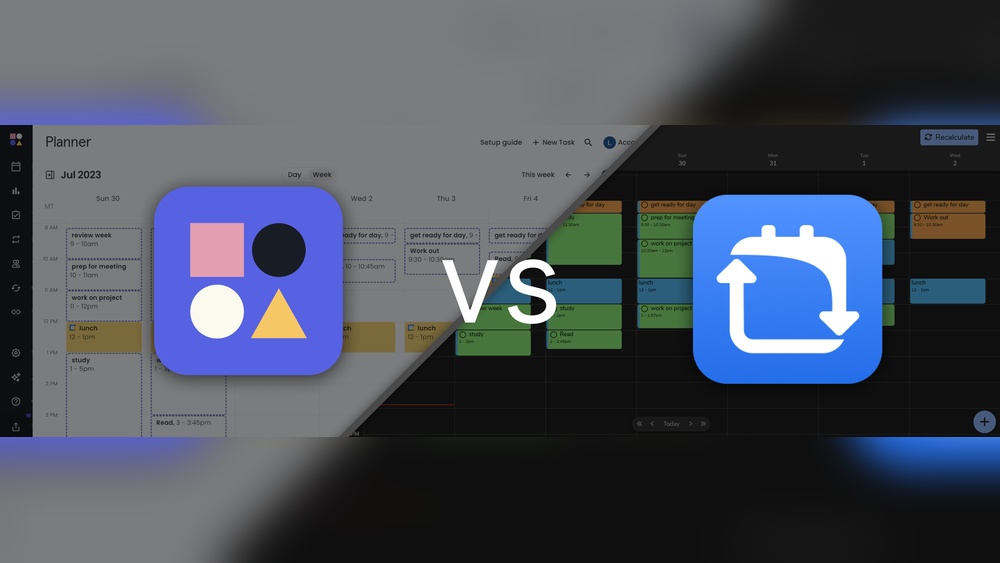
Reclaim Ai Vs Flowsavvy: Ultimate Time Management Showdown
Struggling to keep your work, meetings, and personal life perfectly balanced? You’re not alone.
Choosing the right AI calendar app can transform how you manage your time, making every day more productive and less stressful. But which tool suits your unique needs better: Reclaim AI or FlowSavvy? While both promise to boost your productivity, they approach scheduling and time management in very different ways. If you want an AI that automatically schedules your tasks and meetings seamlessly, Reclaim AI might be your best bet. Ready to discover which one aligns with your workflow? Let’s dive into the detailed comparison of Reclaim AI vs FlowSavvy and find out which app will reclaim your time and sanity.

Credit: www.youtube.com
Introduction To Reclaim Ai And Flowsavvy
Time management tools help organize tasks and schedules efficiently. Reclaim AI and FlowSavvy are two popular apps designed to improve how users plan their day. Both use technology to manage calendars but focus on different user needs. Understanding their features helps users choose the right tool for their workflow.
Overview Of Reclaim Ai: Purpose And Core Functionality
Reclaim AI is an AI-powered calendar app focused on work and life balance. It automatically schedules meetings, tasks, and personal events to optimize time use. The app integrates with popular calendars and tools, making it ideal for teams and enterprises.
- Automatic scheduling of work and personal events
- Syncs with Google Calendar and other platforms
- Supports team collaboration and multiple integrations
- Focuses on maximizing productivity with AI
Reclaim AI is designed to reduce manual calendar management and help users focus on important tasks.
Overview Of Flowsavvy: Purpose And Core Functionality
FlowSavvy targets individual users aiming to improve task planning. It offers a simple interface to organize tasks without automatic rescheduling. The app respects user control by not assuming task completion if time passes.
- Task management with manual scheduling
- No automatic rescheduling after missed tasks
- Designed for personal productivity and focus
- Prioritizes simplicity and user control
FlowSavvy suits individuals who want a straightforward planner without complex automation.
Why Comparing These Two Time Management Tools Matters
Choosing between Reclaim AI and FlowSavvy depends on user needs and work style. Both tools manage time but serve different audiences.
| Feature | Reclaim AI | FlowSavvy |
|---|---|---|
| Target User | Teams and enterprises | Individual users |
| Scheduling Style | Automatic, AI-driven | Manual, user-controlled |
| Integrations | Multiple, including Google Calendar | Limited integrations |
| Task Rescheduling | Automatic rescheduling | No automatic rescheduling |
This comparison helps users pick a tool matching their workflow and productivity goals.
Credit: self-manager.net
Key Features Of Reclaim Ai
Reclaim AI offers smart tools that make managing your calendar easier and more efficient. It uses artificial intelligence to organize your work, meetings, and personal tasks automatically. This saves time and reduces the stress of manual scheduling. Below are the main features that help users stay on top of their busy lives.
Automated Scheduling: How Ai Simplifies Your Calendar
Reclaim AI uses automated scheduling to find the best times for your tasks and meetings. It works by:
- Scanning your calendar for free slots
- Adjusting schedules based on priorities
- Rescheduling tasks if conflicts arise
This means you spend less time planning and more time doing. The AI adapts to changes quickly, so your calendar stays balanced without extra effort.
Integrations And Team Collaboration Features
Reclaim AI connects smoothly with many popular tools. It supports integrations with:
| Platform | Benefit |
|---|---|
| Google Calendar | Sync events and updates instantly |
| Slack | Receive notifications and reminders |
| Zoom | Auto-add meeting links |
Teams can collaborate by sharing calendars and setting group priorities. This feature helps teams stay aligned without endless emails or messages.
Task, Habit, And Meeting Management Benefits
Reclaim AI does more than schedule meetings. It also manages your tasks and habits efficiently:
- Task Management: Breaks down work into clear slots
- Habit Tracking: Reserves regular time for habits and routines
- Meeting Management: Automatically schedules meetings around your focused work time
This mix of features helps you maintain a balanced schedule that supports productivity and well-being. Reclaim AI keeps tasks visible and deadlines realistic.
Key Features Of Flowsavvy
FlowSavvy focuses on individual users, offering tools that improve personal productivity. Its features help users track time, manage habits, and organize tasks clearly. The app avoids complex enterprise solutions, making it simple and effective for daily use. Below are the main features that make FlowSavvy stand out.
Time And Habit Tracking: Enhancing Personal Productivity
FlowSavvy offers precise time tracking to help users monitor how they spend their day. It does not assume task completion if time passes, which keeps tracking accurate.
The app also includes habit tracking, allowing users to build routines step by step. This feature supports gradual improvement by showing clear progress over time.
- Tracks time spent on tasks without automatic rescheduling
- Monitors daily habits to encourage consistent behavior
- Provides simple reports for self-review
Workflow Management And Task Prioritization
FlowSavvy helps users organize their tasks effectively with workflow management tools. It allows clear task prioritization to focus on what matters most.
Users can create and reorder tasks easily. This flexibility helps keep the daily plan realistic and manageable.
- Create tasks and subtasks
- Prioritize by importance or deadline
- Adjust plans as needed without pressure
User-centric Design And Individual Focus
FlowSavvy’s design centers on the user experience. The interface is clean and intuitive, helping users stay focused without distractions.
Unlike some apps that target teams or enterprises, FlowSavvy aims to meet the needs of individual users. This focus leads to a personalized experience that adapts to each person’s workflow.
| Feature | Benefit |
|---|---|
| Simple Interface | Easy to use with minimal learning curve |
| Individual Focus | Customizes tasks and habits for personal growth |
| Non-intrusive Design | Reduces distractions and improves concentration |
Pricing And Affordability Comparison
Choosing between Reclaim AI and FlowSavvy often depends on cost and value. Both tools offer unique pricing approaches. Understanding their costs helps pick the best fit for your needs and budget.
Reclaim Ai Pricing Structure And Value
Reclaim AI offers a transparent pricing model with a free plan to start. Paid plans provide more features and integrations, ideal for teams and professionals.
| Plan | Cost | Key Features |
|---|---|---|
| Free | $0/month | Basic AI scheduling, Google Calendar sync |
| Pro | Approx. $7/month | Advanced auto-scheduling, multiple calendar support |
| Team | Custom pricing | Team integrations, enterprise features |
Reclaim AI is suited for users who want powerful scheduling and team collaboration. Its pricing reflects the value of deep integrations and automation.
Flowsavvy Pricing Model And Accessibility
FlowSavvy targets individual users with a simple pricing model. It focuses on affordability and ease of use without complex tiering.
- Single flat fee or low monthly cost
- No automatic task rescheduling, offering manual control
- Designed for personal productivity over enterprise use
This straightforward model suits those who want basic AI scheduling without extra team features. It keeps costs low and predictable.
Which Tool Offers Better Roi For Different User Types?
Return on investment varies by user needs:
- Individuals: FlowSavvy offers a low-cost, simple solution. Good for personal task management.
- Freelancers and Professionals: Reclaim AI’s Pro plan delivers more automation and calendar syncing, saving time.
- Teams and Enterprises: Reclaim AI’s Team plan provides powerful integrations and collaboration tools, justifying higher cost.
Users valuing automation and integrations get better ROI with Reclaim AI. Those needing budget-friendly, manual control lean toward FlowSavvy.
Pros And Cons Based On Real-world Usage
Choosing between Reclaim AI and FlowSavvy depends on how each performs in daily work and life management. Both use AI to help schedule tasks and meetings, but their designs and features suit different user needs. Examining their strengths and limitations reveals what users can expect.
Strengths And Limitations Of Reclaim Ai
Reclaim AI excels in integrations and enterprise use. It connects with many tools, making it ideal for teams and complex workflows.
- Strengths:
- Supports numerous app integrations
- Automatically schedules work, meetings, and personal time
- Designed for team collaboration and enterprise needs
- Transparent pricing with a free option
- Limitations:
- May feel complex for individual users
- Enterprise focus can lead to over-featured interface
- Learning curve for new users
Strengths And Limitations Of Flowsavvy
FlowSavvy targets the individual user. It simplifies scheduling by avoiding assumptions about task completion.
- Strengths:
- Focus on individual user experience
- Does not auto-reschedule incomplete tasks
- Simple, clear interface
- Good for personal productivity management
- Limitations:
- Fewer integrations compared to Reclaim AI
- Lacks some team collaboration features
- Less suited for enterprise environments
User Feedback And Common Challenges Encountered
Users appreciate Reclaim AI’s powerful integrations and automation but note it can be overwhelming. Some find the interface complex and the learning curve steep.
FlowSavvy receives praise for its simplicity and respect for task status. Users like that it does not automatically change schedules without input.
| Aspect | Reclaim AI | FlowSavvy |
|---|---|---|
| User Interface | Feature-rich but complex | Simple and intuitive |
| Task Handling | Auto-schedules and reschedules tasks | Does not assume task completion; no auto-reschedule |
| Integrations | Wide range, enterprise-focused | Limited, focused on individual use |
| Best For | Teams and enterprise users | Individual users and personal productivity |
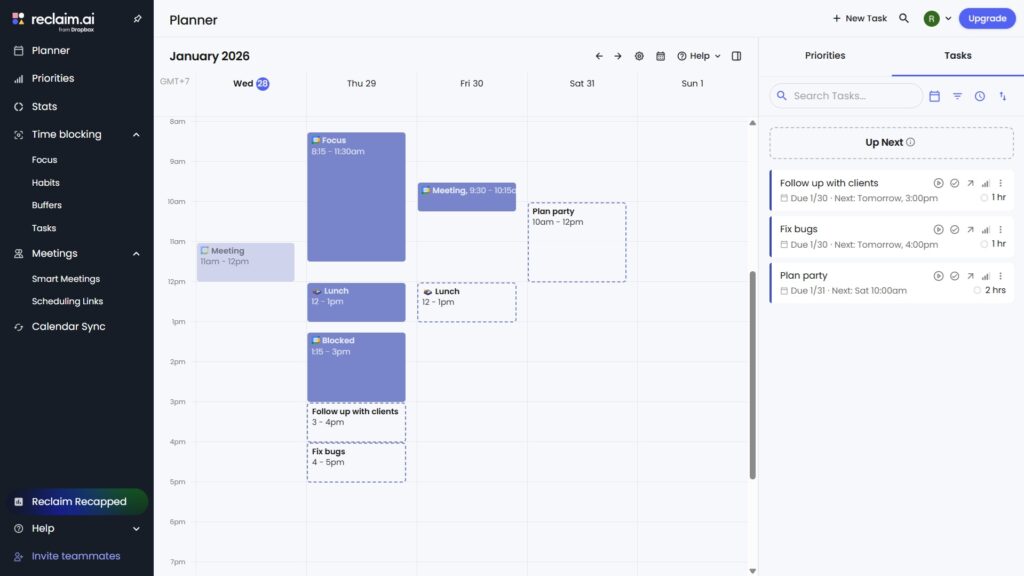
Common challenges include adjusting to automation in Reclaim AI and limited collaboration tools in FlowSavvy. Choosing depends on user priorities and workflow style.
Credit: flowsavvy.app
Ideal Users And Use Case Recommendations
Choosing between Reclaim AI and FlowSavvy depends on your work style and scheduling needs. Both tools help manage calendars but target different user groups. Understanding their strengths helps pick the right one for your productivity.
Who Benefits Most From Reclaim Ai?
Reclaim AI suits professionals working in teams or larger organizations. It offers:
- Extensive integrations with popular work apps and calendars
- Automatic scheduling that adjusts to changing priorities
- Strong focus on enterprise-level features and collaboration
Teams needing seamless sync with work tools and dynamic meeting management gain the most. It fits users who want AI to handle complex calendar conflicts and task prioritization automatically.
Who Should Choose Flowsavvy Instead?
FlowSavvy targets individual users who prefer simple, manual control. It is ideal for:
- People who want to avoid automatic task rescheduling
- Users seeking a lighter, user-friendly scheduling app
- Those focused on personal productivity without team complexity
FlowSavvy keeps tasks fixed until manually changed, avoiding assumptions about completion. It suits users who want clear control without enterprise-level integrations.
Matching Features To Specific Productivity Needs
| Feature | Reclaim AI | FlowSavvy |
|---|---|---|
| Automatic Scheduling | Yes, AI adjusts tasks and meetings | No, manual control preferred |
| Integrations | Wide range, ideal for enterprises | Minimal, focused on individual use |
| Task Rescheduling | Automatic rescheduling based on priorities | Does not assume task completion; no auto-rescheduling |
| User Type | Teams, professionals, enterprises | Individual users, personal productivity |
Reclaim AI fits users needing automated, integrated calendar management. FlowSavvy suits those who want simple, manual scheduling control.
Final Verdict: Choosing Between Reclaim Ai And Flowsavvy
Deciding between Reclaim AI and FlowSavvy depends on your scheduling needs. Both tools use AI to help plan your tasks and meetings. They improve productivity by managing your calendar smarter. Understanding their differences helps pick the best fit for you.
Summary Of Key Differences And Benefits
| Feature | Reclaim AI | FlowSavvy |
|---|---|---|
| Target User | Enterprise and teams | Individual users |
| Integrations | More integrations (Google Calendar, Dropbox, etc.) | Fewer integrations, simpler setup |
| Task Scheduling | Auto-schedules tasks and meetings | Schedules tasks without assuming completion |
| User Focus | Team collaboration and complex workflows | Personal productivity and time blocking |
| Pricing | Transparent, free tier available | Competitive, with focus on individual plans |
Reclaim AI suits users needing broad integration and team management. FlowSavvy fits those wanting simple, personal task scheduling without auto rescheduling assumptions.
Decision-making Tips For Selecting The Right Tool
- Choose Reclaim AI if you work with teams or need many app integrations.
- Pick FlowSavvy if you want straightforward personal task management.
- Consider how much automation you want; Reclaim is more automatic, FlowSavvy is more manual.
- Evaluate the calendar apps you use. Reclaim supports more platforms.
- Test free versions to see which UI feels easier for your daily use.
Future Outlook And Updates To Watch For
Reclaim AI plans to expand integrations and improve enterprise features. Watch for updates enhancing team collaboration and workflow automation.
FlowSavvy focuses on refining task scheduling accuracy and user control. Future updates may add new personal productivity tools and better calendar syncing.
Both apps aim to evolve with user feedback. Keep an eye on their release notes to catch new features that suit your needs.
Frequently Asked Questions
What Are The Key Differences Between Reclaim Ai And Flowsavvy?
Reclaim AI focuses on automated scheduling and calendar sync, ideal for enterprises. FlowSavvy emphasizes individual productivity by tracking time and habits. Both improve productivity but cater to different user needs.
Which Tool Offers Better Calendar Integration Options?
Reclaim AI provides more integrations with popular calendar apps and team tools. FlowSavvy has fewer integrations but prioritizes simplicity and user control. Choose based on your integration needs.
How Does Flowsavvy Handle Task Completion Compared To Reclaim Ai?
FlowSavvy does not auto-reschedule tasks if time passes without completion. Reclaim AI may automatically adjust your schedule based on task status. This affects how flexible your planning is.
Is Reclaim Ai Suitable For Individual Users Or Enterprises?
Reclaim AI is more enterprise-centered with features supporting teams and complex workflows. FlowSavvy is designed primarily for individual users seeking personal productivity improvements.
Conclusion
Both Reclaim AI and FlowSavvy help you manage time better. Reclaim AI works well for teams with many app integrations. FlowSavvy suits individuals focusing on habits and time tracking. Each app offers unique features to boost productivity. Choose the one that fits your daily needs best. Want to try Reclaim AI? Check it out here: Reclaim AI.