Smartsheet Vs Clickup: Ultimate Comparison for Project Success
Choosing the right project management tool can make or break your productivity. You might be wondering: should you go with Smartsheet’s spreadsheet-style planning or ClickUp’s all-in-one, highly flexible workspace?
If you want a platform that adapts perfectly to how you and your team work—handling tasks, docs, chats, and even AI-powered features—all in one place, ClickUp might just be your game changer. On the other hand, if structured data management and enterprise governance are your priorities, Smartsheet has its strengths. You’ll get a clear, straightforward comparison of Smartsheet vs ClickUp, so you can make the best choice for your workflow and save both time and money. Ready to dive into the details? Let’s explore which tool truly fits your needs. If you’re curious about ClickUp and want to see how it could replace multiple apps in your daily routine, check out this ClickUp offer that could transform your productivity.
Credit: www.techrepublic.com
Introduction To Smartsheet And Clickup
Choosing the right project management tool is vital for team success. Smartsheet and ClickUp are popular options with distinct strengths. Understanding their core features helps in picking the best fit. This section introduces both platforms and explains why this comparison matters.
Overview Of Smartsheet: Purpose And Core Functionality
Smartsheet is a cloud-based platform designed to simplify work management. It uses a familiar spreadsheet-like interface to organize tasks and projects. Teams track progress, automate workflows, and collaborate efficiently.
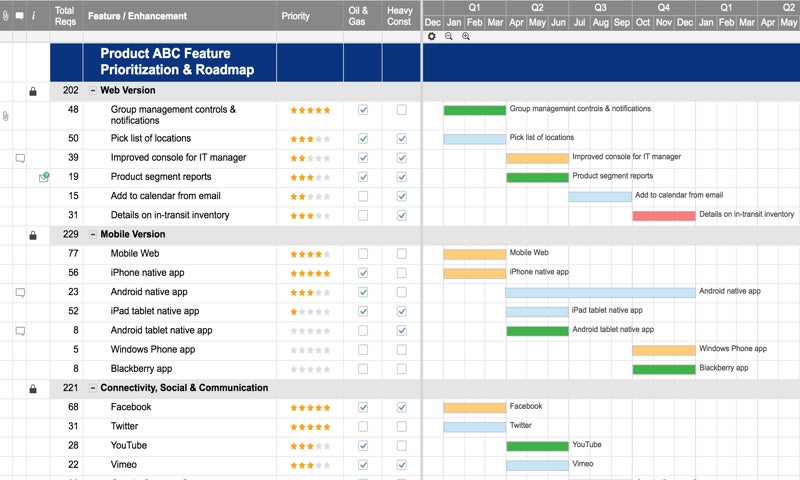
- Project tracking with Gantt charts and calendars
- Automated alerts and reminders
- Resource and budget management
- File sharing and real-time collaboration
Its strength lies in managing structured data and workflows for teams comfortable with spreadsheets. Smartsheet suits businesses needing detailed project tracking and reporting.
Introduction To Clickup: An All-in-one Productivity Platform
ClickUp offers a versatile workspace combining tasks, docs, chat, and goals. It aims to replace multiple apps with one platform. Teams collaborate in one place with strong AI support.
- Task management with lists, boards, and timelines
- Built-in chat and document creation
- Goal tracking and time management tools
- AI features to save time and improve workflows
ClickUp adapts to many team styles and sizes. It fits teams wanting an all-in-one tool to handle projects, communication, and productivity seamlessly.
Why Comparing Smartsheet And Clickup Matters For Project Success
Each platform offers unique features that impact team efficiency. Choosing the wrong tool can cause delays and confusion. Comparing helps:
- Identify which tool matches your team’s workflow
- Understand pricing and scalability options
- Find features that boost collaboration and tracking
- Ensure smooth project delivery and communication
Smart selection leads to better project outcomes and happier teams.

Credit: www.fluid.work
Key Features Of Smartsheet And Their Benefits
Smartsheet offers a powerful set of tools designed to enhance project management and team collaboration. Its features focus on easy data handling, strong governance, insightful analytics, and customizable automation. These capabilities help teams stay organized, maintain control, and make smarter decisions quickly.
Spreadsheet-style Data Management For Structured Planning
Smartsheet uses a familiar spreadsheet layout that simplifies project planning and tracking. Users can:
- Organize tasks and data clearly in rows and columns.
- Link sheets to connect related information.
- Use formulas and filters to manage complex data easily.
This structured approach helps teams plan projects with precision and keep details transparent.
Enterprise Governance And Compliance Capabilities
Smartsheet supports large organizations with strong governance features. It includes:
- Role-based access control to protect sensitive information.
- Audit trails to track changes and user actions.
- Compliance support for industry standards and regulations.
These tools ensure data security and help companies meet legal requirements efficiently.
Robust Reporting And Analytics For Informed Decision-making
Smartsheet provides powerful reporting tools that turn raw data into clear insights. Features include:
- Customizable dashboards to visualize key metrics.
- Automated reports that deliver updates regularly.
- Data roll-ups to summarize information from multiple sheets.
These analytics help managers make decisions based on real-time, accurate data.
Automation And Workflow Customization To Streamline Processes
Smartsheet enables users to automate routine tasks and customize workflows. Key benefits are:
- Automated alerts and reminders to keep projects on track.
- Conditional workflows that adapt to project needs.
- Integration with other apps to connect work across platforms.
Automation reduces manual work and ensures processes flow smoothly without delays.
Distinctive Features Of Clickup And Their Advantages
ClickUp stands out with unique features designed to enhance team productivity and project management. Its tools adapt to various workflows and support seamless collaboration. These features create a flexible, efficient workspace for teams of all sizes.
Highly Flexible Task And Project Views To Fit Any Workflow
ClickUp offers multiple task views that adjust to different team needs. Users can switch between:
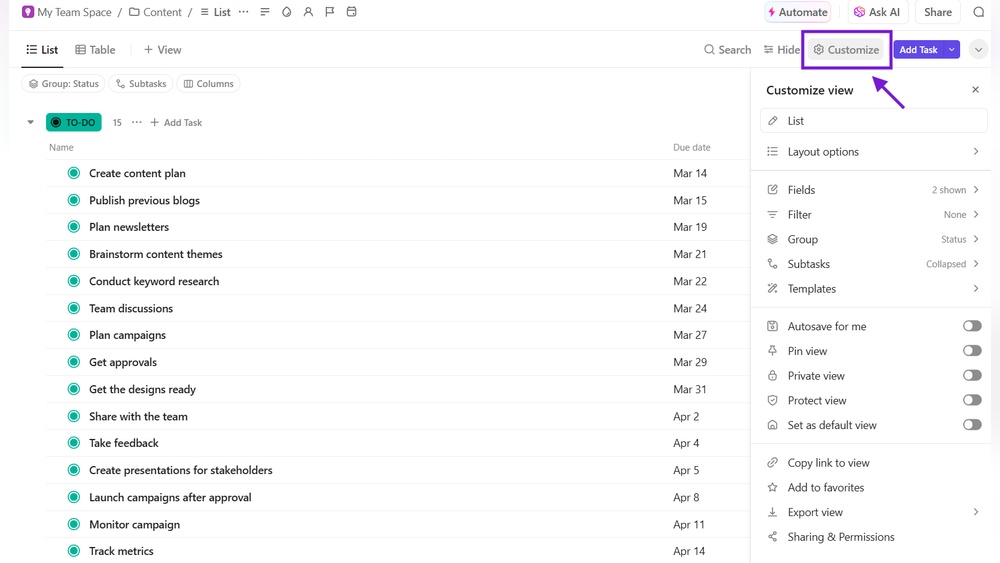
- List View: Clear, detailed task lists for easy tracking.
- Board View: Visual Kanban-style boards for managing workflows.
- Calendar View: Scheduling tasks and deadlines visually.
- Gantt Chart: Timeline view to track project progress.
This flexibility helps teams organize tasks in the way that suits them best. It supports varied project types and personal preferences.
Integrated Docs And Collaboration Tools To Boost Team Productivity
ClickUp combines documents, spreadsheets, and wikis inside the platform. Teams can:
- Create and edit docs directly without leaving the app.
- Comment and tag teammates to improve communication.
- Use real-time collaboration for faster decision-making.
- Attach files and link tasks to keep all information connected.
This integration reduces app switching and keeps teams aligned on project goals.
Built-in Ai Features For Enhanced Efficiency And Insights
ClickUp includes AI tools that help with:
- Automating routine tasks to save time.
- Generating smart task suggestions based on work patterns.
- Providing insights through data analysis for better planning.
- Summarizing long documents to quickly grasp key points.
These AI capabilities help teams work smarter and focus on important tasks.
Fast Feature Updates And Customization Options For Dynamic Teams
ClickUp frequently updates its platform with new features. Teams benefit from:
- Custom statuses and fields to match unique workflows.
- Flexible automation rules to reduce manual work.
- Widgets and dashboards that track key metrics at a glance.
- API access for deeper integrations with other tools.
This rapid innovation and customization make ClickUp ideal for teams that evolve quickly.
Credit: www.onethreadapp.com
Pricing And Affordability Comparison
Selecting the best project management tool shapes your team’s workflow and success. Both Smartsheet and ClickUp offer strong features, but their strengths differ. Understanding these differences helps match the right tool to your project needs. Consider your team size, project type, and desired flexibility to make an informed choice.
Summary Of Key Differences And Strengths
| Feature | Smartsheet | ClickUp |
|---|---|---|
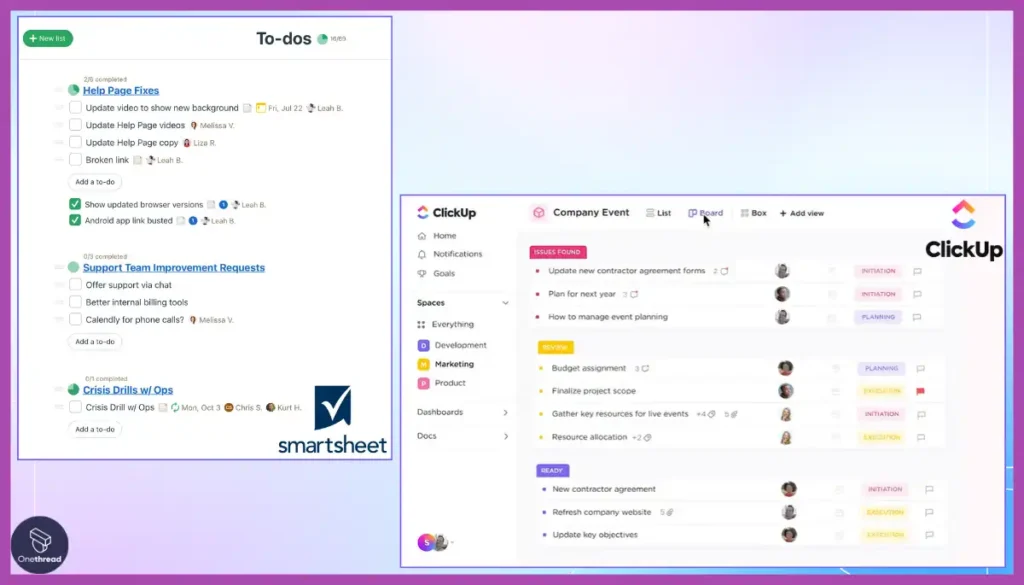
| Interface | Spreadsheet-like, familiar for Excel users | Modern, customizable dashboards and views |
| Task Management | Strong grid and Gantt support | Robust task features with multiple views |
| Automation | Powerful workflow automation | AI-driven automation and integrations |
| Collaboration | Good for structured team communication | Integrated chat, docs, and real-time collaboration |
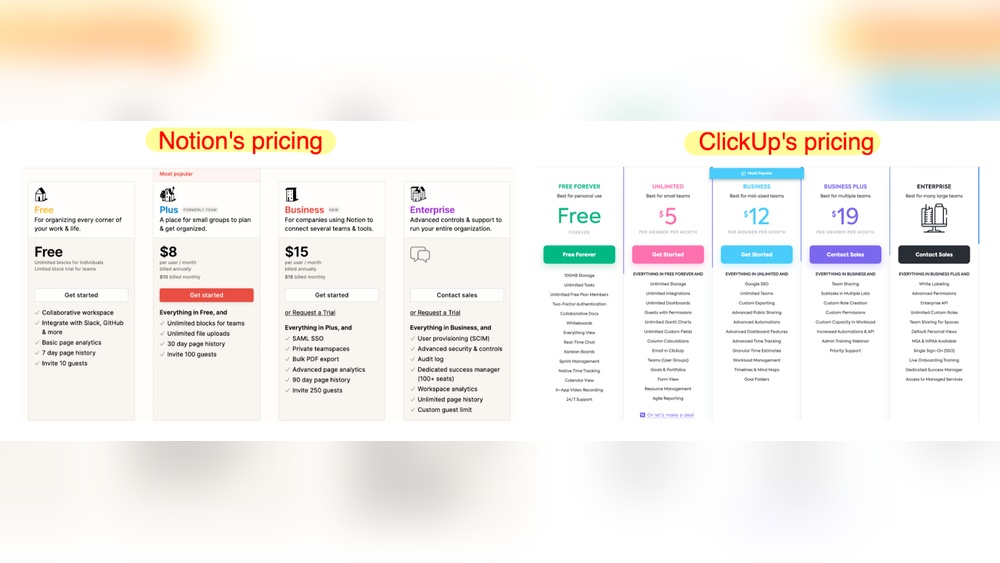
| Pricing | Higher cost, suited for enterprise | Flexible plans, cost-effective for various teams |
Decision-making Tips Based On Team Needs And Project Complexity
- For large enterprises handling complex projects, Smartsheet’s structured approach fits well.
- Teams needing flexibility and diverse workflows benefit from ClickUp’s customization.
- Projects demanding real-time collaboration and integrated communication favor ClickUp.
- If spreadsheet familiarity is key, Smartsheet’s interface eases adoption.
- Budget-conscious teams find ClickUp’s pricing more accessible.
- Use case complexity:
- Simple task tracking: ClickUp
- Complex project scheduling: Smartsheet
Final Thoughts On Maximizing Project Outcomes With Smartsheet Or Clickup
Both tools boost productivity and teamwork when used wisely. Align tool choice with your team’s workflow and project demands. Training your team on the selected platform enhances adoption and efficiency. Regularly review tool performance against project goals to ensure continued success.
Choose Smartsheet for structured, spreadsheet-style project control. Opt for ClickUp for flexible, all-in-one project and communication management.
Frequently Asked Questions
Is Smartsheet Better Than Clickup?
Smartsheet excels in spreadsheet-like data management and enterprise governance. ClickUp offers flexible task management, docs, and built-in AI for diverse team needs. Choose based on your focus: Smartsheet for structured data, ClickUp for all-in-one productivity and fast feature updates.
Is There Anything Better Than Clickup?
Some alternatives to ClickUp include Monday. com, Asana, Notion, Trello, Wrike, and Smartsheet. Each suits different team needs and workflows.
Who Is Smartsheets’ Biggest Competitor?
Smartsheet’s biggest competitor is Monday. com, known for its visual workflows and customizable dashboards. Other strong competitors include ClickUp, Asana, and Wrike. These tools offer varied features catering to task management, project tracking, and team collaboration. Monday. com excels in flexibility and visual project planning.
What Are The Disadvantages Of Smartsheet?
Smartsheet can be complex for new users and may require training. It has limited offline access and higher costs for small teams. Integration options are fewer compared to competitors. Reporting features may lack depth for advanced analytics. User interface feels less intuitive than some modern tools.
Conclusion
Choosing between Smartsheet and ClickUp depends on your needs. Smartsheet suits those who prefer spreadsheet-style project tracking. ClickUp works well for teams wanting flexible task views and built-in AI tools. It combines many apps in one place, saving time and money. Both tools help manage projects, but ClickUp offers more features for teamwork and communication. Explore ClickUp’s benefits and see if it fits your workflow by visiting ClickUp. Make your choice based on what helps your team work best.