Zenkit Vs Todoist: Ultimate Comparison for Task Management Success
Trying to decide between Zenkit and Todoist for managing your tasks? You’re not alone.
Both apps promise to boost your productivity, but which one truly fits your style and needs? Whether you want a simple to-do list or a flexible task management system, understanding the differences can save you time and frustration. You’ll discover how Zenkit and Todoist stack up against each other, so you can pick the perfect tool that brings clarity and control to your daily workflow. Ready to simplify your life? Check out Todoist, the world’s 1 to-do list app trusted by over 50 million professionals. Let’s dive in and find out which app deserves a spot in your productivity toolkit!
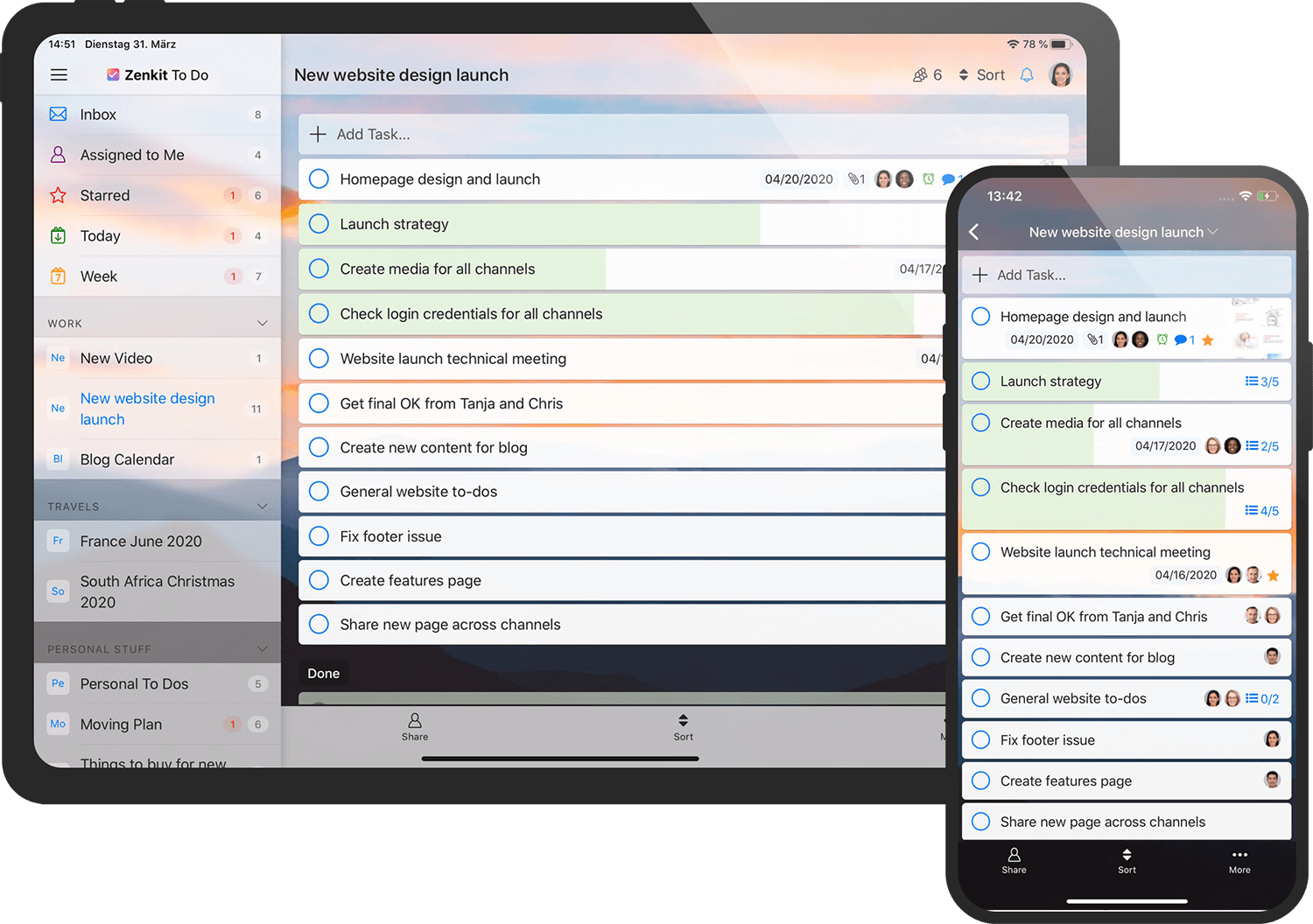
Credit: zenkit.com
Introduction To Zenkit And Todoist
Choosing between Zenkit and Todoist depends on your task management needs. Both tools offer unique features that suit different work styles. Understanding their differences helps you pick the right app. Success in managing tasks starts with selecting the tool that fits your workflow best.
Summary Of Key Differences And Strengths
| Feature | Todoist | Zenkit |
|---|---|---|
| Ease of Use | Simple setup and intuitive interface | More complex but flexible options |
| Task Management Style | Focused on to-do lists and quick task entry | Supports multiple views like Kanban, tables, and mind maps |
| Collaboration | Good for individuals and small teams | Better for teams needing diverse project views |
| Customization | Limited but efficient task prioritization | Highly customizable workflows and layouts |
| Business Relations | Widespread use by millions worldwide | Preferred by some for customer support and service |
Final Recommendations For Selecting Zenkit Or Todoist
- Choose Todoist if you want a clean, easy-to-use task list.
- Pick Zenkit when you need multiple views and flexible project layouts.
- Todoist suits professionals needing quick task capture and prioritization.
- Zenkit fits teams requiring collaboration with varied project management tools.
- Consider your team size and workflow before deciding.
Tips For Getting Started With Your Chosen Tool
- Sign up and explore the basic features first.
- Create your first tasks or projects to understand the workflow.
- Use templates or presets to speed up setup.
- Set clear priorities and due dates for tasks.
- For teams, invite members and assign roles early.
- Regularly review and update your task list or project board.
- Use mobile apps to manage tasks on the go.
Credit: zenkit.com

Credit: medium.com
Frequently Asked Questions
What Are The Key Differences Between Zenkit And Todoist?
Zenkit offers flexible task views like Kanban, list, and mind map, while Todoist focuses on simple to-do lists. Zenkit suits complex project management, whereas Todoist is ideal for straightforward task tracking and daily productivity.
Which App Is Better For Team Collaboration, Zenkit Or Todoist?
Zenkit provides advanced collaboration features with shared projects, comments, and multiple views. Todoist supports team tasks but is more limited. For robust team workflows, Zenkit is generally preferred.
How Do Zenkit And Todoist Compare In Ease Of Use?
Todoist is praised for its simple setup and intuitive interface, making it easy for beginners. Zenkit has a steeper learning curve due to its versatility but offers more powerful features once mastered.
Are There Pricing Differences Between Zenkit And Todoist?
Both offer free plans with basic features. Zenkit’s paid plans focus on project management tools, while Todoist’s premium plans enhance task tracking and reminders. Pricing depends on your specific needs.
Conclusion
Choosing between Zenkit and Todoist depends on your task needs. Zenkit offers flexible views for complex project management. Todoist provides a simple, clear to-do list experience. Many find Todoist easier to use and set up quickly. It helps keep tasks organized without confusion. For those who want clarity and simplicity, Todoist stands out. Try Todoist today and see how it fits your workflow: todoist. Make task management less stressful and more productive. The right app makes all the difference.