Clickup Reminder Vs Task: Ultimate Guide to Boost Productivity
Are you struggling to keep your to-dos organized and wondering whether to use ClickUp Reminders or Tasks? You’re not alone.
Understanding the difference between these two features can transform how you manage your day and boost your productivity. While Reminders are perfect for quick, personal notes and small action items, Tasks are designed for bigger projects that need detailed planning and collaboration. If you want to save time, reduce stress, and never miss a deadline again, mastering the use of Reminders versus Tasks in ClickUp is essential. Ready to take control of your workflow? Discover how ClickUp’s powerful AI software can replace all your apps, streamline your projects, and keep your team perfectly in sync. Check it out here: ClickUp. Keep reading to find out which option suits your needs best and how to get the most out of both!
Introduction To Clickup Reminders And Tasks
ClickUp offers two key tools to manage your daily work: Reminders and Tasks. Both help you organize activities but serve different purposes. Understanding these tools helps you boost your productivity and keep your work on track.
Reminders act as quick alerts for simple, personal notes or small tasks. Tasks are more detailed and suited for projects or complex work requiring collaboration. Knowing when to use each can save time and reduce confusion.
Understanding The Purpose Of Reminders And Tasks In Clickup
Reminders are simple, private alerts you set for yourself. They usually contain a short note or a quick task. Reminders pop up at the right time to help you remember small but important things.
Tasks are more powerful. They let you add detailed descriptions, checklists, attachments, and assign work to others. Tasks track progress and deadlines, making them perfect for team projects and bigger goals.
| Feature | Reminders | Tasks |
|---|---|---|
| Purpose | Quick personal notes and alerts | Detailed work items and projects |
| Visibility | Private unless shared | Shared with team members |
| Details | Short title or note only | Description, attachments, checklists |
| Collaboration | No | Yes |
| Use case | Simple reminders, quick ideas | Complex tasks, projects, teamwork |
Why Distinguishing Between Reminders And Tasks Matters For Productivity
Using Reminders and Tasks correctly keeps your work clear and organized. Reminders help you track small, quick needs without cluttering your task list. Tasks keep your projects structured and visible to your team.
Mixing these tools can cause confusion and lost time. For example, putting detailed work into Reminders makes it hard to follow up. Using Tasks for simple notes wastes effort and slows you down.
- Use Reminders for short, personal alerts and quick notes.
- Use Tasks for work that needs details, deadlines, or teamwork.
- Separate use helps you focus on what matters right now.
- Clear roles for each tool improve your daily workflow.
Distinguishing these tools makes ClickUp more effective. You get better control over your time and projects. Your work stays organized and your mind stays free.
Key Features Of Clickup Reminders
ClickUp Reminders offer a simple and efficient way to keep track of personal notes and small tasks. They are designed for quick, private use without the need for detailed descriptions or complex setups. Reminders help users capture ideas instantly and ensure timely follow-up with due date alerts. Below are the main features that make ClickUp Reminders valuable for daily task management.
Private And Quick Notes: Capturing Ideas Instantly
Reminders in ClickUp are private by default. Only you can see them unless you decide to share or delegate. This makes Reminders perfect for jotting down quick thoughts or ideas without creating a full task. You can add a note in seconds, so nothing important slips away.
Use Reminders to:
- Capture spontaneous ideas
- Record small personal tasks
- Keep private notes handy
Simple Action Items Without Detailed Descriptions
Reminders are lightweight and straightforward. They don’t require lengthy descriptions or extra details. Just a title and a due date are enough to set a reminder. This simplicity saves time and avoids clutter, focusing on quick, actionable items.
Ideal for:
- Short to-do items
- Tasks with no need for attachments or comments
- Personal reminders like calls or errands
Cross-workspace Accessibility For Seamless Task Management
Reminders sync across all your ClickUp workspaces. This means you can view and manage your reminders no matter which workspace you are in. Cross-workspace access keeps your tasks centralized and easy to reach.
| Feature | Description |
|---|---|
| Cross-workspace Sync | Access reminders from any workspace instantly |
| Unified Task List | All reminders appear in one place for easy tracking |
Due Date Alerts And Inbox Placement For Timely Follow-up
Reminders come with due date alerts to notify you at the right time. They also appear in your ClickUp Inbox, making sure you don’t miss any important follow-ups. This feature helps keep your schedule on track without extra effort.
- Receive notifications when reminders are due
- See all reminders in the Inbox for quick access
- Stay organized with timely follow-up prompts
Key Features Of Clickup Tasks
ClickUp Tasks offer a robust solution for managing work efficiently. They provide more depth and flexibility than simple reminders. Tasks help organize projects with clear details, progress updates, and team collaboration.
Detailed Task Management With Descriptions And Attachments
Each task in ClickUp allows a clear description explaining what needs to be done. This helps avoid confusion and keeps everyone aligned.
You can add attachments like files, images, or documents directly to tasks. This centralizes all necessary resources in one place.
- Write detailed instructions or notes.
- Attach relevant files for easy access.
- Keep all task-related information organized.
Status Tracking And Progress Monitoring
ClickUp Tasks feature status tracking to show where each task stands. Common statuses include “To Do,” “In Progress,” and “Complete.”
Progress monitoring helps teams see how much work is done and what remains. It supports better planning and timely delivery.
| Status | Description |
|---|---|
| To Do | Task is planned but not started |
| In Progress | Work on task is currently ongoing |
| Complete | Task has been finished |
Collaboration Features: Delegation And Comments
Tasks can be assigned to team members, ensuring clear ownership.
The comments section allows discussion, questions, and updates right inside the task. This keeps communication focused and easy to follow.
- Assign tasks to specific people.
- Use comments to share feedback.
- Keep all communication linked to the task.
Integration With Other Clickup Tools And Workflows
Tasks connect seamlessly with other ClickUp features, such as Goals, Docs, and Time Tracking.
This integration creates smooth workflows and better context for all work. Teams spend less time switching apps and more time finishing projects.
- Link tasks to project goals.
- Track time spent directly within tasks.
- Use Docs to add detailed project notes.
Credit: help.clickup.com
Pricing And Affordability Breakdown
Understanding ClickUp’s pricing is key to choosing the right plan for your needs. The costs affect which features you can use for Reminders and Tasks. This section breaks down the pricing plans, how costs influence productivity, and the value of free versus paid tiers.
Overview Of Clickup’s Pricing Plans Relevant To Reminders And Tasks
ClickUp offers several pricing plans that impact access to Reminders and Tasks features. The main plans include:
| Plan | Price (per user/month) | Relevant Features for Reminders and Tasks |
|---|---|---|
| Free | $0 | Basic Reminders and Tasks, limited storage, simple task views |
| Unlimited | Approximately $5 | Unlimited tasks, reminders, integrations, advanced task views |
| Business | Approximately $12 | Advanced automation, custom task statuses, priority support |
The Free plan suits individuals with simple needs. Paid plans unlock advanced task features and better reminder management.
How Cost Impacts Feature Availability And Productivity
Costs directly affect what features users can access. Free users get basic task and reminder functions. Paid users enjoy:
- More detailed task descriptions and subtasks
- Advanced reminder settings and notifications
- Task dependencies and automation
- Better collaboration tools for teams
These features help increase productivity by organizing work clearly and avoiding missed deadlines. Teams benefit from tools that support task delegation and tracking.
Value Proposition: Free Vs Paid Tiers For Individual And Team Users
Individuals can manage simple reminders and tasks on the Free plan. It fits users needing quick notes or personal to-dos. Paid plans offer:
- More task customization
- Unlimited reminders
- Integration with calendars and apps
Teams gain more value from paid plans. They need:
- Collaboration features
- Task assignments and statuses
- Automation to reduce manual work
The cost balances feature access with productivity needs. Choosing a plan depends on task complexity and user count.
Pros And Cons Based On Real-world Usage
ClickUp offers two key tools to organize your work: Reminders and Tasks. Each has unique strengths and weaknesses. Understanding these can help you decide which fits your needs better. Real users report different experiences depending on their work style and project complexity.
Advantages Of Using Reminders For Personal And Quick Tasks
Reminders in ClickUp serve well for simple and personal tasks. They act like quick notes or alerts just for you. Users appreciate that Reminders:
- Are easy to create with minimal information needed
- Stay private unless you choose to share
- Help capture fleeting ideas or quick to-dos fast
- Trigger alerts exactly when needed without extra setup
For quick, one-off tasks, Reminders keep things light and fast. They avoid cluttering project views with small items.
Limitations Of Reminders Compared To Tasks
Reminders have fewer features than Tasks. They lack options like:
- Adding detailed descriptions or attachments
- Assigning to team members easily
- Setting dependencies or priorities
- Tracking progress or time spent
Because Reminders are basic, they do not support complex workflows. They can feel limiting for anything beyond simple alerts.
Benefits Of Tasks For Complex Project Management
Tasks are designed for detailed project work. They offer many advantages:
- Rich descriptions and comments to share context
- Assignment to team members for clear responsibility
- Options for priorities, statuses, and deadlines
- Ability to add checklists, attachments, and subtasks
- Tracking progress and time for better management
Tasks fit well for collaborative projects and long-term goals. They help organize complicated work into manageable parts.
Challenges When Choosing Between Reminders And Tasks
Choosing between Reminders and Tasks depends on the job’s size and complexity. Users face these challenges:
- Deciding if the task needs extra details or collaboration
- Balancing simplicity against management features
- Keeping personal notes separate from team projects
- Avoiding clutter by not overusing Reminders or Tasks
Some prefer Reminders for speed and privacy. Others choose Tasks to ensure nothing gets missed in complex projects.
| Aspect | Reminders | Tasks |
|---|---|---|
| Detail Level | Minimal | Rich |
| Collaboration | Private by default | Team-friendly |
| Complexity Handling | Simple tasks only | Supports complex projects |
| Progress Tracking | No | Yes |
When To Use Clickup Reminders Vs Tasks
Understanding the difference between ClickUp Reminders and Tasks helps manage work better. Both tools serve different purposes. Choosing the right one saves time and increases productivity.
Ideal Scenarios For Using Reminders Effectively
Reminders are simple and personal. Use them for quick notes or small alerts. They work best for:
- Short, one-time tasks like “Call John at 3 PM.”
- Personal to-dos that do not need detailed info.
- Brainstorm ideas or “shower thoughts” you want to remember.
- Tasks without collaboration or extra steps.
Reminders stay private unless you assign them to others. They help you keep track of small tasks without clutter.
Best Cases For Leveraging Tasks For Detailed Work
Tasks are more powerful and flexible. Use them for projects needing details and teamwork. Tasks fit situations like:
- Projects requiring descriptions, attachments, or checklists.
- Work that involves multiple people or departments.
- Tasks that have subtasks or dependencies.
- Situations needing comments, status updates, or time tracking.
Tasks are ideal for managing complex work that demands clear organization and communication.
How To Decide Based On Task Complexity And Collaboration Needs
| Factor | Use Reminders | Use Tasks |
|---|---|---|
| Task Complexity | Simple, quick tasks | Detailed, multi-step tasks |
| Collaboration | Personal, no collaboration | Team involvement required |
| Information Needs | Minimal details | Attachments, comments, checklists |
| Tracking | Basic due date alert | Progress tracking and reporting |
Tips For Integrating Both Features To Maximize Productivity
- Start small: Use reminders for quick, personal alerts.
- Upgrade complexity: Convert reminders to tasks when more details or collaboration are needed.
- Keep focus: Use reminders to clear your mind by jotting down ideas fast.
- Organize work: Use tasks to plan, assign, and track progress in projects.
- Review regularly: Check reminders daily and move important ones to tasks.
Using reminders and tasks together keeps your workflow smooth. Each tool supports different parts of your workday.
Conclusion And Productivity Boosting Tips
ClickUp offers two key features to help organize your work: Reminders and Tasks. Knowing how to use each feature properly can improve daily productivity. This section breaks down their differences and provides tips for Austin, Texas professionals to streamline workflows effectively.
Summary Of Key Distinctions And Use Cases
| Feature | Description | Best Use Cases | Visibility |
|---|---|---|---|
| Reminders | Simple, quick notes with a due date. | Personal tasks, quick thoughts, small follow-ups. | Private unless delegated. |
| Tasks | Detailed to-dos with descriptions, attachments, subtasks. | Complex projects, team assignments, detailed tracking. | Visible to teams and collaborators. |
Reminders act as lightweight alerts for immediate or personal use. Tasks support comprehensive project management with more context and collaboration.
Practical Recommendations For Austin, Texas Professionals
- Use Reminders for quick, personal alerts such as meetings or calls.
- Create Tasks for client projects or team-based assignments requiring detailed tracking.
- Set clear due dates and priorities to avoid missing deadlines.
- Delegate tasks to colleagues to improve team accountability.
- Regularly review and update tasks to keep workflows on track.
Austin professionals often juggle multiple projects. Efficient use of ClickUp features helps manage time and focus on priorities.
Leveraging Clickup Reminders And Tasks To Streamline Workflows
- Start your day by checking Reminders for urgent personal actions.
- Organize larger projects into tasks with clear descriptions and deadlines.
- Break tasks into subtasks for step-by-step progress tracking.
- Use comments inside tasks to communicate with team members.
- Set recurring reminders for routine activities to build habits.
- Sync ClickUp with calendars to get timely notifications.
Combining Reminders and Tasks creates a balanced system. Use Reminders for immediate prompts. Use Tasks to manage projects and teamwork.

Credit: clickup.com
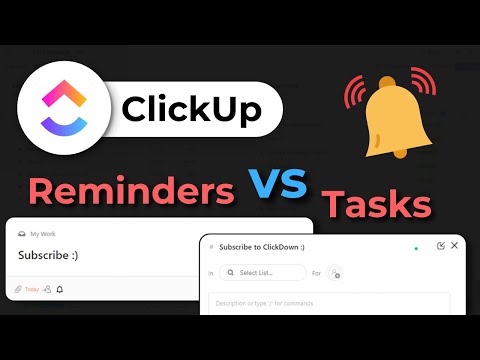
Credit: www.youtube.com
Frequently Asked Questions
What Is The Difference Between A Reminder And A Task In Clickup?
Reminders in ClickUp are simple, personal alerts with due dates, often for quick notes. Tasks are detailed, collaborative action items with descriptions and attachments. Reminders stay private unless delegated, while tasks support complex project management and team workflows.
What Is The Difference Between Reminders And Tasks?
Reminders are simple, quick notes for personal use with a set due date. Tasks are detailed to-dos with descriptions and collaboration options.
How Do Clickup Reminders Work?
ClickUp reminders alert you at a set date and time. They appear in your Inbox’s Primary tab. Use reminders for quick, personal to-dos or notes. You can delegate reminders, and they work across multiple Workspaces. Unlike tasks, reminders don’t include detailed descriptions.
What Is The Difference Between A Reminder And A Notification?
A reminder alerts you at a set time to prompt action. A notification informs you about updates or changes.
Conclusion
Choosing between ClickUp reminders and tasks depends on your needs. Reminders suit quick notes or small personal to-dos. Tasks work best for detailed projects requiring more information. Both help keep you organized and on track. Use reminders for simple alerts and tasks for bigger goals. To explore how ClickUp can simplify your workflow, visit ClickUp today. Manage your work smarter, save time, and stay focused with the right tool.