Does Clickup Have an App: Ultimate Guide to Features & Benefits
Are you wondering if ClickUp has an app to help you stay productive on the move? The good news is, ClickUp offers powerful apps designed to keep your tasks, chats, documents, and projects all in one place—right at your fingertips.
Whether you’re using an iPhone, Android device, Windows, Mac, or Linux computer, ClickUp’s apps give you seamless access to everything you need, whenever and wherever you need it. Imagine managing your work effortlessly, with AI tools boosting your efficiency, and real-time notifications keeping you in the loop. Ready to discover how ClickUp’s apps can transform your productivity? Check it out here: ClickUp App and unlock a new level of workflow mastery.

Credit: zapier.com
Introduction To The Clickup App
ClickUp offers a unified app that combines project management, communication, and AI tools. It helps teams and individuals organize tasks and collaborate smoothly. The app works across devices, ensuring access anytime and anywhere.
This section explains what ClickUp is, why its apps are useful, and which platforms they support.
Overview Of Clickup As A Project Management Tool
ClickUp is a productivity platform that merges task tracking, document collaboration, chat, and AI features. It aims to replace multiple software by providing all-in-one functionality.
- Task and project management with real-time updates
- Communication through built-in chat and comments
- Document and whiteboard collaboration
- AI-powered assistance to boost productivity
The platform suits teams of all sizes and individual users who need a streamlined workflow.
Purpose And Accessibility Of Clickup Apps
ClickUp apps offer easy access to all platform features on different devices. They keep users productive by syncing tasks and data instantly.
- Manage projects on the move via mobile devices
- Use desktop apps for faster performance than browsers
- Receive instant notifications and updates
- Enjoy the same experience across all platforms
All apps are free for every ClickUp user, including guests, so no extra cost applies.
Platforms Supported: Mobile And Desktop
| Platform | Operating Systems | Key Features |
|---|---|---|
| Mobile App | iOS, Android |
|
| Desktop App | Windows, Mac, Linux |
|
ClickUp also supports browser extensions and voice assistant integrations.
Credit: help.clickup.com
Key Features Of The Clickup Mobile App
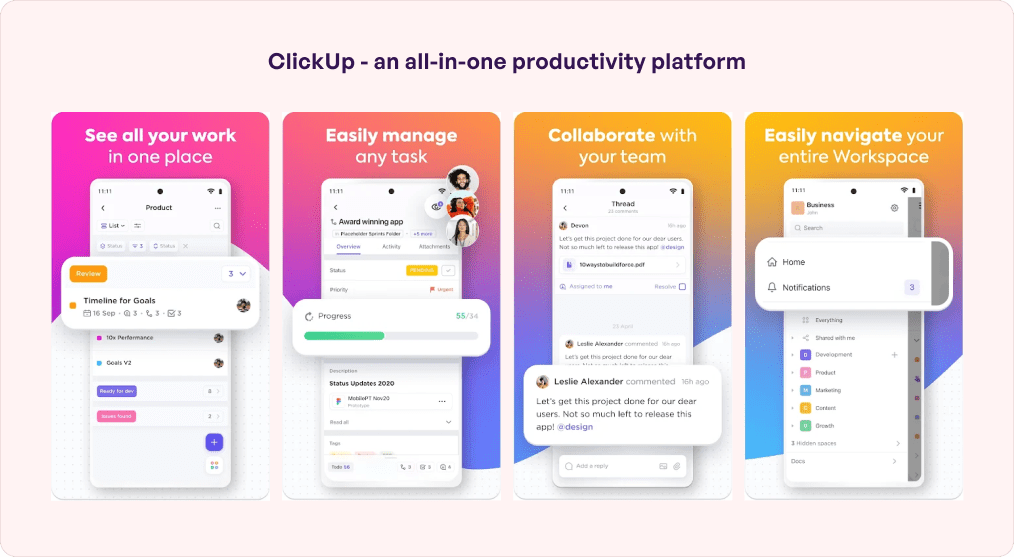
The ClickUp mobile app brings powerful productivity tools right to your fingertips. It combines task management, communication, and AI in one easy-to-use platform. Users can stay connected and organized from anywhere, using both iOS and Android devices.
The app mirrors the desktop and web experience, ensuring smooth workflows on the go. It supports all user types, including guests, without limits. Below are some of the key features that make the ClickUp mobile app a valuable tool for teams and individuals.
Task Management And On-the-go Accessibility
The mobile app lets users create, edit, and track tasks easily. Organize projects and check progress no matter where you are. Features include:
- Access to task lists and dashboards
- Quick task updates and status changes
- Ability to assign tasks and set priorities
- Offline access to tasks with auto-sync when online
This flexibility helps users stay productive without being tied to a desk.
Real-time Notifications And Communication
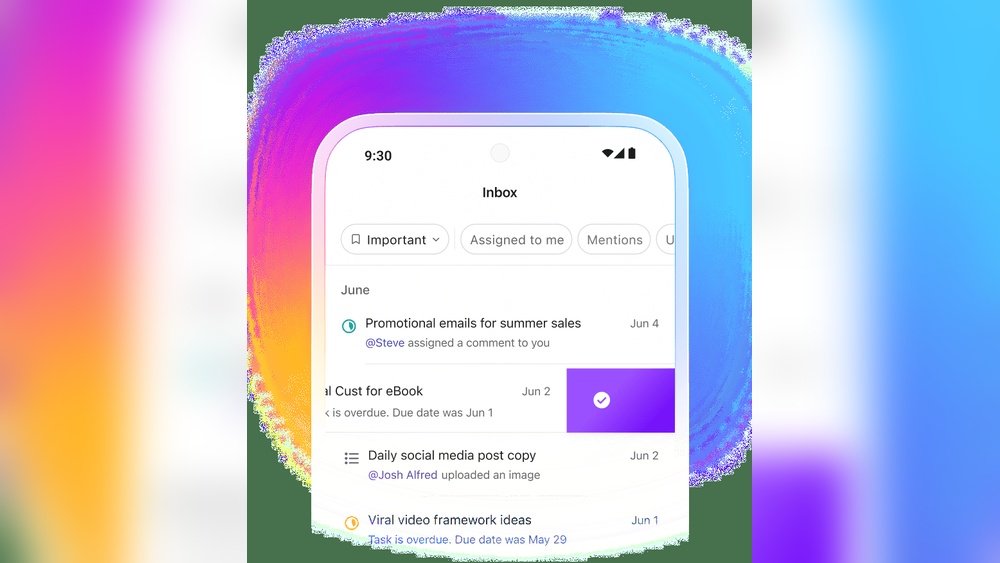
Stay informed with instant notifications about task updates, comments, and mentions. The app supports in-app chat to keep communication flowing smoothly.
- Push notifications for urgent updates
- Team chat channels for project discussions
- Direct messaging between team members
- Easy sharing of files and links within conversations
These features reduce delays and keep teams aligned regardless of location.
Integration Of Clickup Ai For Enhanced Productivity
The app includes ClickUp AI to help users work smarter. AI tools assist with task creation, content generation, and data analysis.
- Automated task suggestions based on project context
- Quick drafting of documents and meeting notes
- AI-powered reminders and deadline tracking
- Improved task prioritization using AI insights
This integration saves time and reduces manual effort in daily workflows.
User Experience For Guests And Team Members
The ClickUp mobile app welcomes all users, including guests and external collaborators, without extra cost. It offers:
| User Type | Access Level | Features Available |
|---|---|---|
| Team Members | Full | Task management, chat, AI tools, dashboards |
| Guests | Limited but robust | View tasks, comment, participate in chats |
This inclusive design helps teams collaborate easily with outside users.
Key Features Of The Clickup Desktop App
The ClickUp desktop app offers a streamlined experience tailored for productivity. It delivers tools that enhance speed, usability, and workflow continuity. Users benefit from features designed to work smoothly across different devices and operating systems.
Faster Performance Compared To Browser Usage
The desktop app runs much faster than the browser version. It uses less memory and loads tasks quickly. This results in a smoother and more responsive user experience. Users can switch between projects and views without delay, saving valuable time.
Offline Access For Uninterrupted Workflow
Work continues even when the internet is unavailable. The desktop app allows offline access to tasks, docs, and boards. Changes made offline sync automatically once the connection is restored. This feature ensures no loss of progress during internet outages.
Advanced Tools: Command Bar And Clipboard History
The app includes powerful tools like the command bar and clipboard history. The command bar lets users perform actions quickly using simple commands. Clipboard history stores copied items for easy pasting later. These features boost efficiency and reduce repetitive tasks.
Cross-platform Availability: Windows, Mac, And Linux
ClickUp’s desktop app supports Windows, Mac, and Linux. This wide compatibility suits diverse user preferences. Teams can collaborate without worrying about operating system differences. The app mirrors the web version’s functionality, keeping all users in sync.
Credit: www.simublade.com
Pricing And Affordability Of Clickup Apps
ClickUp offers a clear and affordable pricing structure for its apps. Users can access the powerful productivity tools without worrying about extra fees for app usage. The platform supports teams of all sizes by providing cost-effective solutions that keep everyone connected and productive.
Free Access Across All Plans Including Guests
The ClickUp apps are free to use across all plans, including the free tier. This means every user, even guests, can download and use the mobile and desktop apps without paying extra.
- Full app features available on free and paid plans
- Guests can collaborate without additional charges
- No hidden fees for app access
This approach ensures teams stay synchronized without worrying about app-related costs.
Value Proposition Of Mobile And Desktop Versions
ClickUp’s mobile and desktop apps deliver excellent value by offering:
- Seamless task and project management on any device
- Real-time notifications and updates
- Enhanced speed and functionality versus browser use
- Access to AI features for productivity
The apps provide a smooth experience that justifies their zero cost. Users get full functionality and improved performance, helping them save time and work efficiently.
Cost Comparison With Similar Project Management Apps
| App | Mobile/Desktop Apps Included | Free Plan | Starting Paid Plan |
|---|---|---|---|
| ClickUp | Yes (Free for all users) | Yes | $5/month per user |
| Asana | Yes (Limited features on free plan) | Yes | $10.99/month per user |
| Trello | Yes (Mobile and desktop free) | Yes | $5/month per user |
| Monday.com | Yes (Paid plans only) | No | $8/month per user |
ClickUp’s free app availability stands out compared to competitors. Many apps limit features on free plans or restrict desktop app access. ClickUp offers full app functionality and broad access without extra cost.
Pros And Cons Based On Real-world Usage
The ClickUp app suits different users and situations. Choosing the right platform—mobile or desktop—depends on work style and needs. Each version offers unique features to help you stay organized and productive.
Best Use Cases For Mobile App Users
The ClickUp mobile app works well for users who need to manage tasks while away from their desks. It offers:
- Task and project management on the go.
- Real-time notifications to keep you updated instantly.
- Access to dashboards for quick progress checks.
- AI tools for smarter task handling.
This app fits perfectly for those who travel often or work in the field. It helps keep the workflow smooth without requiring a computer.
When To Choose The Desktop App For Maximum Productivity
The ClickUp desktop app is best for users who spend long hours managing complex projects. Its advantages include:
- Faster performance than browser versions.
- Dedicated command bar for quick task actions.
- Clipboard history to save and reuse copied items.
- Full editing access for tasks, docs, and whiteboards.
This app suits professionals who need a powerful, uninterrupted workspace. It supports detailed project planning and document collaboration.
Suitability For Teams, Freelancers, And Guests
| User Type | Ideal Scenario | Recommended App |
|---|---|---|
| Teams | Collaborate on projects, share docs, chat | Desktop app for full features, Mobile app for quick updates |
| Freelancers | Manage tasks, communicate with clients, track progress | Mobile app for flexibility, Desktop app for deep work |
| Guests | View and comment on projects without full access | Both apps are free and provide easy access |
ClickUp supports all user types with no extra cost. Guests can join without limits, making teamwork easier.
Recommendations For Ideal Users And Scenarios
ClickUp offers apps for mobile and desktop that bring task management and collaboration to your fingertips. These apps work on iOS, Android, Windows, Mac, and Linux platforms. Using ClickUp apps helps you stay productive by syncing your work across all devices.
Step-by-step Guide To Downloading From Official Sources
Downloading ClickUp apps is simple and safe when using official sources. Follow these steps to get started:
- Visit the official ClickUp website at https://clickup.com/.
- Scroll to the bottom of the homepage and find the “Apps” section.
- Select your platform: iOS, Android, Windows, Mac, or Linux.
- Click the download button to start the installation file or redirect to your device’s app store.
- Install the app by following the on-screen instructions.
For mobile users, you can also search “ClickUp” in the Apple App Store or Google Play Store to download directly.
Initial Setup And Sync Across Devices
After installing the app, open it to begin the setup process:
- Sign in using your existing ClickUp account email and password.
- If new, create an account within a few easy steps.
- Allow the app to sync your tasks, projects, chats, and docs automatically.
- Set up notifications to stay updated on task changes and messages.
- Use the same login on all devices to keep your data seamlessly synchronized.
This setup ensures your work is accessible anywhere and changes update instantly.
Tips For Maximizing App Efficiency From Day One
Boost your productivity with these simple app usage tips:
- Use the command bar on desktop for quick navigation and actions.
- Enable real-time notifications to never miss important updates.
- Try the ClickUp AI features to automate task creation and get smart suggestions.
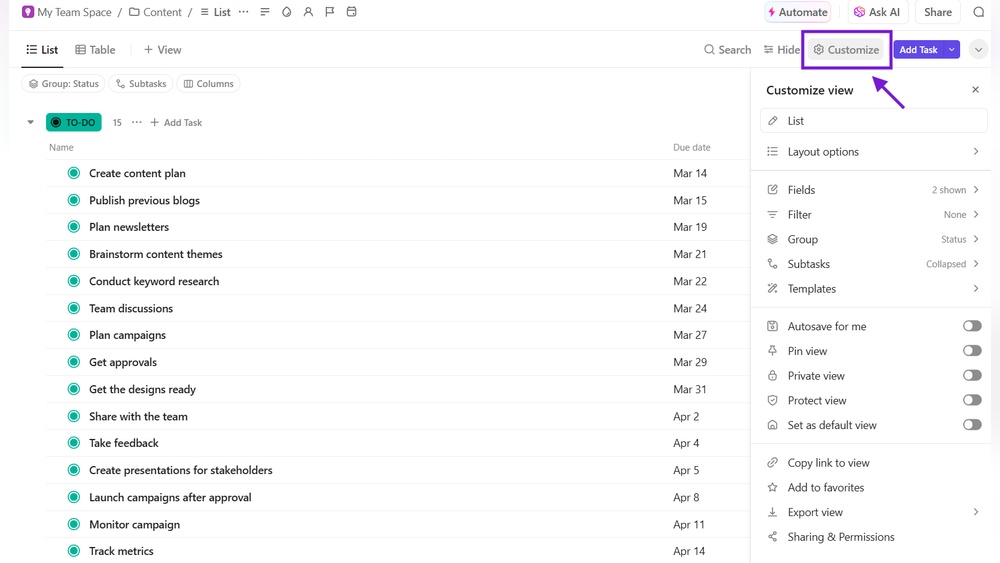
- Organize tasks with custom views and filters tailored to your workflow.
- Use the app offline; it syncs automatically once online again.
- Explore integrations like the Chrome extension for faster access.
These steps help you get the most from ClickUp apps immediately.
Frequently Asked Questions
Does Clickup Have A Mobile App?
Yes, ClickUp offers a mobile app for iOS and Android devices. It supports task management, notifications, and collaboration on the go.
What Is The Clickup App?
ClickUp is a project management app that boosts team productivity with tasks, chat, docs, and collaboration tools. It works on iOS, Android, Windows, Mac, and Linux.
Is There A Better App Than Clickup?
Some apps like Asana, Monday. com, and Trello offer different features. The best choice depends on your specific needs and preferences.
Is The Clickup App Better Than The Browser?
The ClickUp app offers faster performance and offline access compared to the browser. It provides a more integrated, responsive experience.
Conclusion
ClickUp offers a powerful app for both mobile and desktop users. You can manage tasks, chat, and collaborate from anywhere. The app works on iOS, Android, Windows, Mac, and Linux. It keeps your projects in sync and boosts your productivity with AI features. Everyone, including guests, can use the app for free. To experience all these benefits, check out the official ClickUp app here: ClickUp. Stay organized and save time with a single, easy-to-use platform.