Bitrix24 Vs Clickup: Ultimate Showdown for Productivity Tools
Choosing the right project management tool can make or break your productivity. If you’re torn between Bitrix24 and ClickUp, you’re not alone.
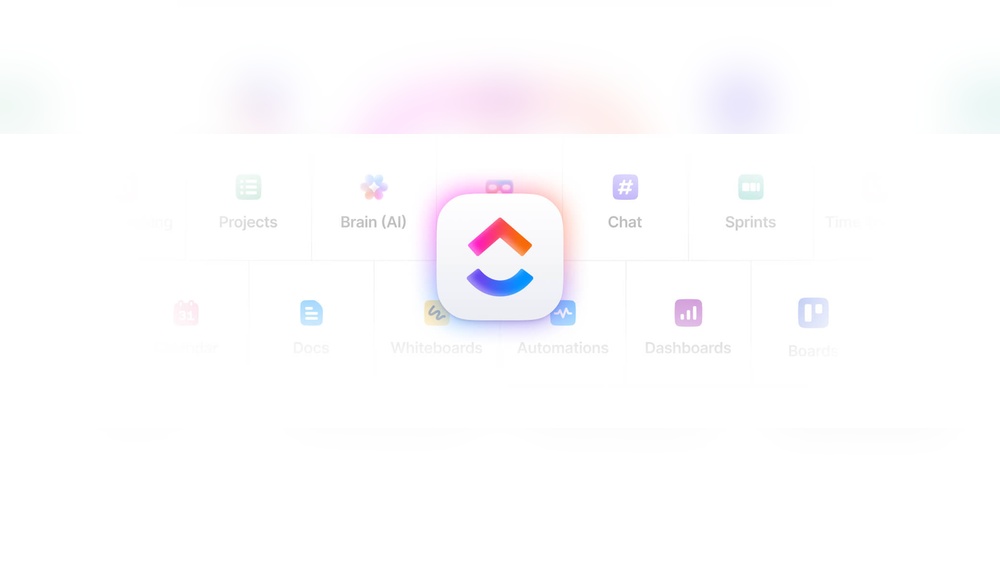
Both platforms promise to streamline your work, but which one truly fits your style and needs? Imagine having all your tasks, chats, documents, and AI-powered tools in one place, saving you time and money. That’s exactly what ClickUp offers — a versatile hub where your entire team works together with perfect context. Ready to discover which tool will boost your workflow and keep your projects on track? Dive in and find out why so many teams are switching to ClickUp and how it stacks up against Bitrix24. Your ideal workday starts here.
Introduction To Bitrix24 And Clickup
Choosing the right productivity software can shape how teams work every day. Bitrix24 and ClickUp lead in this space with unique features and audiences. Understanding each tool’s purpose helps decide which fits specific business needs. Both offer project management, collaboration, and communication functions but target different user groups and business sizes.
Overview Of Bitrix24: Purpose And Target Audience
Bitrix24 is a comprehensive CRM and collaboration platform. It combines project management, communication, and customer relationship tools in one place. The platform suits small to medium-sized businesses.
Key points about Bitrix24:
- Originally popular in Russia and CIS countries.
- Offers tools for sales, marketing, and team collaboration.
- Supports global users with localized versions.
- Focuses on companies needing integrated CRM and project management.
- Has offices in the USA, Cyprus, and other locations.
Overview Of Clickup: Purpose And Target Audience
ClickUp is an all-in-one productivity platform designed to replace multiple apps. It integrates AI, project management, chat, and many more tools. Its goal is to save time and money by unifying workflows.
ClickUp targets a broad range of teams and businesses:
- Suitable for startups, freelancers, and enterprises.
- Focuses on enhancing team collaboration with AI features.
- Supports task management, document sharing, and communication.
- Offers customization to fit various project styles.
- Headquartered in Austin, Texas, USA.
Why Compare Bitrix24 And Clickup? The Productivity Tool Landscape
Both Bitrix24 and ClickUp serve as central hubs for work. They reduce the need for separate tools by combining many functions. Each attracts users with different priorities and business sizes.
Comparison helps identify:
- Which tool fits a company’s workflow better.
- How each handles project management and communication.
- The best option for budget and feature needs.
- Which platform offers easier adoption for teams.
Understanding these differences guides businesses to smarter software choices.

Credit: instapage.com
Key Features That Set Bitrix24 Apart
Bitrix24 stands out for its all-in-one platform that combines powerful tools for business management. Its features cover communication, CRM, project management, and security. This makes it a robust choice for teams needing a unified workspace. The platform’s design focuses on making teamwork and client management easier and more efficient.
Integrated Crm And Communication Suite: Enhancing Team Collaboration
Bitrix24 offers a fully integrated CRM system combined with communication tools. Teams can manage leads, sales, and customer interactions without switching apps.
- Built-in chat, video calls, and social intranet
- Automatic lead capture and pipeline management
- Email marketing and customer support features
This integration keeps all team members on the same page and improves customer relations. Communication and sales data live together, reducing delays and errors.
Task And Project Management Capabilities: Streamlining Workflow
Bitrix24 includes comprehensive tools to plan and track projects effectively. Its features help break down work, assign tasks, and monitor progress.
- Task dependencies and Gantt charts
- Time tracking and workload management
- Custom workflows and automation rules
These tools reduce confusion and keep projects moving smoothly. Teams can visualize deadlines and workload easily, ensuring better delivery.
Global Reach With Localized Support: Serving Diverse Markets
Bitrix24 operates worldwide with websites and offices across different regions. It supports many languages and local business practices.
| Region | Localized Features | Support Availability |
|---|---|---|
| Russia & CIS | Popular CRM functions tailored for SMBs | Local offices and customer service |
| USA & Europe | Compliance with local laws and languages | International support teams |
| Other Global Markets | Multi-language interface and cloud options | 24/7 online support |
This global approach helps businesses adapt Bitrix24 to local needs easily.
Security And Compliance: Addressing Data Protection Concerns
Bitrix24 places strong emphasis on security and compliance to protect user data.
- GDPR and other international standards compliance
- Data encryption both in transit and at rest
- Regular security audits and updates
- Role-based access and detailed permission controls
These measures ensure sensitive information stays safe and trusted by businesses worldwide.
Key Features That Make Clickup Unique
ClickUp stands out as a versatile project management tool that adapts to various team needs. It combines multiple features into one platform, helping teams work smarter and faster. Below are some key features that make ClickUp unique and preferred by many users.
Highly Customizable Task Management: Adapting To Complex Workflows
ClickUp offers flexible task management that suits simple and complex workflows alike. Users can:
- Create custom task statuses to fit their process.
- Use multiple views like List, Board, Box, and Calendar for better visualization.
- Set priorities, assign multiple users, and add dependencies easily.
- Break down tasks into subtasks and checklists for clear steps.
This adaptability allows teams to organize work exactly how they want, supporting diverse project types and industries.
Automation And Integration Features: Boosting Efficiency
ClickUp includes powerful automation tools to reduce repetitive work. Users can automate:
- Task status changes based on triggers.
- Automatic assignments and notifications.
- Recurring tasks and due date adjustments.
The platform also supports integrations with popular apps like Slack, Google Drive, and Zoom, keeping all tools connected. This boosts team efficiency by minimizing manual updates and tool switching.
User-friendly Interface: Reducing Learning Curve
ClickUp’s design focuses on ease of use. The interface is clean and intuitive, helping new users get started quickly. Key points include:
- Clear navigation menus and customizable dashboards.
- Drag-and-drop features for easy task handling.
- Helpful onboarding guides and templates.
This simplicity helps teams adapt faster and reduces training time.
Comprehensive Document And Goal Tracking: Centralizing Project Data
ClickUp combines documents, goals, and tasks in one place, helping teams stay aligned. Features include:
| Feature | Description |
|---|---|
| Docs | Create, edit, and share documents linked directly to tasks and projects. |
| Goal Tracking | Set measurable goals with progress tracking and targets. |
| Centralized Data | All project info, files, and conversations stored in one platform. |
This centralization improves team communication and project visibility.
Pricing And Affordability Comparison
Choosing between Bitrix24 and ClickUp involves understanding their pricing and value. Both platforms offer plans that suit different business sizes and budgets. Examining their cost structures helps identify which one fits your needs best.
Bitrix24 Pricing Structure: Free And Paid Plans Breakdown
Bitrix24 provides a free plan with essential features for small teams or startups. It includes:
- Up to 12 users
- Basic CRM and task management
- Limited storage and communication tools
Paid plans come in tiered options, increasing in features and user limits:
| Plan | Price (Monthly) | Users | Key Features |
|---|---|---|---|
| Basic | $49 | Up to 5 | More storage, enhanced CRM, project tools |
| Standard | $99 | Up to 50 | Advanced automation, extended storage |
| Professional | $199 | Unlimited | Full feature set, priority support |
Clickup Pricing Tiers: Value For Small Teams To Enterprises
ClickUp offers a free plan with:
- Unlimited users
- 100MB storage
- Basic task and project management
Paid plans scale with team size and needs:
| Plan | Price (Monthly per User) | Storage | Key Features |
|---|---|---|---|
| Unlimited | $5 | Unlimited | Unlimited integrations, dashboards, guests |
| Business | $12 | Unlimited | Advanced automation, goals, portfolios |
| Business Plus | $19 | Unlimited | Custom permissions, advanced reporting |
| Enterprise | Custom pricing | Unlimited | Enterprise-level security and support |
Cost-benefit Analysis: Which Tool Offers Better Roi?
Bitrix24’s free plan suits small teams needing CRM and communication tools. Its paid tiers add value for growing companies that want integrated sales and project tools.
ClickUp’s free plan is generous, allowing unlimited users. Paid plans offer scalable features for various team sizes and advanced workflows.
- Bitrix24 excels in CRM features at low cost.
- ClickUp provides flexibility with per-user pricing and unlimited storage.
- Both platforms improve productivity, but ClickUp’s modular pricing fits diverse teams better.
Choosing depends on your team size, required features, and budget. Bitrix24 offers more CRM power for less, while ClickUp offers wider task management with flexible pricing.
Pros And Cons Based On Real-world Usage
Choosing between Bitrix24 and ClickUp depends on your team’s needs and workflow. Both platforms offer powerful tools but vary greatly in features and ease of use. Real users highlight distinct strengths and weaknesses that affect daily operations. The following sections break down these points clearly.
Advantages Of Bitrix24: Strengths In Crm And Communication
Bitrix24 excels as a CRM solution for small and medium businesses, especially popular in Russia and CIS countries. It offers a broad set of tools for customer management and internal communication.
- Comprehensive CRM: Tracks leads, deals, and customer interactions efficiently.
- Integrated Communication: Built-in chat, video calls, and collaboration tools help teams stay connected.
- Global Reach: Localized versions and offices worldwide support international businesses.
- Cost-Effective: Many features available in free or low-cost plans.
These advantages make Bitrix24 a solid choice for teams needing strong CRM and communication tools in one platform.
Limitations Of Bitrix24: Areas For Improvement
Despite its strengths, Bitrix24 has several limitations reported by users:
- User Interface: Some find it cluttered and hard to navigate.
- Performance Issues: Slower load times with large data sets.
- Customization Limits: Less flexible compared to some competitors.
- Support Challenges: Customer service response can be slow or inconsistent.
These factors may slow adoption or reduce productivity for some teams.
Advantages Of Clickup: Flexibility And User Satisfaction
ClickUp is praised for its flexible task management and extensive features. It supports a wide range of workflows with customization options.
- All-in-One Platform: Combines tasks, docs, chat, and goals in one place.
- Highly Customizable: Users can tailor views and workflows to their needs.
- Strong User Community: Many users report satisfaction due to constant updates and new features.
- Time Saving: Automations and integrations reduce manual work.
This makes ClickUp popular for teams requiring adaptable project management tools.
Limitations Of Clickup: Complexity And Client Service Features
ClickUp’s versatility comes with some drawbacks:
- Steep Learning Curve: Many users find it complex initially.
- Overwhelming Features: Can be confusing for teams needing simple solutions.
- Client Service Gaps: Lacks specialized features like client billing and resource management.
- Support Concerns: Some users experience delays in customer service responses.
Teams focused on client service management may find ClickUp missing key capabilities.

Credit: www.youtube.com
Recommendations For Ideal Users And Use Cases
Choosing the right project management tool depends on business needs and team workflows. Bitrix24 and ClickUp offer distinct features suited to different users. Understanding who benefits most from each platform helps pick the best fit. Below are tailored recommendations and scenarios for both.
Who Should Choose Bitrix24? Best Fit Scenarios
Bitrix24 suits small to medium businesses needing an integrated CRM and collaboration suite. It fits teams wanting a mix of communication, project, and customer management in one place.
- Businesses focused on sales and CRM alongside project tasks
- Companies needing internal communication tools like chat, video calls, and social intranet
- Organizations requiring localized support in Russia, CIS, or global regions
- Teams that prefer a free or cost-effective all-in-one platform
Best fit scenarios:
- Sales-driven small businesses managing leads and projects simultaneously
- Teams needing a centralized hub for communication and task tracking
- Companies with a strong regional presence in CIS countries
- Organizations that want a CRM integrated with task and document management
Who Should Choose Clickup? Best Fit Scenarios
ClickUp works best for teams aiming to replace multiple software tools with one AI-powered platform. It excels in project management, AI features, and team collaboration across industries.
- Teams seeking flexible task management with customizable views and workflows
- Businesses wanting to save money by using one app for chat, projects, docs, and more
- Organizations looking for AI assistance to improve productivity and context sharing
- Companies with distributed teams needing real-time collaboration tools
Best fit scenarios:
- Startups and tech teams needing versatile project tracking
- Teams that prefer a modern interface with AI-powered automation
- Businesses aiming to consolidate multiple apps into one platform
- Organizations needing detailed task dependencies and resource management
Alternative Tools To Consider When Bitrix24 Or Clickup Don’t Fit
Some teams require simpler or more specialized tools than Bitrix24 or ClickUp offer. Consider these alternatives:
| Tool | Best For | Key Features |
|---|---|---|
| Trello | Visual task boards and simplicity | Kanban boards, drag-and-drop cards, easy collaboration |
| Basecamp | All-in-one simple project management | To-dos, schedules, messaging, file sharing |
| Asana | Clean task management with focus on workflows | Task lists, timelines, integrations, reporting |
| Teamwork | Client services with time tracking and billing | Resource management, budgets, client billing |
These tools serve teams needing either less complexity or more client-focused project management.
Conclusion: Which Productivity Tool Wins The Ultimate Showdown?
Choosing between Bitrix24 and ClickUp depends on your team’s unique needs. Both tools offer strong features but focus on different areas. Understanding their strengths helps pick the best fit for your workflow and goals.
Summary Of Key Differences And Strengths
| Feature | Bitrix24 | ClickUp |
|---|---|---|
| Primary Focus | CRM and communication for SMBs, strong in Russia and CIS | All-in-one productivity with AI, project management, and chat |
| User Interface | More complex, suited for detailed CRM and communication needs | Modern, flexible, designed to simplify task and project tracking |
| Collaboration | Integrated tools for team communication and CRM functions | Combines chat, projects, and AI tools for smooth teamwork |
| Market Presence | Strong in Russia and nearby regions, global reach | Popular globally, especially in tech-forward teams |
| Best For | Companies needing a CRM-centric platform with communication | Teams wanting an AI-driven, all-in-one project and task manager |
Final Thoughts On Choosing The Right Tool For Your Needs
Bitrix24 fits businesses that require a solid CRM with integrated team communication. It works well in structured environments with existing CRM needs.
ClickUp suits teams that want to replace multiple apps with one AI-powered platform. It helps save time by uniting projects, chat, and AI features under one roof.
Consider your team’s size, workflow complexity, and budget. Small to medium businesses needing CRM might lean toward Bitrix24. Teams prioritizing streamlined task management and AI support may prefer ClickUp.
Test both tools to see which aligns with your working style. Each offers unique strengths to boost productivity and collaboration.
Credit: www.fahimai.com
Frequently Asked Questions
Is There Something Better Than Clickup?
Some alternatives to ClickUp include Trello for simplicity, Asana for clean task management, and Teamwork for client services features. Each tool suits different needs, so choose based on your project complexity and required features.
What Is Better Than Bitrix24?
Tools like ClickUp, Asana, and Teamwork often outperform Bitrix24 in usability, customization, and client service features.
Is Bitrix24 Russian?
Bitrix24 is a software company originally founded in Russia. It operates globally with offices in the USA and Cyprus. The platform is popular in Russia and worldwide.
Which Is Better Clickup Or Airtable?
ClickUp suits teams needing flexible task management and automation. Airtable fits data-heavy projects requiring deep customization. Choose ClickUp for complex workflows and Airtable for organized, spreadsheet-style databases. Both excel in different areas, so pick based on your project needs and team style.
Conclusion
Both Bitrix24 and ClickUp offer strong tools for managing work. Bitrix24 suits businesses needing CRM and communication in one place. ClickUp fits teams wanting flexible task management and automation. Choose based on your team’s size and workflow needs. Explore ClickUp’s features and see if it matches your goals. Learn more about ClickUp here: ClickUp. This can help you save time and keep projects on track.