Todoist Features: Unlock Productivity with These Powerful Tools
Are you tired of juggling endless tasks and struggling to keep your work and life organized? Todoist is here to change that.
With its clean, simple design and powerful features, Todoist helps you take control of your day effortlessly. Whether you want to quickly add tasks, set reminders, plan your week, or integrate your to-do list with your calendar and email, Todoist has you covered. Imagine having a tool that not only keeps you on track but also boosts your productivity with smart task management and AI-powered views. Ready to discover how Todoist can simplify your life? Check out all the amazing Todoist features that make it the world’s 1 to-do list app trusted by over 50 million professionals. Don’t miss out on the chance to bring clarity and focus to your daily routine!
Introduction To Todoist And Its Purpose
Todoist is a widely used productivity tool designed to bring clarity to busy lives. It helps users organize tasks and projects in one place. With simple features and a clean interface, Todoist supports managing work and personal life smoothly. Millions of professionals rely on it to plan their days and boost efficiency.
What Is Todoist? An Overview Of The Productivity Tool
Todoist is a task management app that helps you keep track of your duties. It allows you to create, organize, and prioritize tasks easily. The tool is available on multiple devices, making task access simple anytime, anywhere.
- Quick task entry with Smart Quick Add
- Set reminders and due dates to stay on schedule
- View tasks in lists or boards for better visualization
- Integrate with email, calendars, and other apps
- Use recurring tasks and priority levels for better control
Todoist suits both simple task tracking and complex project planning. Its interface is user-friendly, making task management less stressful.
How Todoist Helps Organize Work And Life Efficiently
Todoist streamlines task management by combining several useful features:
| Feature | Benefit |
|---|---|
| Calendar View | Plan your week and block time for tasks |
| Sub-tasks and Project Insights | Break down big tasks and track progress clearly |
| Filters and AI-Powered Views | Focus on what matters most each day |
| Keyboard Shortcuts and Voice Activation | Save time adding and managing tasks quickly |
| Automatic Backups (Pro Plan) | Keep your data safe without extra effort |
By organizing tasks with Todoist, users improve productivity and reduce stress. The app fits into daily routines, helping maintain balance between work and personal life.
Key Features That Make Todoist Unique
Todoist stands out with features designed to simplify task management and boost productivity. It combines ease of use with powerful tools, helping users stay organized and focused. Below are the key features that make Todoist a preferred choice for millions.
Smart Quick Add: Simplifying Task Entry For Faster Productivity
The Smart Quick Add feature lets users add tasks instantly using natural language. For example, typing “Meeting tomorrow at 3pm” automatically sets the task and its due date. This speeds up task entry and reduces errors.
Users can also assign priorities and projects while adding tasks, all in one step. This saves time and keeps the task list organized from the start.
Task Reminders: Never Miss Important Deadlines
Task reminders ensure users never forget important deadlines. Reminders can be set based on date, time, or location. This flexibility helps users stay on track, whether they are at home or on the go.
- Receive notifications on desktop or mobile devices
- Customize reminder times to fit your schedule
- Set recurring reminders for ongoing tasks
Flexible List And Board Layouts: Customize Your Workflow
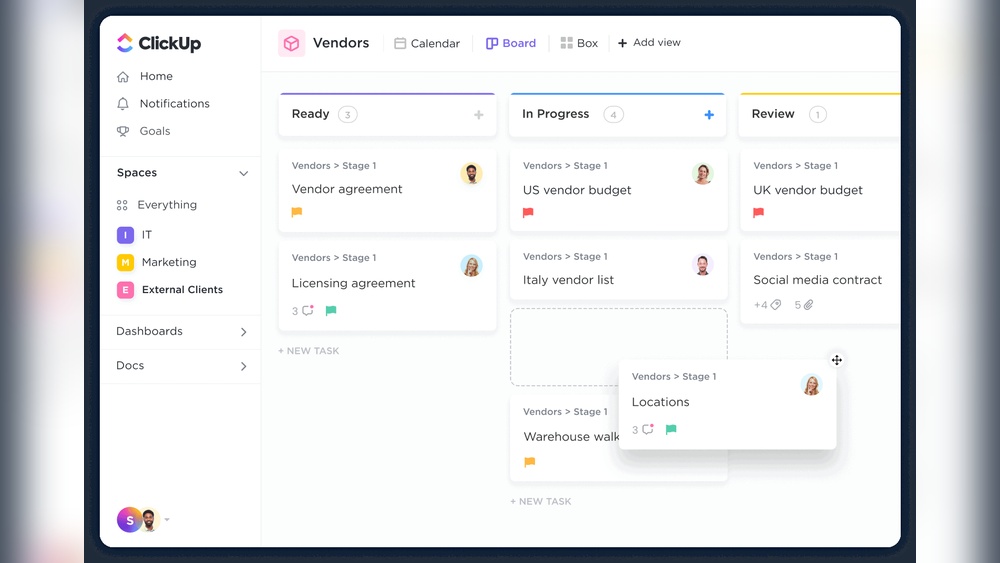
Todoist offers two main ways to view tasks: list and board layouts. Lists show tasks in a simple vertical order. Boards use columns to represent different stages or categories.
Users can switch between layouts anytime, adapting the view to their current needs. This flexibility supports different work styles and project types.
| View Type | Best For | Features |
|---|---|---|
| List | Simple task tracking | Ordered tasks, easy sorting, subtasks |
| Board | Project management | Drag-and-drop columns, visual progress |
Email And Calendar Integration: Centralize Your Task Management
Todoist connects with email and calendar apps, centralizing your tasks and events. Users can turn emails into tasks without leaving their inbox. Calendar sync displays tasks alongside meetings, improving planning.
- Supports popular calendars like Google and Outlook
- Two-way sync keeps tasks and events updated
- Use email forwarding to create tasks quickly
Recurring Tasks And Scheduling: Automate Your Routine Effectively
Set recurring tasks to automate daily, weekly, or monthly duties. Todoist understands natural language for scheduling, such as “every Monday” or “on the 1st of each month.”
This feature reduces manual task entry and keeps routines consistent. Users can focus on work without worrying about missing repeated tasks.
Project Insights: Track Progress And Boost Motivation
Project insights provide detailed reports on task completion and productivity trends. Visual graphs and charts help users understand their work habits.
These insights encourage steady progress and help identify areas for improvement.
- Track completed tasks over time
- See productivity patterns by day or week
- Set goals and monitor achievement rates
Keyboard Shortcuts And Voice Activation: Speed Up Task Management
Todoist supports keyboard shortcuts for quick navigation and task editing. Users can add, complete, or move tasks without reaching for the mouse.
Voice activation lets users create tasks hands-free. This is helpful during busy moments or when multitasking.
- Common shortcuts for task creation and completion
- Voice commands available on mobile devices
- Improves speed and reduces distractions
Filters And Views: Tailor Your Task Display For Better Focus
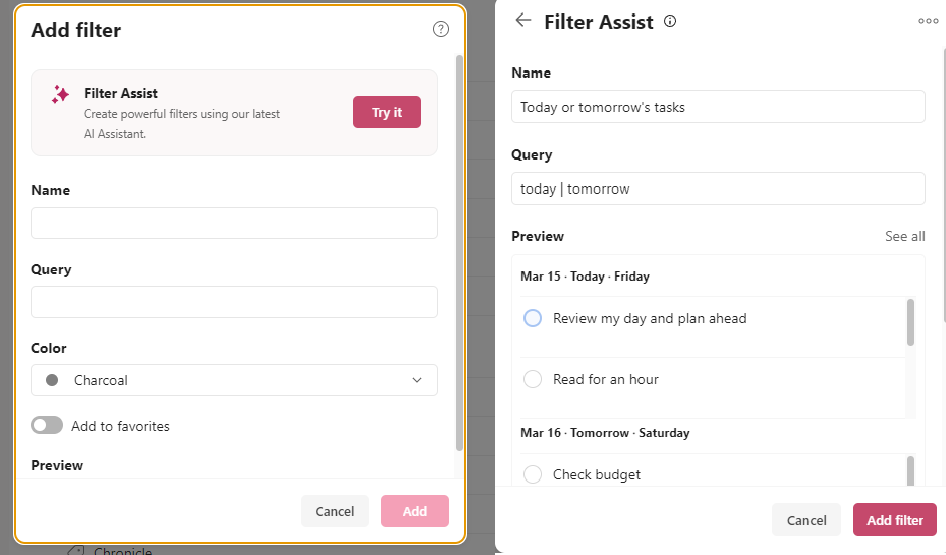
Filters allow users to customize task lists based on priority, project, due date, and more. This creates focused views that highlight what matters most.
Combined with different view options, filters help users manage large task lists efficiently.
- Create custom filters using simple queries
- Save favorite filters for quick access
- Use filters to focus on urgent or overdue tasks
Pricing And Affordability Breakdown
Todoist offers a clear pricing structure designed to fit different user needs. The free plan covers essential tools for basic task management. For users who want more control and advanced features, Todoist Pro is available for a monthly fee. This section breaks down what you get with each plan and helps decide if upgrading is worth it.
Free Vs Pro: What You Get Without Paying
The Free plan lets users manage tasks and projects with core features. It includes:
- Creating tasks and subtasks
- Basic due dates and priority levels
- Project organization with simple labels
- Access on multiple devices
This plan suits users who need straightforward task tracking without extra tools.
Premium Features Behind The Paywall And Their Value
| Feature | Description | Benefit |
|---|---|---|
| Reminders | Set alerts for tasks by time or location | Never miss deadlines or important tasks |
| Labels and Filters | Organize and find tasks faster | Boosts productivity with custom views |
| Comments and File Uploads | Add notes and attach files to tasks | Improves collaboration and task clarity |
| Automatic Backups | Keep task data safe and recoverable | Peace of mind for important information |
| Multiple Themes | Customize app appearance | Enhances user experience and comfort |
| Enhanced Calendar View | Visualize tasks in daily and weekly formats | Better time planning and management |
Is Todoist Pro Worth The Investment For You?
Todoist Pro offers extra tools that help users handle complex task lists. If your work or personal projects need reminders or detailed organization, Pro adds real value. Teams and power users find comments and file uploads especially helpful.
For casual users, the Free plan may be enough. Pro suits those who want to improve focus and efficiency. The monthly fee is reasonable compared to the benefits gained.
Consider your task volume and need for advanced features. Pro’s investment supports better planning and fewer missed tasks.

Credit: www.todoist.com
Pros And Cons Based On Real-world Usage
Todoist stands out as a popular task management app used by millions. Users appreciate its balance of simplicity and powerful features. This section breaks down the key pros and cons from real-world experience.
Pros: User-friendly Interface And Efficient Task Organization
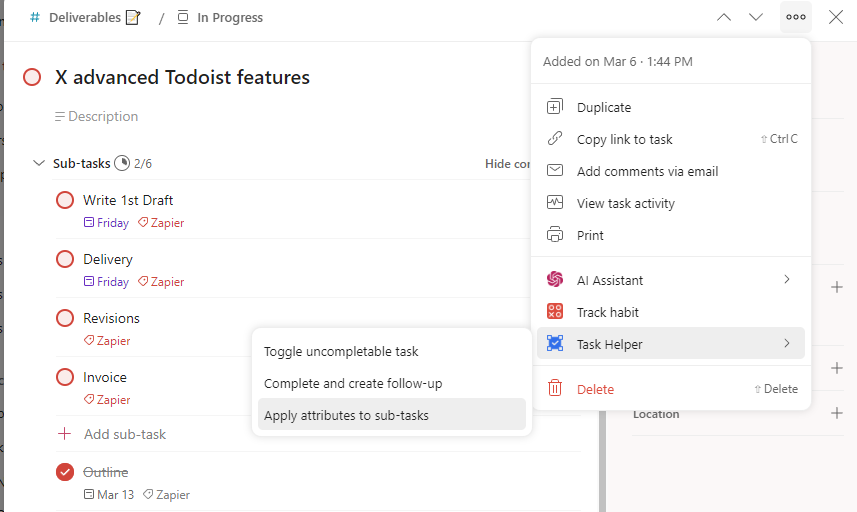
Todoist features a clean and simple interface that users find easy to navigate. Tasks can be added quickly using the Smart Quick Add feature, which saves time. Organizing tasks into projects and sub-tasks helps users keep work and life separate yet connected.
- Flexible views: List and board layouts allow users to visualize tasks in different ways.
- Recurring tasks: Set tasks to repeat daily, weekly, or custom intervals.
- Priority levels: Assign priorities to focus on what matters most.
- Integration: Sync with calendars and emails for seamless workflow.
- Keyboard shortcuts and voice commands: Speed up task management.
These features make Todoist suitable for both beginners and advanced users aiming to boost productivity.
Cons: Limitations In Free Version And Paywall Restrictions
The free plan offers basic task management but lacks some advanced tools. For example, users cannot access:
- Task reminders and notifications
- Labels and filters for better task sorting
- Comments and file attachments on tasks
- Automatic backups to secure data
Many valuable features are locked behind the paid Pro subscription. This paywall can frustrate users who need more than simple task lists. The cost may not fit all budgets, especially for casual users.
Balancing Features And Cost For Different User Needs
| User Type | Recommended Plan | Key Benefits | Possible Drawbacks |
|---|---|---|---|
| Casual Users | Free Plan | Simple task tracking, no cost | Limited reminders, no file uploads |
| Professional Users | Pro Subscription | Advanced reminders, filters, backups | Monthly/yearly fee |
| Teams and Managers | Business Plan (not detailed here) | Collaboration features, admin controls | Higher price point |
Choosing Todoist depends on task complexity and budget. The free version suits basic needs. Paid plans help users needing deeper organization and data security.
Specific Recommendations For Ideal Users And Scenarios
Todoist suits many user types and needs. Its features adapt to simple personal use and complex professional projects. Knowing which features fit your style helps you get the most value from Todoist.
Who Should Use Todoist For Simple Task Management
Todoist is perfect for people who want a clean and easy way to track daily tasks. The free plan offers:
- Quick task entry with Smart Quick Add
- Simple due dates and reminders
- Basic project lists for organizing tasks
This makes it ideal for students, busy parents, or anyone managing personal errands.
The clear interface lets users add and complete tasks quickly. No extra features slow you down.
Why Professionals Benefit From Todoist Pro Features
Professionals gain more from Todoist Pro’s advanced tools. Key benefits include:
- Task reminders to stay on schedule
- Labels and filters for efficient task sorting
- File uploads and comments to add context
- Automatic backups to protect data
These features help manage complex projects and deadlines. Freelancers, managers, and entrepreneurs find these tools useful to track priorities and stay organized.
Using Todoist For Team Collaboration And Project Tracking
Todoist supports teamwork through shared projects and comments. Teams can:
- Assign tasks to members
- Track progress with project views
- Use comments for communication on tasks
- Set priorities to highlight urgent work
This is great for small teams, agencies, or groups needing clear project tracking without complex software.
Maximizing Productivity With Todoist’s Hidden Features
Todoist has several less obvious tools to boost output:
- Keyboard shortcuts speed up task management
- Voice activation lets you add tasks hands-free
- Recurring tasks automate repeated work
- AI-powered filters show tasks by priority or date
- Calendar view helps with time blocking
Using these can turn Todoist into a powerful daily planner.
Credit: zapier.com
Credit: zapier.com
Frequently Asked Questions
What Features Does Todoist Have?
Todoist offers task organization, smart quick add, reminders, recurring tasks, calendar view, labels, filters, and email integration. It supports boards, priorities, and project insights for productivity.
What Is The 1/3/5 Rule In Todoist?
The 1/3/5 rule in Todoist helps prioritize tasks: one big task, three medium tasks, and five small tasks daily. It boosts focus and productivity.
What Are The Pros And Cons Of Todoist?
Todoist offers easy task organization and intuitive design. It supports reminders, labels, and integrations. Some key features require a paid plan. Limited offline access and advanced tools may frustrate free users. Overall, it boosts productivity for simple to complex task management.
Is Todoist Still Worth It?
Todoist remains worth it for task organization, calendar integration, and productivity features. Premium adds reminders, labels, and backups. It suits both simple task tracking and advanced planning needs, helping users stay organized and efficient daily.
Conclusion
Todoist offers clear tools to organize tasks and projects easily. It helps users plan days and manage time with simple features. With reminders, calendar views, and smart task entry, staying on track becomes easier. The app fits both beginners and advanced users well. Try Todoist to bring clarity and order to your work and life. Explore more about Todoist here.