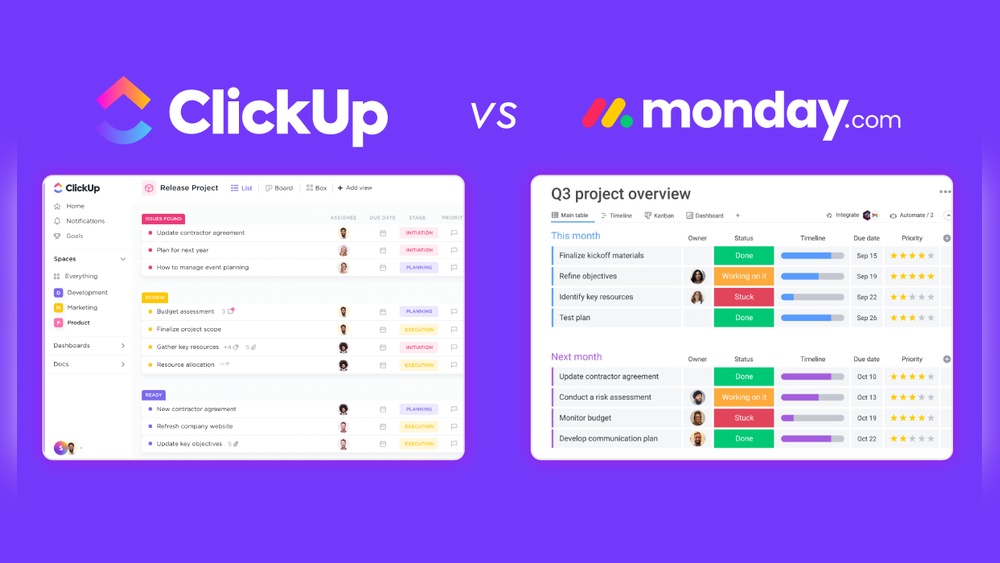
Clickup Vs Shortcut: Ultimate Battle for Project Management Supremacy
Are you struggling to choose the right project management tool for your team? You’ve probably heard about both ClickUp and Shortcut, but which one truly fits your workflow and helps you save time and money?
Imagine having one powerful platform that replaces all your apps, keeps your projects on track, and lets your entire team work together with perfect context. That’s exactly what ClickUp promises to deliver—combining AI, project management, chat, and more into a single space. But how does it stack up against Shortcut, known for its simplicity and task-focused approach? If you want to make the smartest choice for your productivity, keep reading to discover the key differences, benefits, and which tool suits your unique needs best. Ready to see why ClickUp might be the game-changer for your work? Let’s dive in!
Credit: help.clickup.com
Introduction To Clickup And Shortcut
Choosing the right project management tool shapes how teams work every day. ClickUp and Shortcut serve different needs but both aim to improve productivity. This section introduces these tools and highlights their core strengths. Understanding their focus helps decide which suits your team best.
Overview Of Clickup: An All-in-one Project Management Solution
ClickUp is a comprehensive platform designed to replace multiple apps. It combines project management, communication, and AI features in one place.
- Task and project tracking with customizable views
- Built-in chat and document collaboration
- Goal and time tracking tools
- Automation and AI-powered assistance
- Supports teams of all sizes and industries
This tool focuses on saving time and money by uniting many workflows. Its versatility fits teams needing a wide range of functions in one app.
Introduction To Shortcut: Focused Task Management For Product Teams
Shortcut targets product teams with a clean, simple interface. It centers on task and issue tracking without extra complexity.
- Clear, easy-to-use task boards
- Streamlined workflow for software development
- Prioritization and progress tracking
- Integration with coding and deployment tools
- Designed to keep teams focused on delivering features
Shortcut keeps task management straightforward, helping teams move faster with less distraction. It is ideal for developers and product managers.
Purpose And Target Audience Of Each Tool
| Tool | Purpose | Target Audience |
|---|---|---|
| ClickUp | All-in-one workspace for projects, communication, and AI support | Teams needing a versatile, integrated solution across roles and projects |
| Shortcut | Simple, focused task and issue tracking for product development | Software teams and product managers who want a clear, easy tool |
The choice depends on team size, workflow complexity, and desired features. ClickUp suits diverse teams. Shortcut fits product teams wanting simplicity.
Key Features That Define Clickup And Shortcut
ClickUp and Shortcut serve project teams with different approaches. ClickUp is an all-in-one platform packed with a variety of tools. Shortcut focuses mainly on simplicity and task management. This section breaks down their key features. It helps understand their strengths and user fit.
Clickup’s Comprehensive Feature Set: Goal Tracking, Time Management, And More
ClickUp provides a broad set of features beyond basic task tracking. Its tools include:
- Goal Tracking: Set, track, and visualize team and project goals.
- Time Management: Built-in time tracking and timesheets for efficient work logging.
- Task Management: Custom statuses, priorities, and multiple views like list, board, and calendar.
- Automation: Automate routine actions to save time.
- Docs & Wikis: Create and share documentation within the platform.
ClickUp aims to replace multiple apps by combining project, task, and communication tools in one place.
Shortcut’s Simplicity And Task-focused Design
Shortcut keeps things simple, focusing mainly on task and issue tracking. Key features include:
- Clean Task Management: Easy creation, editing, and tracking of tasks.
- Story Mapping: Visualize work as stories to follow progress clearly.
- Workflow Customization: Simple status customization tailored to teams’ needs.
- Integrations: Connect with other tools, but fewer native features than ClickUp.
Shortcut appeals to teams wanting straightforward task tracking without feature overload.
User Interface And Usability: Navigating Clickup Vs. Shortcut
| Aspect | ClickUp | Shortcut |
|---|---|---|
| Interface Complexity | Feature-rich, may require learning time | Minimalist, easy to start immediately |
| Customization | Highly customizable dashboards and views | Limited customization focused on tasks |
| Navigation | Multiple menus and options, can feel busy | Simple menus, direct access to tasks |
ClickUp fits users who prefer deep control despite complexity. Shortcut suits users who want fast, easy access to tasks.
Collaboration And Communication Tools In Both Platforms
Both platforms support teamwork but in different ways:
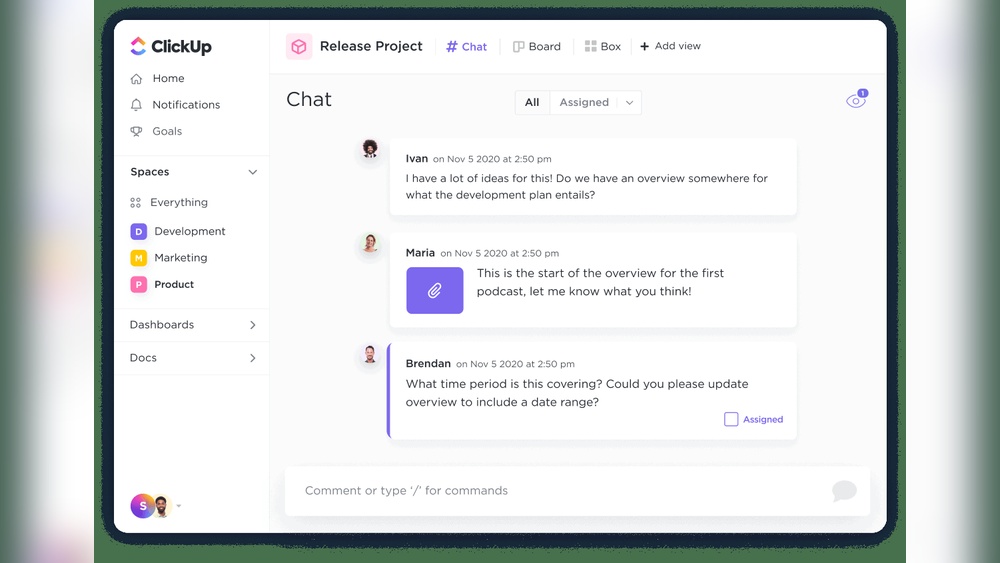
- ClickUp: Offers built-in chat, comments on tasks, mentions, and real-time collaboration on docs.
- Shortcut: Provides task comments and integrates with external chat apps like Slack.
ClickUp’s communication tools aim to keep all discussions inside one app. Shortcut relies more on external tools for chat but keeps task comments simple and clear.
Pricing And Affordability Breakdown
Choosing the right project management tool means understanding its cost and value. Pricing affects how well a tool fits your team’s budget and needs. Both ClickUp and Shortcut offer different pricing plans. This section breaks down their costs and value to help decide which suits your team best.
Clickup’s Pricing Tiers And Value Proposition
ClickUp provides a flexible pricing structure with multiple tiers. Each plan aims to deliver more features and support as you scale.
| Plan | Price (per user/month) | Key Features |
|---|---|---|
| Free | $0 | Unlimited tasks, 100MB storage, 24/7 support |
| Unlimited | $5 | Unlimited storage, integrations, dashboards |
| Business | $12 | Advanced automation, goals, time tracking |
| Enterprise | Custom | Custom features, security, dedicated support |
ClickUp’s value lies in its all-in-one platform approach. It combines project management, AI tools, chat, and more. This reduces the need for extra apps, saving money.
Shortcut’s Pricing Structure And Cost-effectiveness
Shortcut offers a simpler pricing model focused on task management. It is designed for teams that want straightforward project tracking without extra features.
| Plan | Price (per user/month) | Key Features |
|---|---|---|
| Free | $0 | Up to 10 users, unlimited stories, basic integrations |
| Team | $8.50 | Unlimited users, advanced integrations, analytics |
| Enterprise | Custom | Custom security, support, and integrations |
Shortcut’s pricing suits teams focusing on task management. It offers cost-effective plans without many extras.
Comparing Free Plans And Trial Options
- ClickUp Free Plan: Unlimited tasks, 100MB storage, basic features.
- Shortcut Free Plan: Up to 10 users, unlimited stories, basic integrations.
- Trials: ClickUp offers a trial of paid plans for full feature access.
- Shortcut does not officially list a free trial but provides a free tier with core features.
Both tools allow teams to test core features without cost. ClickUp’s free plan is more feature-rich for smaller teams.
Which Tool Offers Better Roi For Different Team Sizes?
Small teams (under 10 users):
- Shortcut’s free plan fits teams needing simple task tracking.
- ClickUp’s free plan offers broader features, useful for varied work styles.
Medium teams (10-50 users):
- ClickUp’s Unlimited or Business plans provide automation and integrations.
- Shortcut’s Team plan offers unlimited users but with fewer advanced tools.
Large teams (50+ users):
- ClickUp’s Enterprise plan supports complex workflows and custom needs.
- Shortcut’s Enterprise plan focuses on security and support at scale.
ClickUp generally offers better return on investment for teams needing all-in-one features. Shortcut suits teams prioritizing simplicity and task focus. Budget, team size, and feature needs will guide the best choice.
Credit: help.clickup.com
Pros And Cons Based On Real-world Usage
Choosing between ClickUp and Shortcut depends on your project needs and team style. Both tools serve project management but differ in scope and focus. Real users share insights on their strengths and weaknesses. Understanding these helps pick the right tool for your workflow.
Advantages Of Using Clickup In Diverse Project Environments
ClickUp suits many project types due to its wide feature set. It combines task management, goal tracking, and time tracking in one platform.
- Highly customizable workflows fit different team needs.
- Supports multiple project views: lists, boards, calendars, and Gantt charts.
- Built-in docs and chat keep communication centralized.
- Automation features save time on repetitive tasks.
- Integrates with many popular apps for seamless work.
This flexibility makes ClickUp ideal for teams handling complex or varied projects.
Limitations And Challenges Faced By Clickup Users
ClickUp’s rich features can overwhelm new users. The interface sometimes feels cluttered due to many options.
- Steep learning curve slows initial adoption.
- Performance may lag with large data sets.
- Customization requires time to set up properly.
- Some users report notification overload and difficulty managing alerts.
- Mobile app features are less robust than desktop.
These challenges may affect teams seeking a simple, quick-start tool.
Strengths Of Shortcut For Agile And Product-focused Teams
Shortcut is praised for its simplicity and focus on agile workflows. It helps product teams track tasks and progress without distractions.
- Clean, intuitive interface eases onboarding.
- Strong support for user stories, epics, and sprints.
- Quick task creation and updates speed up daily work.
- Built specifically for software development and product teams.
- Simple integrations with code repositories and communication tools.
This focus makes Shortcut a solid choice for agile teams aiming for efficiency.
Potential Drawbacks And User Concerns With Shortcut
Shortcut’s simplicity comes with trade-offs. It lacks the broad feature set found in more comprehensive tools.
- Limited customization of workflows and views.
- No built-in time tracking or goal management features.
- Less suitable for complex projects needing detailed reporting.
- Some users want more automation capabilities.
- Smaller app ecosystem compared to competitors.
Teams requiring advanced project management may find Shortcut too basic.
Ideal Users And Use Case Recommendations
The choice between ClickUp and Shortcut depends on team needs and project complexity. Both tools serve different purposes and audiences. Selecting the right one improves workflow and productivity.
Who Should Choose Clickup: Teams Needing An All-in-one Solution
ClickUp suits teams that want a single platform for multiple needs. It combines task management, goal tracking, time tracking, and communication.
- Companies needing project planning plus collaboration tools.
- Teams requiring custom workflows and automation.
- Businesses looking to replace many apps with one platform to save costs.
- Groups focused on detailed reporting and task dependencies.
ClickUp works well for organizations of all sizes that want to keep everything in one place.
Best Scenarios For Using Shortcut: Streamlined Task Management
Shortcut fits teams focused on simple, clear task tracking. It keeps project management easy and fast.
- Startups and small teams needing quick task updates.
- Software development teams who want agile workflows with minimal complexity.
- Groups prioritizing straightforward issue tracking without extra features.
- Teams that prefer an intuitive, user-friendly interface.
Shortcut is perfect when task clarity and speed matter most.
Industry-specific Recommendations And Team Size Considerations
| Industry | Best Tool | Reason | Team Size |
|---|---|---|---|
| Software Development | Shortcut | Focus on agile task management and simple workflows | Small to Medium |
| Marketing & Creative | ClickUp | Supports diverse project types and collaboration | Medium to Large |
| Startups | Shortcut | Quick setup and fast task tracking | Small |
| Enterprises | ClickUp | Advanced features for complex workflows and teams | Large |
When To Consider Switching Between Clickup And Shortcut
Switch from Shortcut to ClickUp when your team grows or needs more features. Complex projects require better tracking, goal setting, and integrations.
Switch from ClickUp to Shortcut if your team wants simpler task management. Avoid excess features that slow down progress or confuse users.
- Evaluate current workflow challenges and feature gaps.
- Assess if your team size or project complexity is increasing.
- Choose the tool that matches your current needs for efficiency.
Switching tools can improve focus and reduce wasted time.
Credit: projectmanagementsoftware.io
Conclusion: Making The Right Choice For Your Project Management Needs
Choosing the best project management tool shapes how your team works daily. Both ClickUp and Shortcut offer distinct strengths. Understanding these helps pick the tool that fits your project style and needs. This final section breaks down their differences and guides you on evaluating your team’s needs.
Summary Of Key Differences And Strengths
| Feature | ClickUp | Shortcut |
|---|---|---|
| Core Focus | All-in-one tool with task, goal, and time tracking | Simplicity and task management focus |
| User Interface | Feature-rich, customizable but can feel complex | Clean, straightforward, easy to use |
| Best For | Teams needing broad functionality and integrations | Teams wanting simple, clear task flow |
| Additional Features | Goal tracking, AI assistance, chat, and time tracking | Focused task boards and workflow simplicity |
How To Evaluate Your Team’s Requirements Effectively
Start by listing your team’s main challenges and goals. Consider these steps:
- Identify task complexity: Are your projects simple or multifaceted?
- Assess feature needs: Do you need time tracking or goal management?
- Check team size and roles: Larger teams may need more customization.
- Evaluate user skill level: Choose a tool your team can adopt fast.
- Plan for integrations: Will it connect with your existing tools?
This helps match your team’s workflow with the right tool’s strengths.
Final Thoughts On Project Management Supremacy Between Clickup And Shortcut
ClickUp suits teams needing a powerful, all-in-one solution. It combines many features in one place. This can save time and reduce tool switching.
Shortcut
Your choice depends on balancing complexity against ease of use. Both tools have strong user bases and proven results. Pick the one that fits your workflow and team culture best.
“Frequently Asked Questions
What Are The Main Differences Between Clickup And Shortcut?
ClickUp offers extensive features like goal tracking and time management. Shortcut focuses on simplicity and task management, making it ideal for straightforward project workflows.
Which Tool Is Better For Complex Project Management?
ClickUp is better for managing complex projects due to its all-in-one features. Shortcut suits simpler projects with a focus on agile task tracking.
How Do Clickup And Shortcut Compare In User Satisfaction?
ClickUp generally scores higher in user satisfaction because of its feature richness. Shortcut appeals to users who prefer a minimalistic and easy-to-use interface.
Is Clickup More Expensive Than Shortcut?
ClickUp has various pricing tiers to fit different needs, often more costly. Shortcut offers competitive pricing with a focus on essential project management features.
Conclusion
Choosing between ClickUp and Shortcut depends on your needs and preferences. ClickUp offers many features beyond simple task management. It helps teams save time by keeping work in one place. Shortcut focuses on ease and clear task tracking. Both tools support project success. Try ClickUp for a full-featured solution. Explore more about ClickUp here: ClickUp. Make your choice based on what fits your workflow best.