Newoldstamp Review: Ultimate Email Signature Tool in 2026
Are you looking to make every email you send a powerful branding tool? With Newoldstamp, creating professional email signatures that boost your brand consistency is easier than ever.
Whether you run a small team or manage a large enterprise, this platform lets you set up stunning signatures in just a few clicks—no hassle, no fuss. Imagine every email ending with a polished, consistent signature that not only looks great but also promotes your brand seamlessly. Curious how it works and if it’s the right fit for you? Keep reading this Newoldstamp Review to discover how this tool can transform your email communication and elevate your business image effortlessly.
Credit: newoldstamp.com
Introduction To Newoldstamp And Its Purpose
Newoldstamp is a modern email signature management tool designed for businesses of all sizes. It helps create professional email signatures quickly and ensures brand consistency across all company emails. This platform simplifies the process of managing email signatures for teams and enterprises.
With an intuitive interface, Newoldstamp allows users to set up and update signatures in just a few clicks. Its purpose is to make every business email look polished and cohesive, supporting marketing efforts and internal communication.
Overview Of Newoldstamp As An Email Signature Management Tool
Newoldstamp offers a cloud-based platform to manage and create email signatures. Key features include:
- Easy setup: Quickly create signatures without technical skills.
- Centralized management: Control signatures for all employees from one dashboard.
- Brand consistency: Ensure every email reflects the company’s style and logo.
- Marketing integration: Add promotional banners and social media links.
- Compatibility: Works with popular email clients like Gmail, Outlook, and more.
Businesses use Newoldstamp to maintain a consistent brand image and to add marketing messages directly into email footers. This saves time and improves communication professionalism.
Why Email Signatures Matter For Businesses In 2026
Email signatures remain a vital part of business communication in 2026. They offer several benefits:
- Brand recognition: Consistent signatures increase brand awareness.
- Professionalism: Well-designed signatures build trust with clients.
- Marketing tool: Signatures can promote products, events, or social channels.
- Contact information: Easy access to phone numbers, websites, and addresses.
As remote work grows, email becomes the main communication channel. A strong email signature helps companies stand out and convey important information clearly.
Credit: appsumo.com
Key Features That Make Newoldstamp Unique
Newoldstamp stands out as a reliable email signature platform designed for both small teams and large enterprises. It offers tools that simplify managing email signatures while enhancing brand consistency. The platform’s features focus on ease of use, marketing effectiveness, and insightful analytics. These elements make Newoldstamp a practical choice for businesses aiming to maintain a professional email presence with minimal effort.
Centralized Signature Management For Small Teams And Enterprises
Newoldstamp provides a centralized system to manage email signatures across entire organizations. Admins can create, update, and deploy signatures for all employees from one dashboard. This ensures uniform branding and compliance with company policies.
- Control all signatures in one place
- Apply changes instantly to all users
- Suitable for small teams and large enterprises
- Reduces manual errors and inconsistencies
Intuitive Interface Enabling Quick And Easy Signature Setup
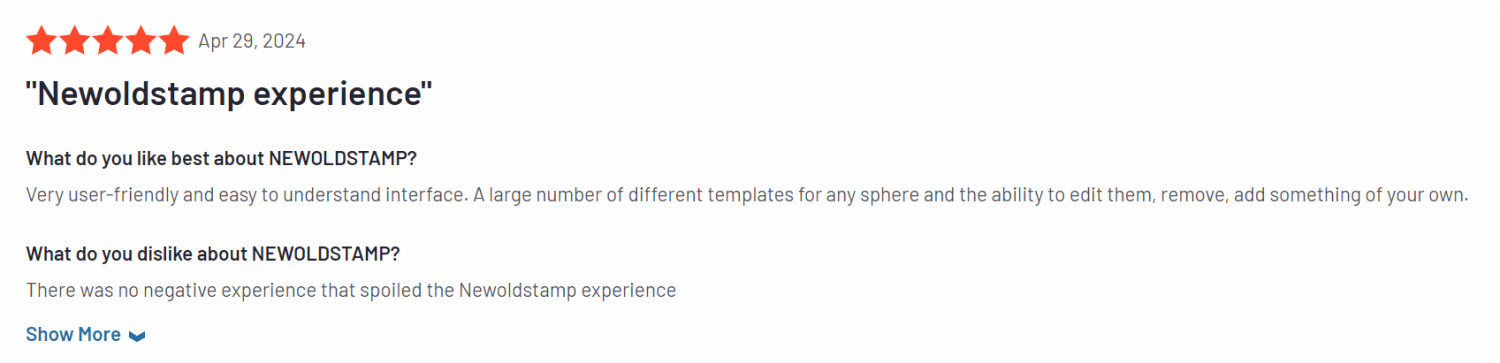
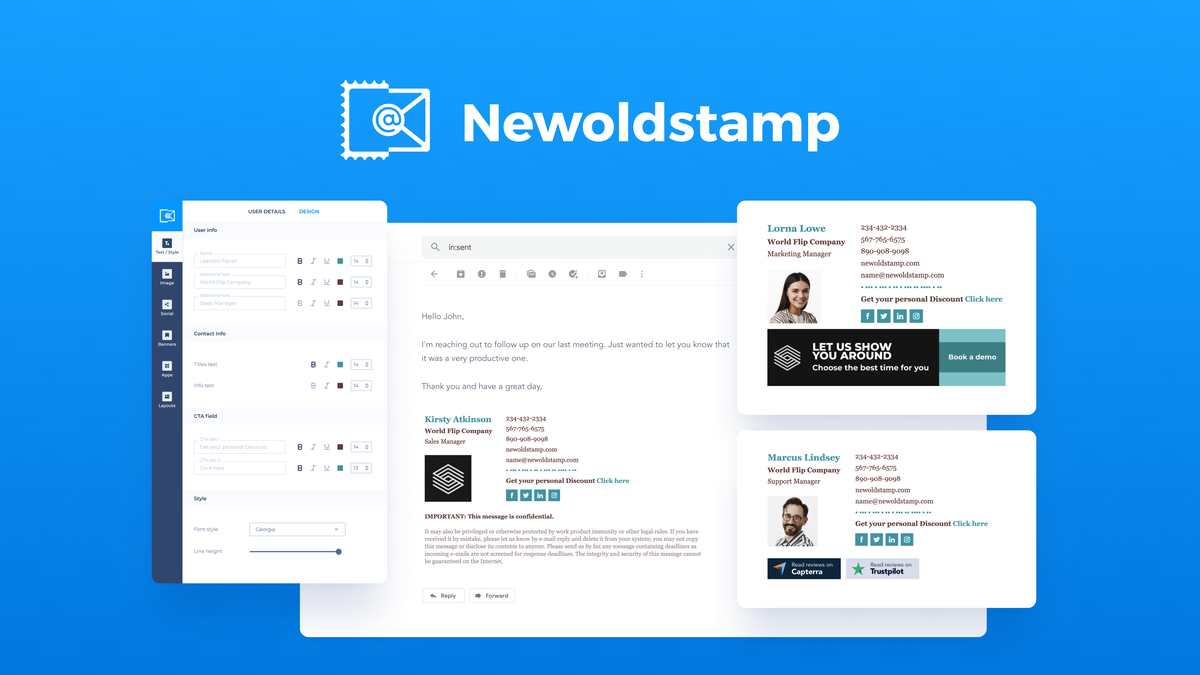
The platform features a user-friendly interface that guides users through the signature creation process. No design skills are necessary. The drag-and-drop editor and clear templates help set up professional signatures in minutes.
- Simple drag-and-drop editor
- Pre-designed templates for quick start
- Step-by-step setup process
- Real-time preview of signatures
Marketing Banner Integration To Boost Campaigns
Newoldstamp allows adding custom marketing banners directly to email signatures. This feature helps promote campaigns, events, or new products to every email recipient.
- Insert clickable banners or CTAs
- Schedule banners for specific periods
- Track campaign visibility through emails
- Enhance marketing reach effortlessly
Strong Integrations With Popular Email And Marketing Platforms
The platform connects smoothly with widely used email clients and marketing tools. This makes signature deployment and management seamless within existing workflows.
| Email Platforms | Marketing Tools |
|---|---|
| Gmail | HubSpot |
| Outlook | Mailchimp |
| Apple Mail | Salesforce |
Analytics And Reporting For Signature Performance Tracking
Newoldstamp provides detailed analytics and reports on how email signatures perform. Users can monitor banner clicks and signature interactions to understand campaign impact.
- Track banner click-through rates
- Measure user engagement with signatures
- Generate reports for marketing insights
- Optimize signatures based on data
Pricing And Affordability Breakdown
Newoldstamp offers flexible pricing plans designed to fit different business sizes. Its pricing structure aims to provide value for both small businesses and large enterprises. Understanding the cost options helps you choose the best plan for your team’s needs.
Overview Of Subscription Plans And Pricing Tiers
Newoldstamp provides several subscription plans based on the number of users and features included. The main pricing tiers include:
| Plan | Price (per user/month) | Key Features |
|---|---|---|
| Basic | $4 | Standard email signatures, basic templates, simple management |
| Pro | $7 | Advanced templates, analytics, priority support |
| Enterprise | Custom pricing | Unlimited users, custom branding, dedicated support |
Plans scale with user count and add features suited for growing teams.
Cost-effectiveness For Small Businesses Vs. Large Enterprises
Small businesses benefit from the Basic or Pro plans. These offer essential tools at affordable rates.
- Low entry price for up to 5 users
- Easy setup without extra fees
- Good for startups and small teams
Large enterprises usually choose the Enterprise plan. It supports hundreds of users with:
- Custom pricing based on team size
- Advanced analytics and compliance features
- Dedicated account management
Overall, Newoldstamp’s pricing fits different budgets and team sizes well.
Free Features And Trial Options
Newoldstamp offers a free trial to test its features before subscribing. The trial includes:
- Access to core email signature templates
- Full signature editor functionality
- Support for a limited number of users
The free version has basic signature creation tools but lacks advanced analytics and custom branding.
Trial users can explore the platform risk-free to see if it meets their needs.
Pros And Cons Based On Real-world Usage
Newoldstamp offers a solid solution for managing email signatures across teams. Users report benefits and some challenges after using it in daily work. This section breaks down key advantages and limitations from actual users. It also compares Newoldstamp to similar tools in the market.
Advantages: Ease Of Use, Professional Appearance, And Scalability
Ease of Use: Newoldstamp features a simple, intuitive interface. Users can create and update signatures quickly without technical skills. The platform supports fast setup for entire teams, saving time and effort.
Professional Appearance: Signatures generated by Newoldstamp look clean and consistent. Companies can add logos, social icons, and promotional banners to boost brand image. The design options maintain a polished, corporate look.
Scalability: Newoldstamp works well for small teams and large enterprises. It allows centralized control over all email signatures. Teams can easily roll out updates to every employee’s email, ensuring brand consistency.
Limitations: Areas For Improvement And User Feedback
- Customization Limits: Some users want more advanced design flexibility. The template options can feel restrictive for creative needs.
- Pricing Concerns: Small businesses note the cost can add up when scaling up users.
- Feature Requests: Users suggest adding better analytics and integration with more email clients.
- Occasional Bugs: A few reports mention minor glitches during signature synchronization.
Comparison With Competing Email Signature Tools
| Feature | Newoldstamp | Competitor A | Competitor B |
|---|---|---|---|
| Ease of Use | Highly intuitive | Moderate learning curve | Simple but less flexible |
| Design Options | Standard templates, limited advanced design | Wide range of templates | Basic templates only |
| Team Management | Strong centralized control | Good team features | Limited team support |
| Pricing | Higher for larger teams | Competitive pricing | Lower cost but fewer features |
Newoldstamp stands out for easy use and strong team management. It may lack some design freedom and advanced features seen in competitors. Pricing suits teams that need central control and professional consistency.
Recommendations For Ideal Users And Scenarios
Newoldstamp suits a variety of users who need professional email signatures fast. It helps teams maintain brand consistency and control over email signatures. The platform fits different company sizes and purposes, from marketing to internal communications. Below are detailed recommendations for ideal users and scenarios.
Best Fit For Marketing And Internal Communications Teams
Marketing teams benefit from Newoldstamp by adding promotional banners and campaign links to every email. This boosts brand visibility and drives customer engagement.
Internal communications teams use it to create uniform signatures that reflect company identity and professionalism. Easy updates ensure everyone’s signature stays current.
- Quick setup for all employees
- Customizable banners for marketing campaigns
- Consistent branding across departments
Suitability For Mid To Large Companies Needing Centralized Control
Mid and large companies gain from Newoldstamp’s centralized signature management. Admins control signatures for all employees from one place.
This reduces errors and saves time updating contact details or legal disclaimers across the company.
| Feature | Benefit |
|---|---|
| Central dashboard | Manage all employee signatures easily |
| Role-based access | Control who edits and approves signatures |
| Bulk updates | Apply changes to all signatures at once |
How Freelancers And Small Teams Can Benefit From Newoldstamp
Freelancers and small teams use Newoldstamp to create professional email signatures without hassle. It improves their brand image in client communications.
The platform’s simple interface suits users with limited tech skills.
- Easy signature creation in minutes
- Affordable pricing plans
- Personal branding with logos and social links
Credit: fixthephoto.com
Frequently Asked Questions
What Is Newoldstamp And How Does It Work?
Newoldstamp is an email signature management platform. It helps businesses create, design, and manage professional email signatures for teams. The tool simplifies signature setup and ensures consistent branding across all company emails.
Who Can Benefit From Using Newoldstamp?
Newoldstamp suits small teams and large enterprises. Marketing and internal communication teams use it weekly to update employee signatures. It improves brand consistency and email marketing efforts across organizations.
How Easy Is It To Create Email Signatures?
Users praise Newoldstamp for its intuitive and user-friendly interface. The platform allows quick and simple signature creation without technical skills. It offers customizable templates for professional-looking email signatures.
What Pricing Plans Does Newoldstamp Offer?
Newoldstamp offers various subscription plans tailored to different business needs. Pricing starts affordably for small teams and scales for larger enterprises. Plans include features like banner ads, analytics, and centralized management.
Conclusion
Newoldstamp makes creating professional email signatures easy and fast. It helps teams keep their brand consistent across all emails. Users like its simple design and quick setup. This tool suits small businesses and larger companies well. Managing signatures takes just a few clicks. Want to try Newoldstamp yourself? Check it out here: Newoldstamp.