Teams Vs Clickup: Ultimate Showdown for Productivity Masters
Choosing the right collaboration tool can make or break your team’s productivity. You might be asking yourself: Should I go with Microsoft Teams or try something different like ClickUp?
Both are powerful platforms, but they serve your needs in very different ways. If you want to save time, cut costs, and bring all your apps, AI tools, projects, and chats into one easy-to-use place, ClickUp might just be the game-changer you need. Imagine having every part of your work perfectly connected, so you and your team can focus on what really matters. Curious to see how ClickUp stacks up against Teams and which one fits your style best? Dive into this comparison and find out which tool will help you work smarter, not harder. Ready to transform your workflow? Check out ClickUp here and see why so many teams are making the switch.

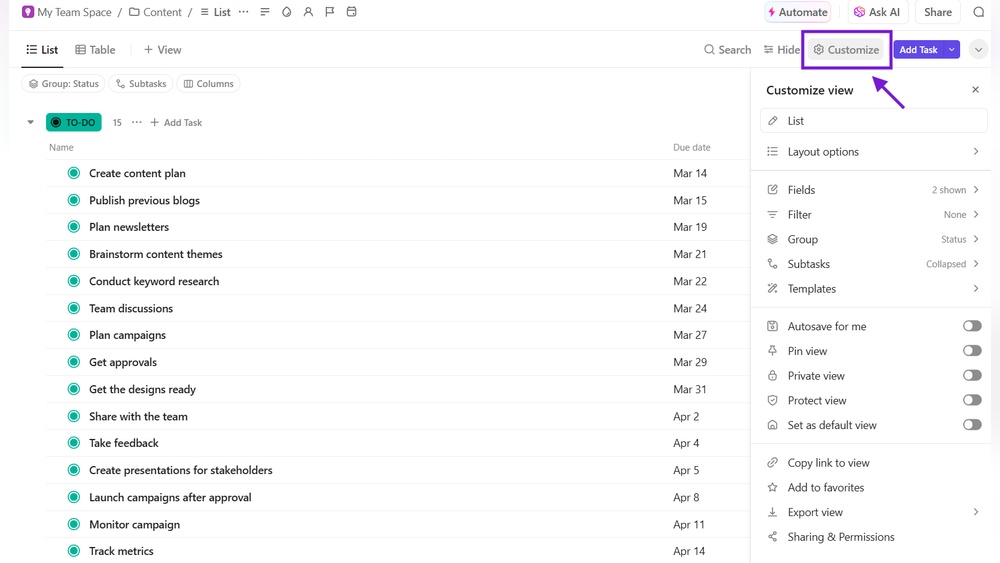
Credit: clickup.com
Introduction To Teams And Clickup
Both Microsoft Teams and ClickUp are popular tools designed to improve how teams work. They offer different features but aim to boost productivity and communication. Understanding their strengths helps choose the right one for your needs.
Overview Of Microsoft Teams And Clickup
Microsoft Teams is a communication platform focused on chat, video calls, and meetings. It integrates deeply with Microsoft 365 apps like Word, Excel, and Outlook. Teams helps groups stay connected and share ideas quickly.
ClickUp is a task and project management tool with many features. It combines tasks, docs, goals, and chat in one app. ClickUp helps teams organize work, track progress, and manage projects efficiently.
| Feature | Microsoft Teams | ClickUp |
|---|---|---|
| Main Focus | Communication and collaboration | Task and project management |
| Core Functions | Chat, video calls, meetings | Tasks, docs, goals, chat |
| Integration | Microsoft 365 apps | Multiple apps and AI tools |
| Best For | Teams needing strong communication | Teams managing projects and workflows |
Purpose And Target Audience Of Each Tool
Microsoft Teams suits organizations focused on communication and real-time collaboration. Ideal for companies using Microsoft 365, it supports meetings, chats, and file sharing.
ClickUp targets teams that require detailed task management and project tracking. It fits businesses wanting a single platform for work organization, AI features, and team chat.
- Microsoft Teams: Corporate teams, remote workers, educators
- ClickUp: Project managers, agencies, internal operations teams
ClickUp’s AI helps save time by combining many apps into one. Teams benefit from having perfect context across projects and communication.

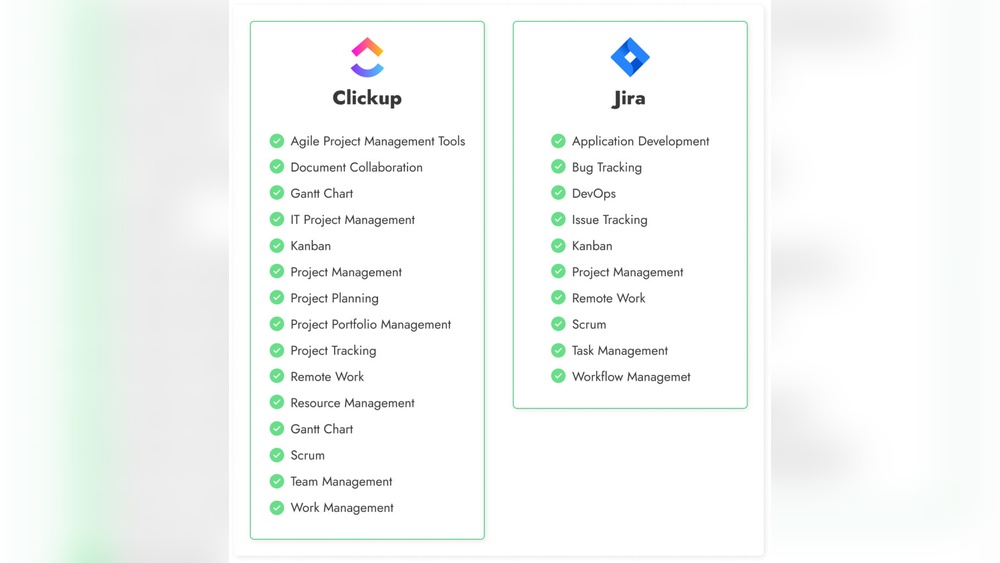
Credit: wedevs.com
Key Features That Set Teams And Clickup Apart
Microsoft Teams and ClickUp serve distinct roles in workplace productivity. Teams excels at communication and collaboration, while ClickUp focuses on task and project management. Understanding their unique features helps choose the right tool.
Communication And Collaboration Capabilities In Teams
Teams is built to connect people instantly. It offers:
- Chat channels for group and private messaging
- Video and audio calls with screen sharing
- Real-time collaboration on Office documents
- Meeting scheduling integrated with Outlook
The platform keeps conversations organized in threads. Users can easily switch between chats, meetings, and files. This creates a seamless communication flow. Teams also supports large group meetings and live events.
Task And Project Management Strengths Of Clickup
ClickUp focuses on managing tasks and projects efficiently. Key features include:
- Customizable task statuses and priorities
- Multiple views: List, Board, Calendar, Gantt
- Built-in time tracking and goal setting
- Automations to reduce manual work
- Document and note management inside tasks
ClickUp enables teams to plan, track, and complete work in one place. It supports complex workflows with ease. This makes it ideal for project managers and teams needing detailed oversight.
Integration Ecosystem And App Compatibility
| Feature | Microsoft Teams | ClickUp |
|---|---|---|
| Office Suite Integration | Deep integration with Word, Excel, PowerPoint | Supports Office files but less native |
| Third-Party Apps | Supports hundreds of apps like Zoom, Trello, Salesforce | Integrates with Slack, Google Drive, GitHub, and more |
| API & Automation | Basic automation via Power Automate | Advanced custom automations and API access |
Both platforms connect well with other tools. Teams favors Microsoft products. ClickUp offers broader app compatibility for diverse workflows.
User Interface And Experience Differences
Teams has a straightforward interface centered on communication:
- Sidebar with chats, teams, calendar, and calls
- Focused on messaging and meeting controls
- Simple navigation but can feel crowded with many channels
ClickUp offers a task-focused, customizable workspace:
- Dashboard with drag-and-drop task views
- Highly configurable layouts for different team needs
- More complex interface due to many features
Teams suits users needing quick access to conversations. ClickUp is better for those who want detailed task management and flexibility.
Pricing And Affordability Analysis
Choosing between Microsoft Teams and ClickUp depends on how you work. Both tools boost productivity but serve different needs. Understanding their strengths helps pick the right one.
Summary Of Key Differences And Benefits
| Feature | Microsoft Teams | ClickUp |
|---|---|---|
| Primary Use | Team communication and meetings | All-in-one project and task management |
| Task Management | Basic task tracking with Planner | Advanced task tracking with customizable workflows |
| Collaboration | Chat, video calls, and file sharing | Chat, docs, goals, and time tracking |
| AI Features | Limited AI integration | Built-in AI for automation and context awareness |
| Client Access | Not designed for external client management | Supports client access and invoicing |
| Cost Efficiency | Part of Microsoft 365 subscription | Replaces multiple tools, saving costs |
Final Thoughts On Selecting The Optimal Tool
Microsoft Teams suits teams needing strong communication tools. It fits well for internal meetings and simple task tracking.
ClickUp fits teams requiring a full project management system. It merges chat, tasks, AI, and client management in one app.
Think about your team’s size, workflows, and task complexity.
Choose the tool that matches your daily needs and long-term goals.
Both tools improve teamwork, but the right choice depends on your priorities.
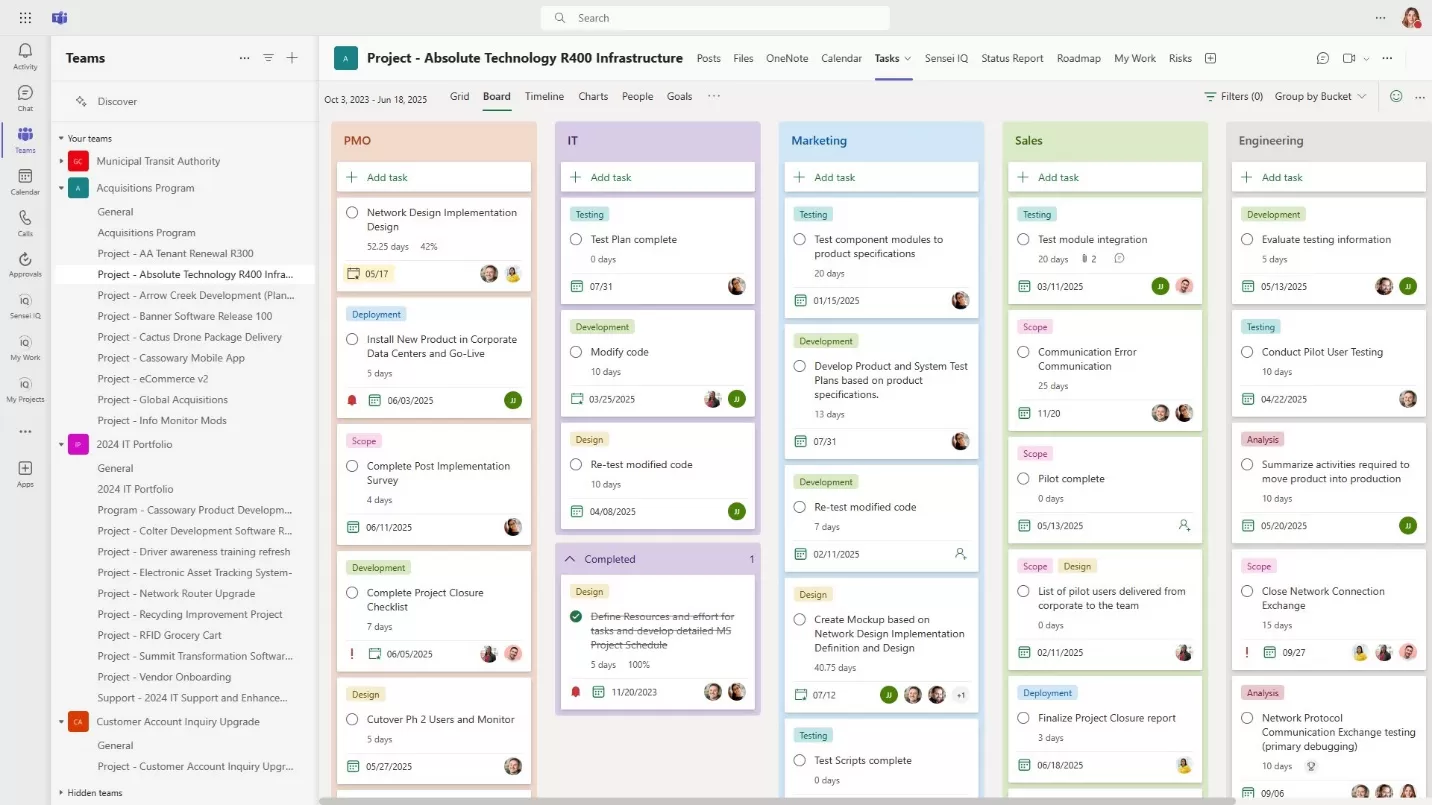
Credit: www.2tolead.com
Frequently Asked Questions
Is Clickup Better Than Teams?
ClickUp excels in task management and internal collaboration. Teams focuses on communication and video meetings. Choose based on your workflow needs.
Is Teams Being Phased Out?
Microsoft Teams is not being phased out but is replacing its classic app with a faster, modernized version.
Is There Anything Better Than Clickup?
Several tools like Monday. com, Asana, Notion, Trello, Wrike, and Smartsheet offer unique features. The best depends on your team’s specific needs.
What Are The Cons Of Clickup?
ClickUp can feel overwhelming due to its many features. Some users report occasional bugs and a steep learning curve. Mobile app limitations and slower loading times may affect productivity. Integrations sometimes require extra setup, which can complicate workflows for teams.
Conclusion
Choosing between Teams and ClickUp depends on your team’s needs and goals. Teams works well for communication and meetings. ClickUp shines in task management and project tracking. Consider what matters most: chat or organized workflows. Both tools help teams work together better. Explore ClickUp’s features to see if it fits your style. You can learn more about ClickUp and try it here: ClickUp. Making the right choice boosts your team’s productivity and saves time.