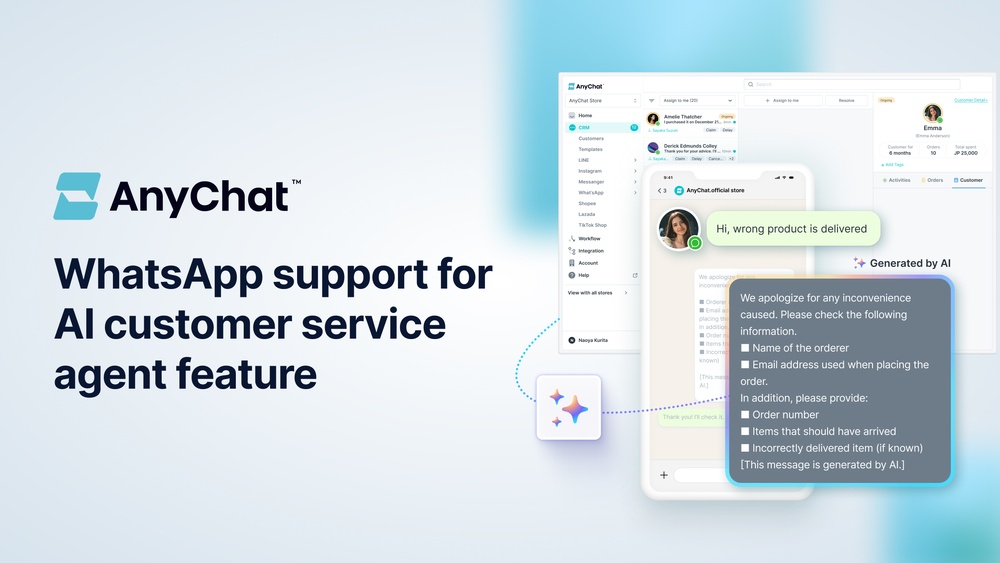
Anychat Features: Unlock Powerful Communication Tools Today
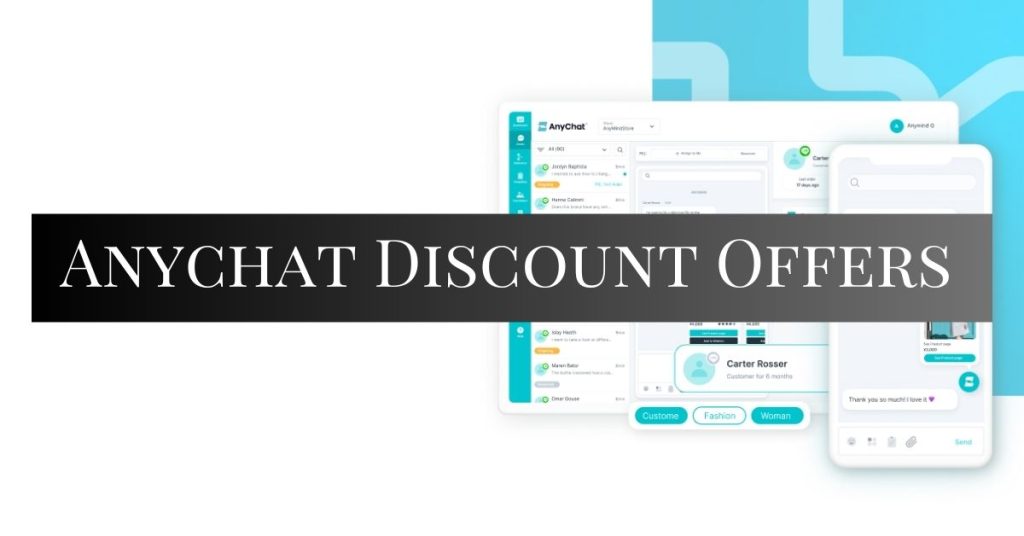
Looking to make connecting with your website visitors easier than ever? AnyChat features bring you a powerful yet simple way to offer multiple contact options right on every page of your site.
Imagine giving your visitors the freedom to reach you through their favorite messaging apps like WhatsApp, Facebook Messenger, Telegram, and more—all from one sleek, customizable chat widget. Whether you want real-time live chat, callback request forms, or seamless multi-platform messaging, AnyChat puts everything you need at your fingertips. Ready to turn your website into a customer engagement powerhouse? Discover how AnyChat can transform your communication and boost your sales today. Check out the full details here: AnyChat Features
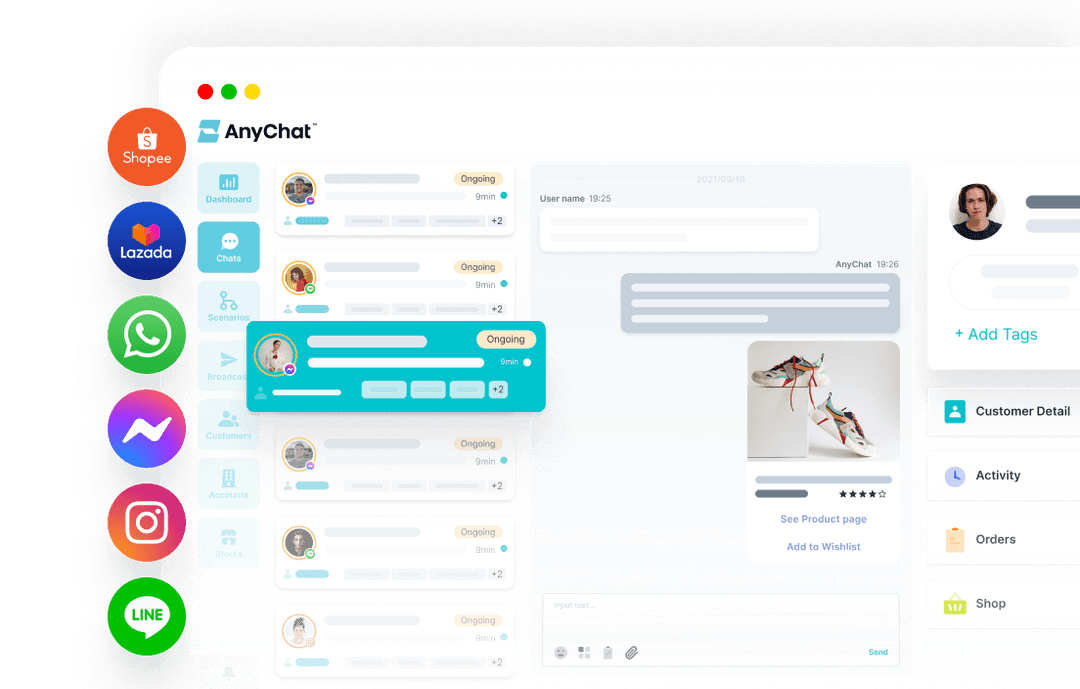
Credit: anychat.tech
Introduction To Anychat And Its Purpose
AnyChat is a versatile chat widget designed to improve online communication. It displays on every page of a website, allowing visitors to contact businesses easily. The widget supports multiple messaging platforms, making communication smoother and faster.
AnyChat aims to connect businesses with their customers through various popular messaging apps. This helps companies provide quick support and engage visitors effectively. The tool is simple to install and fully customizable to match any brand’s style.
What Is Anychat? An Overview Of Its Role In Communication
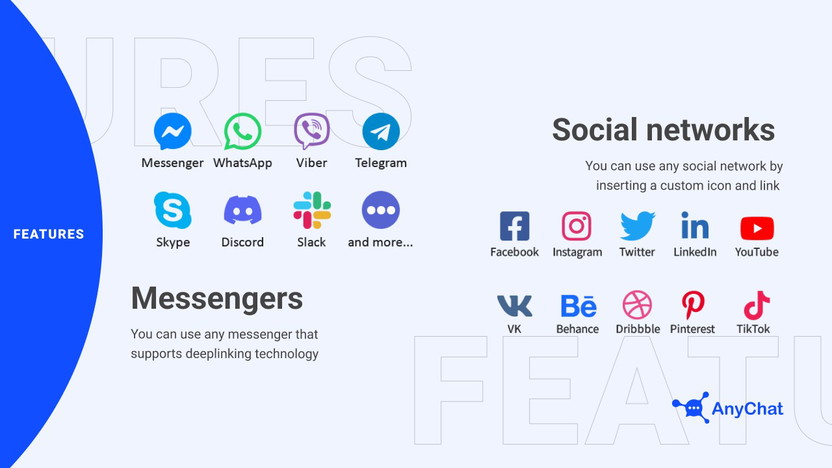
AnyChat is a multi-platform messaging widget that integrates popular chat apps into one interface. It supports apps like Facebook Messenger, WhatsApp, Telegram, Viber, Skype, and more.
- Displays on every page of your website
- Allows visitors to choose their preferred contact method
- Supports real-time messaging for fast replies
- Includes click-to-call and live chat options
This tool helps businesses stay connected with customers without switching platforms. It ensures that messages reach the right place quickly.
How Anychat Enhances Customer Engagement And Support
AnyChat offers real-time messaging, which improves response times and customer satisfaction. Visitors get help instantly, reducing wait times.
The widget is fully customizable, so businesses can keep their brand’s look consistent. This builds trust and creates a professional appearance.
AnyChat supports deep linking to various messaging apps. This makes it easy for users to start conversations on their favorite platforms.
| Feature | Benefit |
|---|---|
| Real-time Messaging | Faster customer support and engagement |
| Multi-platform Support | Connects customers via their preferred apps |
| Customizable Widget | Matches brand identity for trust |
| White-label and CNAME | Professional and seamless integration |
Why Businesses Choose Anychat For Multi-platform Messaging
Businesses select AnyChat for its ability to unify multiple messaging channels. This reduces the hassle of managing different apps separately.
- Easy installation with a simple embed code
- Supports many popular messaging apps
- Improves customer reach and satisfaction
- Offers professional customization options
AnyChat’s support for click-to-call and live chat adds flexibility. It helps companies handle all customer contacts in one place.
Key Features Of Anychat That Unlock Powerful Communication
AnyChat offers tools designed to make communication simple and effective. Its features help businesses connect with customers smoothly across many platforms. The design focuses on ease, speed, and reliability. Users can manage conversations in one place and keep interactions personal and clear. Here are the key features that make AnyChat a strong choice for communication needs.
Multi-platform Messaging Support: Connecting Across Facebook Messenger, Whatsapp, Telegram, And More
AnyChat supports messaging from Facebook Messenger, WhatsApp, Telegram, and other popular apps. This means customers can reach you using their favorite chat service. All messages come together in a single dashboard. It removes the need to switch between apps and helps you respond faster.
Customizable Live Chat Widget: Tailoring Customer Experience To Match Your Brand
The live chat widget can be customized to fit your website’s look and feel. Change colors, text, and button styles to match your brand. This creates a consistent experience for visitors. The widget appears on every page, making it easy for customers to start a chat anytime.
Real-time Messaging And Typing Indicators: Enhancing Responsiveness And Interaction
Messages appear instantly, allowing for smooth conversations. Users see when the other person is typing, which improves interaction. This real-time feedback keeps chats natural and engaging. Quick replies reduce wait times and build trust.
All-in-one Chat Button: Simplifying Contact Methods On Every Page
AnyChat places a single chat button on all pages of your site. This button holds multiple contact options inside it. Visitors can choose how they want to reach you—chat, call, or email—without searching. This simplifies contact and increases chances of customer engagement.
Workflow Automations And Centralized Management: Streamlining Customer Support Operations
Automations handle routine tasks like greetings and message routing. This saves time and ensures customers reach the right team member quickly. Centralized management lets you track all chats in one place. Teams can work together better and avoid missed messages.
Built-in Form Builder: Facilitating Callback Requests And Direct Email Communication
Use the form builder to create custom forms for callback requests or emails. Visitors can send detailed information before the chat starts. This helps prepare your team and speeds up support. Forms can be added easily to the chat widget.
Security And Encryption: Ensuring Safe And Private Conversations
AnyChat uses strong encryption to protect all messages. Conversations stay private and secure from unauthorized access. This builds confidence for both businesses and customers. Data safety is a top priority.
Conversation History And Message Replies: Maintaining Context For Better Customer Service
All chats are saved with full history access. This helps agents see past messages and understand the customer’s needs. Reply features allow direct answers to specific questions. Keeping context improves service quality and customer satisfaction.
File Sharing And Group Chats: Enabling Rich And Collaborative Communication
Send and receive files easily within chats. Share images, documents, or other files to support customer requests. Group chats allow multiple team members or customers to join the conversation. This supports teamwork and detailed discussions.
Pricing And Affordability Breakdown
AnyChat offers flexible pricing plans designed to fit various business sizes and needs. Understanding the cost structure helps businesses choose the right plan for their customer support goals. This section breaks down AnyChat’s pricing, compares it with competitors, and highlights what free and paid plans include.
Overview Of Anychat’s Pricing Plans And What’s Included
AnyChat provides a straightforward pricing model with multiple tiers. Each plan includes access to its core live chat and messaging features. The pricing tiers usually vary by the number of agents, messaging channels, and customization options.
| Plan | Monthly Cost | Key Features Included |
|---|---|---|
| Free | $0 |
|
| Pro | $29 |
|
| Enterprise | Custom Pricing |
|
Cost-effectiveness Compared To Other Live Chat And Messaging Tools
AnyChat’s pricing is competitive in the live chat market. It offers multiple messaging platforms in one tool. Many alternatives charge extra for each channel or user.
The all-in-one approach reduces costs for businesses needing several messaging options. The free plan helps startups and small teams test the tool. Paid plans provide more features without high fees.
- Lower monthly fees than many competitors
- No hidden costs for popular messaging apps
- Scales well for growing teams
Free Features Vs. Paid Upgrades: What You Gain
The free plan gives essential tools to start live chatting on your website. You get a simple chat widget and support for basic messaging apps.
Upgrading unlocks:
- Multiple agents to handle more customers
- Access to all supported messaging platforms
- Real-time messaging for faster replies
- Custom branding and white-label options
- Advanced settings for better user experience
Value For Small Businesses And Large Enterprises
Small businesses benefit from the free and Pro plans. They gain access to multi-channel messaging without big costs.
Large enterprises find value in custom plans. These include dedicated support and advanced integrations for complex needs.
AnyChat suits companies aiming for professional, multi-channel customer support. It offers clear pricing and valuable features for both ends of the spectrum.
Pros And Cons Of Using Anychat Based On Real-world Usage
AnyChat offers a flexible way to connect with website visitors through multiple messaging channels. Users find it helpful for real-time communication and brand consistency. Yet, some challenges appear in learning and feature access. This section breaks down the key strengths and weaknesses observed by actual users.
Advantages: Multi-platform Reach, Customization, And Ease Of Installation
AnyChat supports multiple messaging platforms through deep linking. This allows visitors to contact you via their preferred apps, such as WhatsApp, Messenger, or SMS.
- Multi-platform reach increases chances to engage a wider audience.
- The widget is fully customizable, matching your brand’s colors, fonts, and style.
- Users can apply white-label and CNAME support for a professional look.
- Installation is simple: just add a small embed code to your website.
- Real-time messaging helps deliver faster customer support.
Limitations: Potential Learning Curve And Feature Availability
Some users report a learning curve when setting up and optimizing AnyChat. New users might need time to explore all options fully.
Feature availability varies depending on the subscription plan chosen. Certain advanced tools may require higher-tier plans, limiting access for smaller businesses.
- Initial setup can be complex for beginners.
- Some features locked behind premium plans.
- Occasional updates may require reconfiguration.
User Feedback Highlights: Performance, Reliability, And Customer Support
| Aspect | User Experience |
|---|---|
| Performance | Fast and responsive chat widget with minimal lag. |
| Reliability | Generally stable uptime with rare outages reported. |
| Customer Support | Helpful and timely support, though response times vary. |
How Anychat Stands Out In Competitive Communication Tools
AnyChat combines multi-channel reach and brand customization better than many similar tools. The ability to embed on every page increases visibility.
Its white-label option appeals to businesses wanting a seamless brand experience. Compared to competitors, AnyChat offers a strong balance of features and ease of use.
- Supports more messaging apps in one widget.
- Customizable design fits various brand styles.
- Simple embed code for quick setup.
These factors contribute to AnyChat’s growing popularity among website owners.
Ideal Use Cases And Recommendations For Anychat
AnyChat offers versatile features designed to fit various business needs. Its customizable chat widget supports multiple messaging platforms and provides real-time communication. This section highlights the best use cases and practical recommendations for different teams and industries.
Best Scenarios For Small And Medium-sized Businesses
Small and medium-sized businesses (SMBs) benefit from AnyChat’s easy setup and multi-channel support. The widget displays on every site page, allowing customers to reach out anytime.
- Quick customer support: Real-time messaging boosts response speed and customer satisfaction.
- Brand consistency: Customizable design matches your website’s style, enhancing professionalism.
- Multi-platform contact: Supports Facebook Messenger, WhatsApp, and other popular apps via deeplinking.
For SMBs, AnyChat works well as a central point for all customer contacts, reducing missed messages and improving engagement.
How E-commerce Platforms Benefit From Anychat’s Data Integration
E-commerce stores gain from AnyChat’s data integration capabilities. It connects chat interactions with customer data for personalized service.
| Feature | Benefit |
|---|---|
| Customer data integration | Enables tailored product recommendations during chat sessions |
| Order status updates | Automatic notifications reduce customer inquiries |
| Multi-contact options | Supports shoppers’ preferred messaging platforms |
These features help e-commerce platforms increase sales and improve customer loyalty through personalized, timely communication.
Recommendations For Customer Support Teams Seeking Real-time Engagement
Customer support teams gain significant advantages from AnyChat’s real-time messaging.
- Enable instant responses: Faster replies improve customer experience and reduce wait times.
- Use multi-channel access: Let customers reach out via Facebook Messenger, WhatsApp, or SMS.
- Customize chat appearance: Match AnyChat to your brand for a seamless support experience.
- Track conversations: Maintain chat history for better issue resolution.
Support teams should embed the widget on all key pages to maximize user interaction and satisfaction.
Why Marketing Teams Should Leverage Anychat’s Automation Features
Marketing teams benefit from AnyChat’s automation to engage visitors and generate leads efficiently.
- Automated greetings: Trigger welcome messages based on visitor behavior.
- Lead capture: Collect visitor info through chat forms without disrupting the experience.
- Campaign integration: Sync chat data with marketing tools for targeted follow-ups.
- Consistent engagement: Reach users instantly with promotions or updates.
Automation reduces manual work and helps marketing teams nurture prospects effectively.

Credit: adtechtoday.com
Credit: appsumo.com
Frequently Asked Questions
What Are The Benefits Of Using Anychat?
AnyChat boosts customer engagement with multi-platform messaging and real-time support. It offers easy installation, brand customization, and professional white-label options. Centralized management and workflow automation enhance efficiency, while e-commerce integrations maximize data use for better marketing and sales results.
What Kind Of Support Does Anychat Offer?
AnyChat offers multi-platform messaging support, live chat, customizable contact methods, real-time responses, and integrated forms for seamless customer communication.
What Are The Features Of Chat?
Chat features include real-time messaging, typing indicators, group chats, message replies, file sharing, conversation history, security, and easy onboarding.
What Is Anychat?
AnyChat is a customizable live chat platform that supports multiple messaging apps. It boosts customer engagement and simplifies communication.
Conclusion
AnyChat offers many ways to connect with site visitors easily. It supports popular messaging apps like WhatsApp and Facebook Messenger. The chat widget works on every page and matches your brand style. You can quickly install it using a simple code. Real-time messaging helps you answer questions faster. This tool makes customer support smoother and more effective. Try AnyChat to improve how you engage visitors. Learn more and get it here: AnyChat.